
注釈
Go to the end to download the full example code.
Elastic bearing with torsional loading#
This example requires external packages.
pip install pypardiso
An elastic bearing is subjected to combined multiaxial radial-torsional-cardanic loading. First the meshes for the rubber and the metal sheet rings are created.
import numpy as np
import pypardiso

import felupe as fem

# inner and outer line meshes for the rubber
bottom = fem.mesh.Line(a=-50, b=50, n=6)
top = fem.mesh.Line(a=-30, b=30, n=6)

# embed line meshes in 2d-space
bottom.update(np.pad(bottom.points, ((0, 0), (0, 1)), constant_values=30))
top.update(np.pad(top.points, ((0, 0), (0, 1)), constant_values=60))

# fill face with quads between the two line meshes, add realistic runouts
section = fem.mesh.fill_between(bottom, top, n=8)
section = section.add_runouts(axis=1, centerpoint=[0, 45], values=[0.2], normalize=True)

# revolve the face for the rubber volume
rubber = section.revolve(n=19, phi=360)

# create meshes for the metal sheet rings
metal = fem.MeshContainer(
    [
        fem.Rectangle(a=(-50, 25), b=(50, 30), n=(6, 3)).revolve(n=19, phi=360),
        fem.Rectangle(a=(-30, 60), b=(30, 65), n=(6, 3)).revolve(n=19, phi=360),
    ],
    merge=True,
).stack()
Sub-regions are generated for all materials. The same applies to the material formulations as well as the solid bodies. The sub-fields are also created as vector- valued displacement fields. However, the fields must be merged in a top-level field- container. This modifies the sub-fields to be used in the solid bodies.
regions = [fem.RegionHexahedron(m) for m in [rubber, metal]]
fields, field = fem.FieldContainer([fem.Field(r, dim=3) for r in regions]).merge()

# material formulations and solid bodies for the rubber and the metal sheets
umats = [fem.NeoHooke(mu=1), fem.LinearElasticLargeStrain(E=2.1e5, nu=0.3)]
solids = [
    fem.SolidBodyNearlyIncompressible(umats[0], fields[0], bulk=5000),
    fem.SolidBody(umats[1], fields[1]),
]
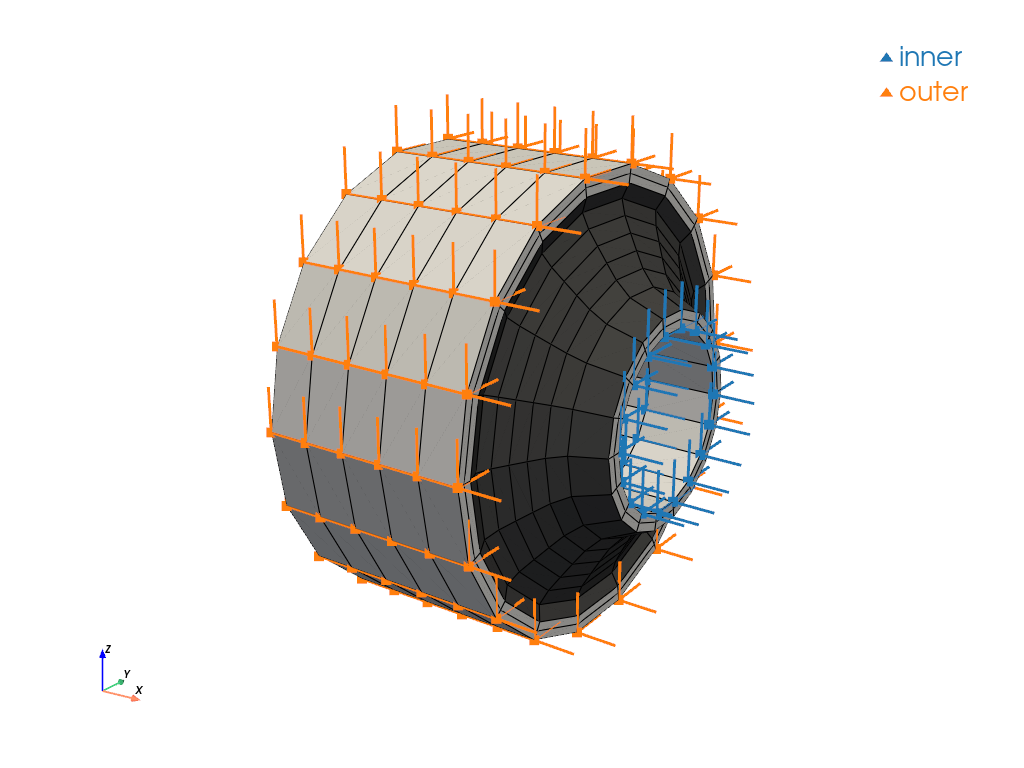
The boundary conditions are created on the top-level displacement field. Masks are created for both the innermost and the outermost metal sheet faces. The global field holds a mesh-container attribute which may be used for plotting.
x, y, z = field.region.mesh.points.T

boundaries = fem.BoundaryDict(
    inner=fem.dof.Boundary(field[0], mask=np.isclose(np.sqrt(y**2 + z**2), 25)),
    outer=fem.dof.Boundary(field[0], mask=np.isclose(np.sqrt(y**2 + z**2), 65)),
)

boundaries.plot(
    plotter=field.mesh_container.plot(colors=[[0.3, 0.3, 0.3], "white"], opacity=1.0)
).show()

# prescribed values for the innermost radial mesh points
table = fem.math.linsteps([0, 1], num=3)
move = []

for progress in table:
    inner = field.region.mesh.points[boundaries["inner"].points]
    inner_rotated = fem.math.rotate_points(
        points=inner,
        angle_deg=30 * progress,
        axis=0,
        center=[0, 0, 0],
    )
    inner_rotated = fem.math.rotate_points(
        points=inner_rotated,
        angle_deg=-5 * progress,
        axis=1,
        center=[0, 0, 0],
    )
    inner_radial = 8 * np.array([0, 0, 1]) * progress
    move.append(inner_radial + inner_rotated - inner)
After defining the load step, the simulation model is ready to be solved.
step = fem.Step(items=solids, ramp={boundaries["inner"]: move}, boundaries=boundaries)
job = fem.Job(steps=[step])
job.evaluate(x0=field, parallel=True, solver=pypardiso.spsolve)
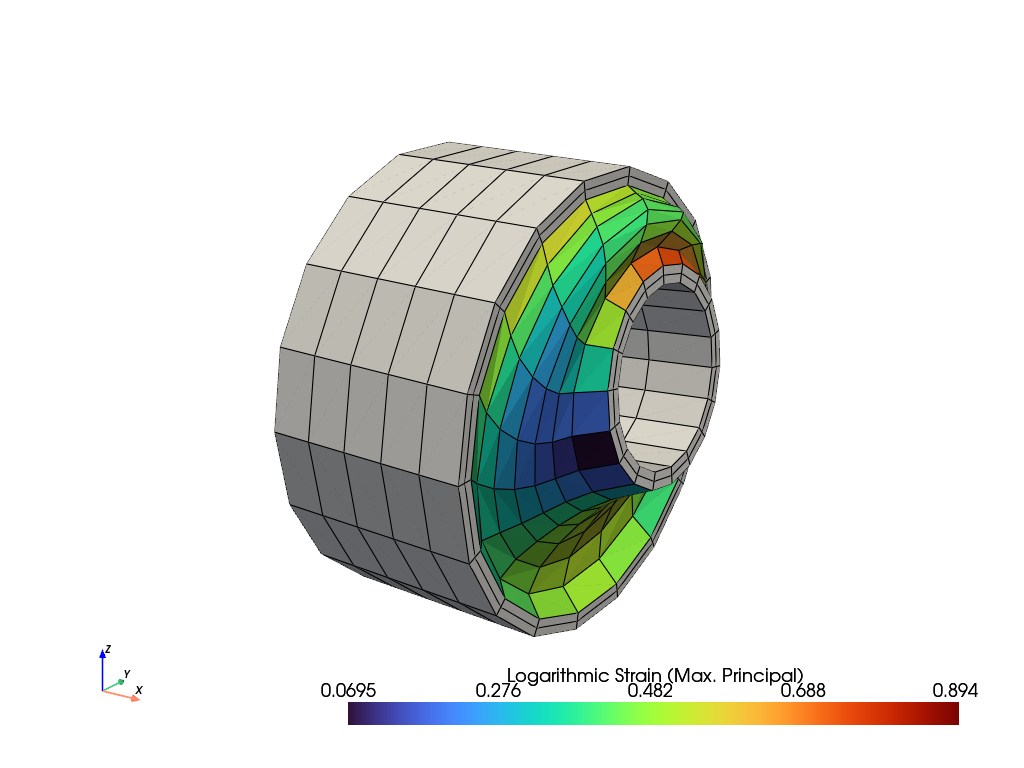
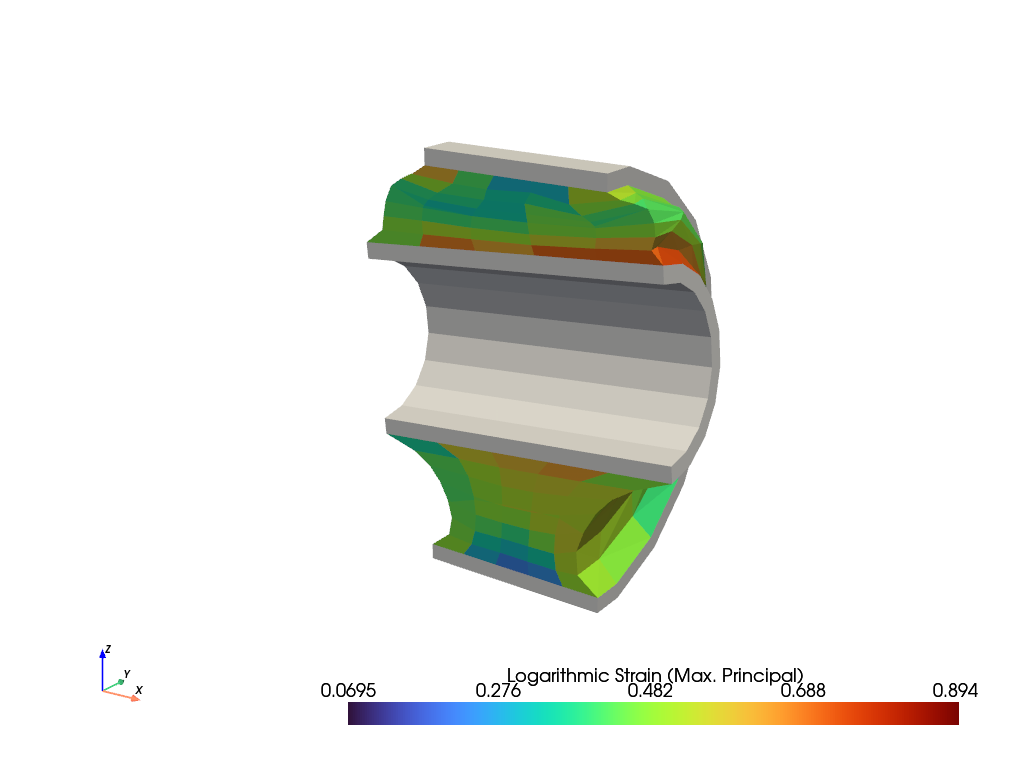
The maximum principal values of the logarithmic strain are plotted on the total simulation model as well as on a clipped view.
plotter = fields[1].plot(color="white", show_undeformed=False)
fields[0].plot(
    "Principal Values of Logarithmic Strain", show_undeformed=False, plotter=plotter
).show()

plotter = fields[1].plot(color="white", show_undeformed=False, show_edges=False)
plotter.mesh.clip("y", invert=False, value=0.0, inplace=True)

plotter = fields[0].plot(
    "Principal Values of Logarithmic Strain",
    show_undeformed=False,
    show_edges=False,
    plotter=plotter,
)
plotter.mesh.clip("y", invert=False, value=0.0, inplace=True)
plotter.show()
Total running time of the script: (0 minutes 2.590 seconds)