ビギナーズガイド#
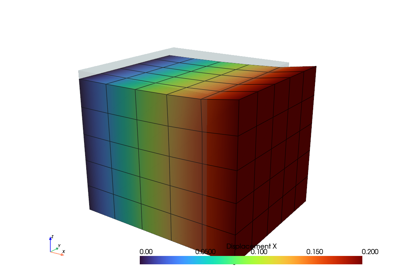
この最小限のコードブロックは、FElupeを使用して問題を作成し、解決するための本質的な高レベルの部分をカバーしています。入門的な例として、超弾性の材料挙動を持つ立体の cube の1/4モデルが、固定された端面で加えられる uniaxial() 伸びを受けます。
まず、FElupeをインポートし、 hexahedron のセルから、軸ごとに指定された点数の cube メッシュを作成します。六面体用に定義された数値 region がメッシュ上に作成されます。ベクトル値の変位 field が領域上で開始されます。次に、このフィールドの上に field container が作成されます。
import felupe as fem

mesh = fem.Cube(n=6)
region = fem.RegionHexahedron(mesh)
field = fem.FieldContainer([fem.Field(region, dim=3)])
A uniaxial() load case is applied on the displacement field stored inside the field container. This involves setting up symmetry() planes as well as the absolute value of the prescribed displacement at the mesh-points on the right-end face of the cube. The right-end face is clamped: only displacements in direction x are allowed. The dict of boundary conditions for this pre-defined load case are returned as boundaries. Optionally, the partitioned degrees of freedom as well as the external displacements are stored within the returned dict loadcase.
boundaries, loadcase = fem.dof.uniaxial(
    field, clamped=True, return_loadcase=True
)
An isotropic hyperelastic Neo-Hookean material model formulation is applied on the displacement field of a solid body.
umat = fem.NeoHooke(mu=1, bulk=50)
solid = fem.SolidBody(umat, field)
A step generates the consecutive substep-movements of a given boundary condition.
move = fem.math.linsteps([0, 1], num=5)
step = fem.Step(
    items=[solid], ramp={boundaries["move"]: move}, boundaries=boundaries
)
The step is further added to a list of steps of a job (here, a characteristic curve job is used). During evaluation, each substep of each step is solved by an iterative Newton-Raphson procedure. The solution is exported after each completed substep as a time-series XDMF file.
job = fem.CharacteristicCurve(steps=[step], boundary=boundaries["move"])
job.evaluate(filename="result.xdmf")

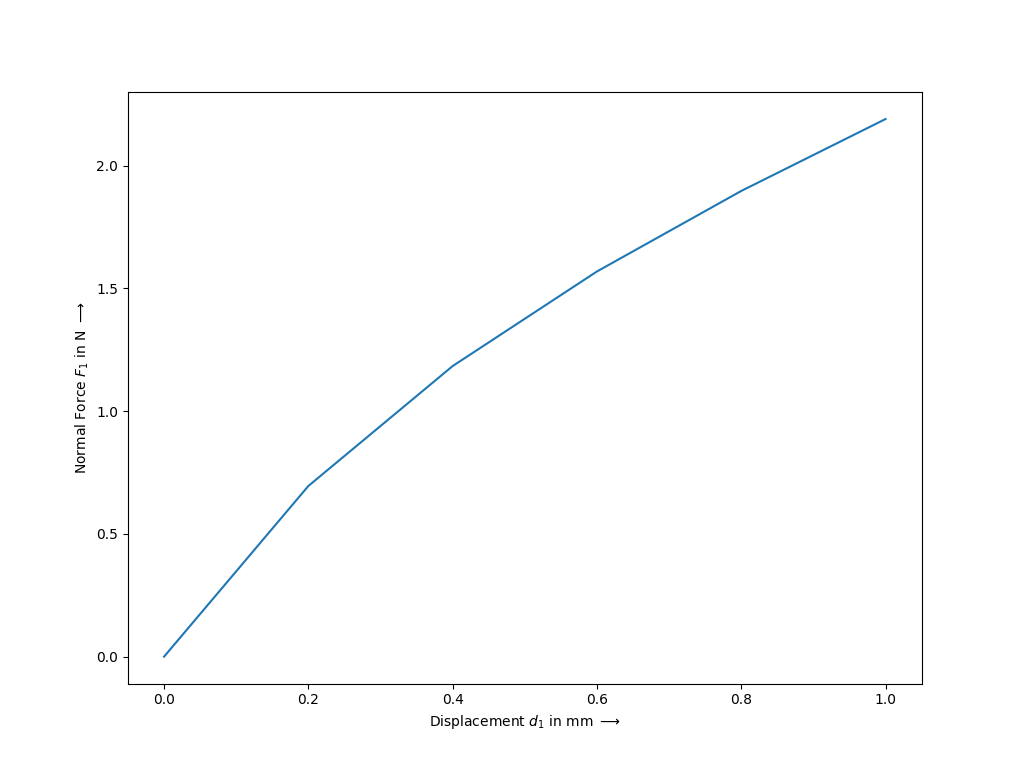
fig, ax = job.plot(
    xlabel=r"Displacement $d_1$ in mm $\longrightarrow$",
    ylabel=r"Normal Force $F_1$ in N $\longrightarrow$",
)
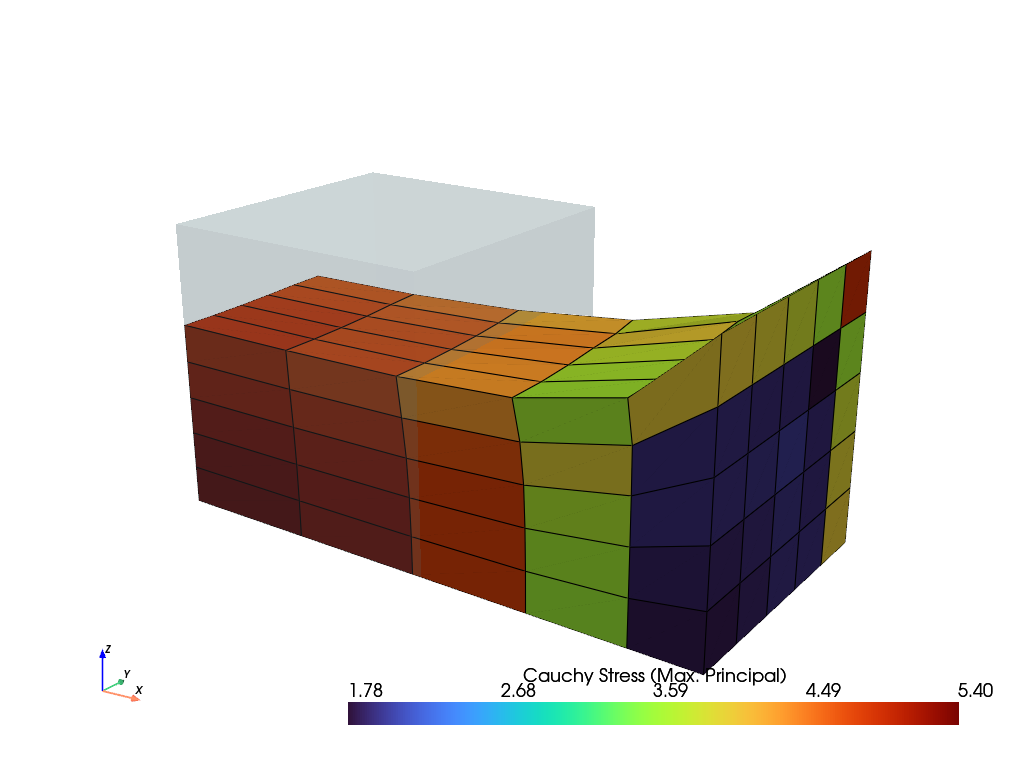
Finally, the result of the last completed substep is plotted.
solid.plot("Principal Values of Cauchy Stress").show()
Slightly modified code-blocks are provided for different kind of analyses
and element formulations.
import felupe as fem

mesh = fem.Cube(n=6)
region = fem.RegionHexahedron(mesh)
field = fem.FieldContainer([fem.Field(region, dim=3)])

boundaries = fem.dof.uniaxial(field, clamped=True, return_loadcase=False)

umat = fem.NeoHooke(mu=1, bulk=50)
solid = fem.SolidBody(umat, field)

move = fem.math.linsteps([0, 1], num=5)
step = fem.Step(
    items=[solid], ramp={boundaries["move"]: move}, boundaries=boundaries
)

job = fem.CharacteristicCurve(steps=[step], boundary=boundaries["move"])
job.evaluate(filename="result.xdmf")
fig, ax = job.plot(
    xlabel=r"Displacement $d_1$ in mm $\longrightarrow$",
    ylabel=r"Normal Force $F_1$ in N $\longrightarrow$",
)
solid.plot(
    "Principal Values of Cauchy Stress"
).show()
import felupe as fem

mesh = fem.Cube(n=(9, 5, 5)).add_midpoints_edges()
region = fem.RegionQuadraticHexahedron(mesh)
field = fem.FieldContainer([fem.Field(region, dim=3)])

boundaries = fem.dof.uniaxial(field, clamped=True, return_loadcase=False)

umat = fem.NeoHooke(mu=1, bulk=50)
solid = fem.SolidBody(umat, field)

move = fem.math.linsteps([0, 1], num=5)
step = fem.Step(
    items=[solid], ramp={boundaries["move"]: move}, boundaries=boundaries
)

job = fem.CharacteristicCurve(steps=[step], boundary=boundaries["move"])
job.evaluate()
fig, ax = job.plot(
    xlabel=r"Displacement $u$ in mm $\longrightarrow$",
    ylabel=r"Normal Force $F$ in N $\longrightarrow$",
)
solid.plot(
    "Principal Values of Cauchy Stress", nonlinear_subdivision=4
).show()
import felupe as fem

mesh = fem.mesh.CubeArbitraryOrderHexahedron(order=3)
region = fem.RegionLagrange(mesh, order=3, dim=3)
field = fem.FieldContainer([fem.Field(region, dim=3)])

boundaries = fem.dof.uniaxial(field, clamped=True, return_loadcase=False)

umat = fem.NeoHooke(mu=1, bulk=50)
solid = fem.SolidBody(umat, field)

move = fem.math.linsteps([0, 1], num=5)
step = fem.Step(
    items=[solid], ramp={boundaries["move"]: move}, boundaries=boundaries
)

job = fem.CharacteristicCurve(steps=[step], boundary=boundaries["move"])
job.evaluate()
fig, ax = job.plot(
    xlabel=r"Displacement $u$ in mm $\longrightarrow$",
    ylabel=r"Normal Force $F$ in N $\longrightarrow$",
)
solid.plot(
    "Principal Values of Cauchy Stress", project=fem.topoints, nonlinear_subdivision=4
).show()
and element formulations.
import felupe as fem

mesh = fem.Rectangle(n=6)
region = fem.RegionQuad(mesh)
field = fem.FieldContainer([fem.FieldPlaneStrain(region, dim=2)])

boundaries = fem.dof.uniaxial(field, clamped=True, return_loadcase=False)

umat = fem.NeoHooke(mu=1, bulk=50)
solid = fem.SolidBody(umat, field)

move = fem.math.linsteps([0, 1], num=5)
step = fem.Step(
    items=[solid], ramp={boundaries["move"]: move}, boundaries=boundaries
)

job = fem.CharacteristicCurve(steps=[step], boundary=boundaries["move"])
job.evaluate(filename="result.xdmf")
fig, ax = job.plot(
    xlabel=r"Displacement $d_1$ in mm $\longrightarrow$",
    ylabel=r"Normal Force $F_1$ in N $\longrightarrow$",
)
solid.plot(
    "Principal Values of Cauchy Stress"
).show()
and element formulations.
import felupe as fem

mesh = fem.Rectangle(n=6)
region = fem.RegionQuad(mesh)
field = fem.FieldContainer([fem.FieldAxisymmetric(region, dim=2)])

boundaries = fem.dof.uniaxial(field, clamped=True, return_loadcase=False)

umat = fem.NeoHooke(mu=1, bulk=50)
solid = fem.SolidBody(umat, field)

move = fem.math.linsteps([0, 1], num=5)
step = fem.Step(
    items=[solid], ramp={boundaries["move"]: move}, boundaries=boundaries
)

job = fem.CharacteristicCurve(steps=[step], boundary=boundaries["move"])
job.evaluate(filename="result.xdmf")
fig, ax = job.plot(
    xlabel=r"Displacement $d_1$ in mm $\longrightarrow$",
    ylabel=r"Normal Force $F_1$ in N $\longrightarrow$",
)
solid.plot(
    "Principal Values of Cauchy Stress"
).show()
チュートリアル#
このセクションはすべて学習についてです。それぞれのチュートリアルは、学ぶべきいくつかのレッスンに焦点を当てています。