
Mesh#
This module contains meshing-related classes and functions. Standalone mesh-tools (functions) are also available as mesh-methods.
Core
|
A mesh with points, cells and optional a specified cell type. |
|
A container which operates on a list of meshes with identical dimensions. |
Geometries
|
A mesh with a single vertex point located at |
|
A 1d-mesh with lines between |
|
A rectangular 2d-mesh with quads between |
|
A cube shaped 3d-mesh with hexahedrons between |
|
A grid shaped 3d-mesh with hexahedrons. |
|
A circular shaped 2d-mesh with quads and |
|
A triangular shaped 2d-mesh with quads and |
|
A rectangular 2d-mesh with an arbitrary-order Lagrange quad between |
|
A rectangular 3d-mesh with an arbitrary-order Lagrange hexahedron between |
Tools
|
Expand a 0d-Point to a 1d-Line, a 1d-Line to a 2d-Quad or a 2d-Quad to a 3d-Hexahedron Mesh. |
|
Translate (move) a Mesh along a given axis. |
|
Rotate a Mesh. |
|
Revolve a 0d-Point to a 1d-Line, a 1d-Line to 2d-Quad or a 2d-Quad to a 3d-Hexahedron Mesh. |
|
Merge duplicate points and update cells of a Mesh. |
|
Mirror points by plane normal and ensure positive cell volumes for tria, tetra, quad and hexahedron cell types. |
|
Merge duplicate points and update cells of a Mesh. |
|
Merge duplicate cells of a Mesh. |
|
Join a sequence of meshes with identical cell types. |
|
Add simple rubber-runouts for realistic rubber-metal structures. |
|
Triangulate a quad or a hex mesh. |
|
Convert a mesh to a given order. |
|
Collect all unique edges, calculate and return midpoints on edges as well as the additional cells array. |
|
Collect all unique faces, calculate and return midpoints on faces as well as the additional cells array. |
|
Collect all volumes, calculate and return midpoints on volumes as well as the additional cells array. |
|
Add midpoints on edges for given points and cells and update cell_type accordingly. |
|
Add midpoints on faces for given points and cells and update cell_type accordingly. |
|
Add midpoints on volumes for given points and cells and update cell_type accordingly. |
|
Subdivide cells by adding midpoints on edges, faces and volumes. |
|
Ensure positive cell volumes for tria, tetra, quad and hexahedron cell types. |
|
Fill a 2d-Quad Mesh between two 1d-Line Meshes, embedded in 2d-space, or a 3d-Hexahedron Mesh between two 2d-Quad Meshes, embedded in 3d-space, by expansion. |
|
Create a new dual mesh with given points per cell. |
|
Stack cell-blocks from meshes with identical points-array and cell-types. |
|
Read a mesh from a file using |
|
Return an interpolated line mesh from an existing line mesh with provided interpolation points on a given axis. |
Return a list with tuples of identical cell types for different packages. |
Detailed API Reference
- class felupe.Mesh(points, cells, cell_type=None)[ソース]#
A mesh with points, cells and optional a specified cell type.
- パラメータ:
points (ndarray) -- Array with point coordinates of shape
(npoints, dim).cells (ndarray) -- Array with cell connectivities of shape
(ncells, points_per_cell).cell_type (str or None, optional) -- An optional string in VTK-convention that specifies the cell type (default is None). Necessary when a mesh is saved to a file.
メモ
The
points-array is of shape(npoints, dim), as denoted in Eq. (1).(1)#\[\begin{split}\hat{\boldsymbol{X}} = \begin{bmatrix} \hat{\boldsymbol{X}_1}^T \\ \hat{\boldsymbol{X}_2}^T \\ \dots \\ \hat{\boldsymbol{X}_n}^T \\ \end{bmatrix}\end{split}\]Exemplaric point coordinates of a single point at the origin in \(\mathbb{R}^3\) are shown in Eq. (2).
(2)#\[\hat{\boldsymbol{X}_1}^T = \begin{bmatrix} 0.0 & 0.0 & 0.0 \end{bmatrix}\]Topologic cell connectivies are stored inside the
cells-array, see Eq. (3),(3)#\[\begin{split}\boldsymbol{t} = \begin{bmatrix} \boldsymbol{t}_1^T \\ \boldsymbol{t}_2^T \\ \vdots \\ \boldsymbol{t}_n^T \\ \end{bmatrix}\end{split}\]with an exemplaric topologic cell-connectivity of a
Quad, as shown in Eq. (4).(4)#\[\boldsymbol{t}_1^T = \begin{bmatrix} 0 & 1 & 2 & 3 \end{bmatrix}\]サンプル
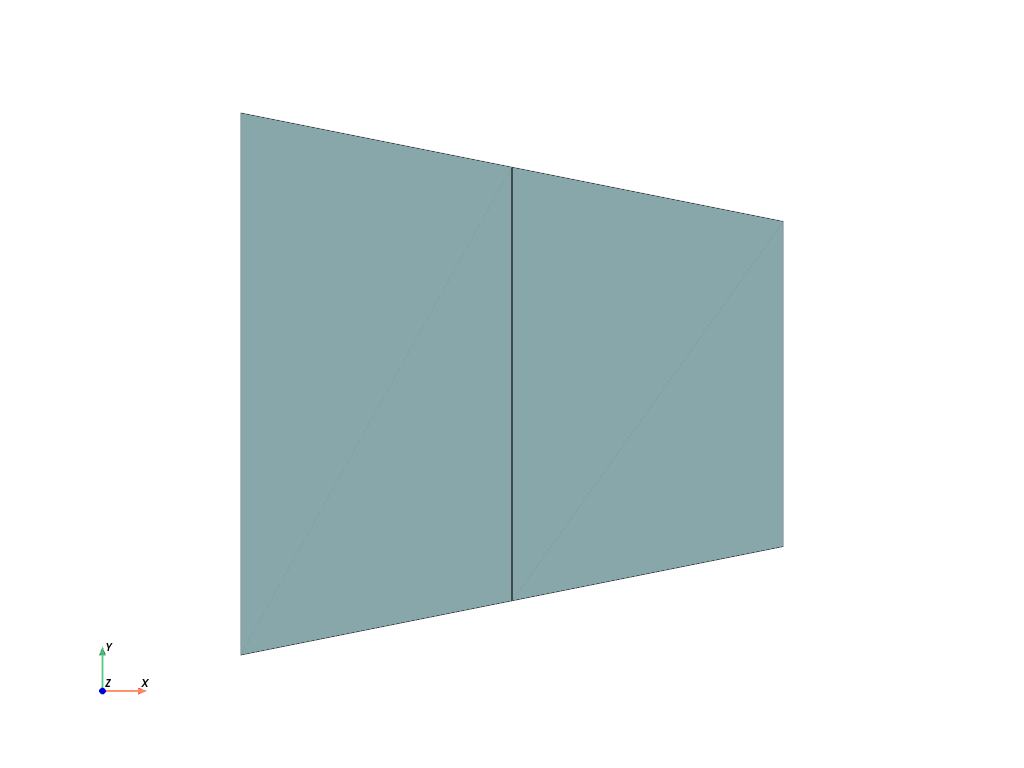
A mesh provides several useful attributes, like the dimension, the number of points, number of cells, number of deegrees of freedom, points connected to cells and points not connected to cells.
>>> mesh.dim
2
>>> mesh.npoints
6
>>> mesh.ncells
2
>>> mesh.ndof
12
>>> mesh.points_with_cells
array([0, 1, 2, 3, 4, 5])
参考
felupe.MeshContainerA container which operates on a list of meshes with identical dimensions.
felupe.RectangleA rectangular 2d-mesh with quads between
aandbwithnpoints per axis.felupe.CubeA cube shaped 3d-mesh with hexahedrons between
aandbwithnpoints per axis.felupe.GridA grid shaped 3d-mesh with hexahedrons. Basically a wrapper for
numpy.meshgrid()with defaultindexing="ij".felupe.CircleA circular shaped 2d-mesh with quads and
npoints on the circumferential edge of a 45-degree section. 90-degreesectionsare placed at given angles in degree.felupe.mesh.TriangleA triangular shaped 2d-mesh with quads and
npoints at the edges of the three sub-quadrilaterals.
- add_midpoints_edges(cell_type=None)[ソース]#
Add midpoints on edges for given points and cells and update cell_type accordingly.
- パラメータ:
cell_type (str or None, optional) -- A string in VTK-convention that specifies the new cell type (default is None). If None, the cell type is chosen automatically.
- 戻り値:
A new mesh with inserted midpoints on cell edges.
- 戻り値の型:
サンプル
Convert a mesh of hexahedrons to quadratic hexahedrons by inserting midpoints on the cell edges.
>>> import felupe as fem
>>>
>>> mesh = fem.Rectangle(n=6)
>>> mesh_with_midpoints_edges = mesh.add_midpoints_edges()
>>>
>>> mesh_with_midpoints_edges.plot(
...     plotter=mesh.plot(), style="points", color="black"
... ).show()
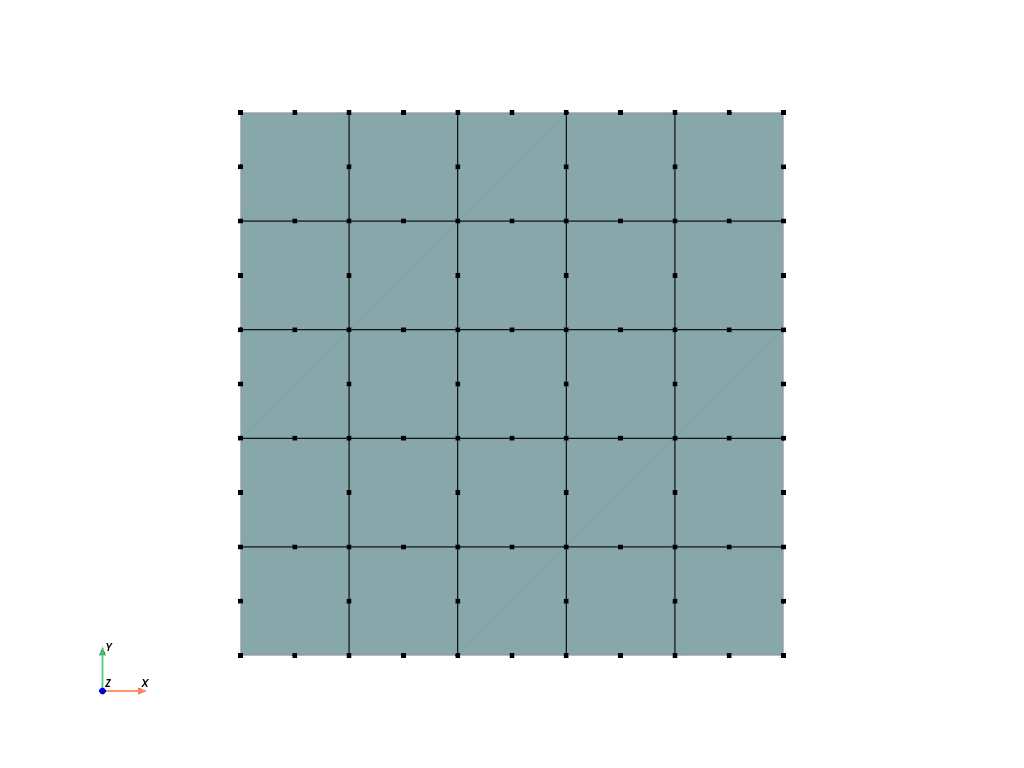
>>> mesh_with_midpoints_edges
<felupe Mesh object>
  Number of points: 96
  Number of cells:
    quad8: 25
参考
felupe.mesh.add_midpoints_edgesAdd midpoints on edges for given points and cells and update cell_type accordingly.
- add_midpoints_faces(cell_type=None)[ソース]#
Add midpoints on faces for given points and cells and update cell_type accordingly.
- パラメータ:
cell_type (str or None, optional) -- A string in VTK-convention that specifies the new cell type (default is None). If None, the cell type is chosen automatically.
- 戻り値:
A new mesh with inserted midpoints on cell faces.
- 戻り値の型:
サンプル
>>> import felupe as fem
>>>
>>> mesh = fem.Rectangle(n=6)
>>> mesh_with_midpoints_faces = mesh.add_midpoints_faces(cell_type="quad")
>>>
>>> mesh_with_midpoints_faces.plot(
...     plotter=mesh.plot(), style="points", color="black"
... ).show()
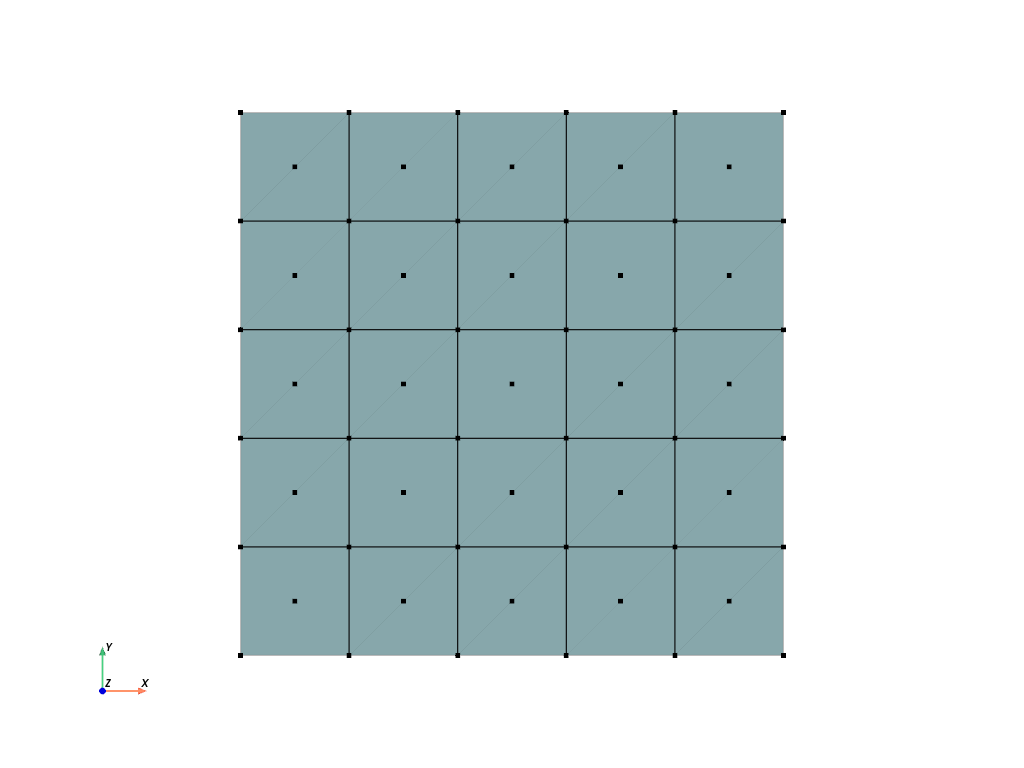
>>> mesh_with_midpoints_faces
<felupe Mesh object>
  Number of points: 61
  Number of cells:
    quad: 25
参考
felupe.mesh.add_midpoints_facesAdd midpoints on faces for given points and cells and update cell_type accordingly.
- add_midpoints_volumes(cell_type=None)[ソース]#
Add midpoints on volumes for given points and cells and update cell_type accordingly.
- パラメータ:
cell_type (str or None, optional) -- A string in VTK-convention that specifies the new cell type (default is None). If None, the cell type is chosen automatically.
- 戻り値:
A new mesh with inserted midpoints on cell volumes.
- 戻り値の型:
サンプル
>>> import felupe as fem
>>> import pyvista as pv
>>>
>>> mesh = fem.Cube(n=6)
>>> mesh_with_midpoints_volumes = fem.mesh.add_midpoints_volumes(
...     mesh, cell_type_new="hexahedron9"
... )
>>> plotter = pv.Plotter()
>>> actor = plotter.add_points(mesh_with_midpoints_volumes.points, color="black")
>>> mesh.plot(opacity=0.5, plotter=plotter).show()
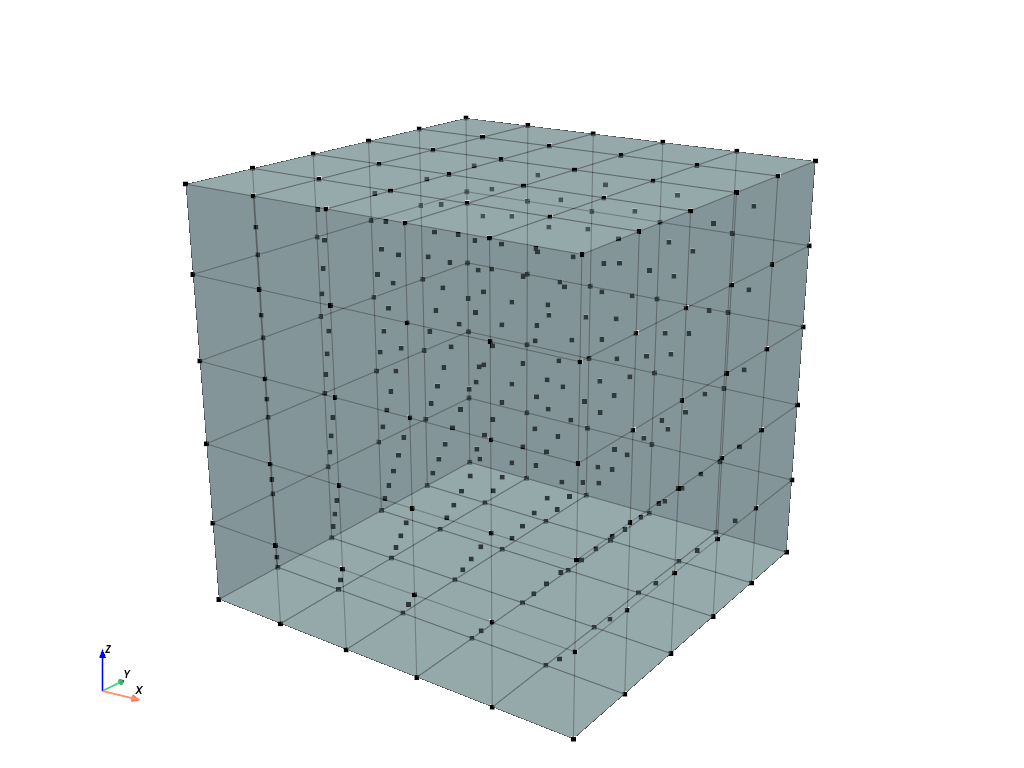
>>> mesh_with_midpoints_volumes
<felupe Mesh object>
  Number of points: 341
  Number of cells:
    hexahedron9: 125
参考
felupe.mesh.add_midpoints_volumesAdd midpoints on volumes for given points and cells and update cell_type accordingly.
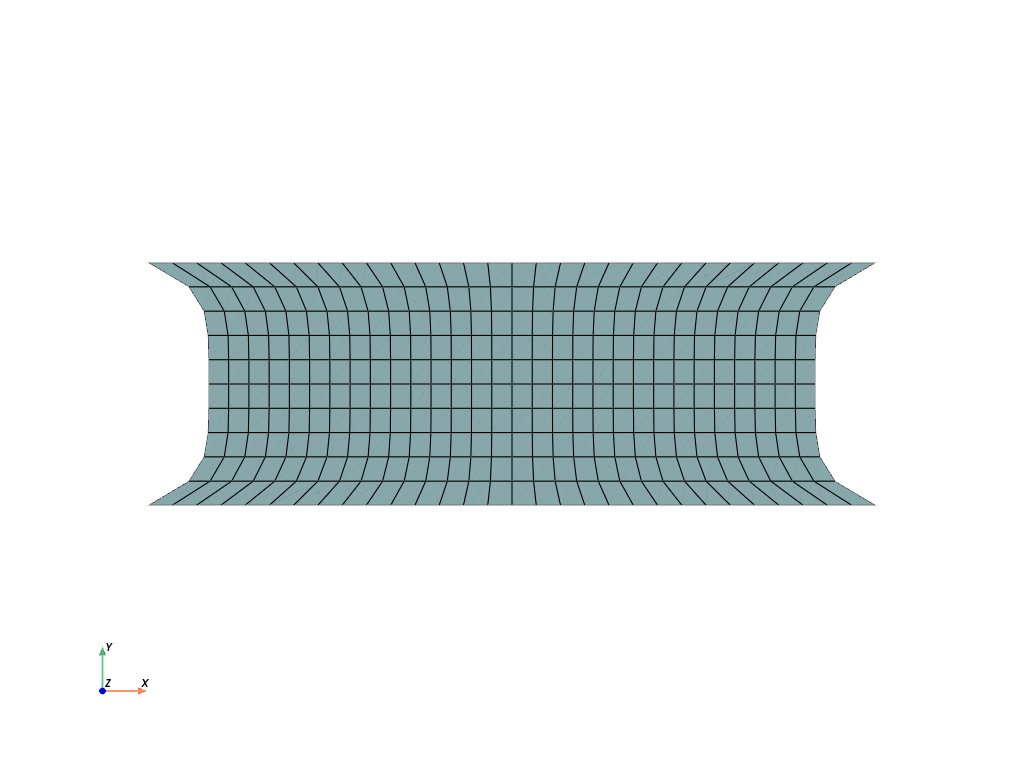
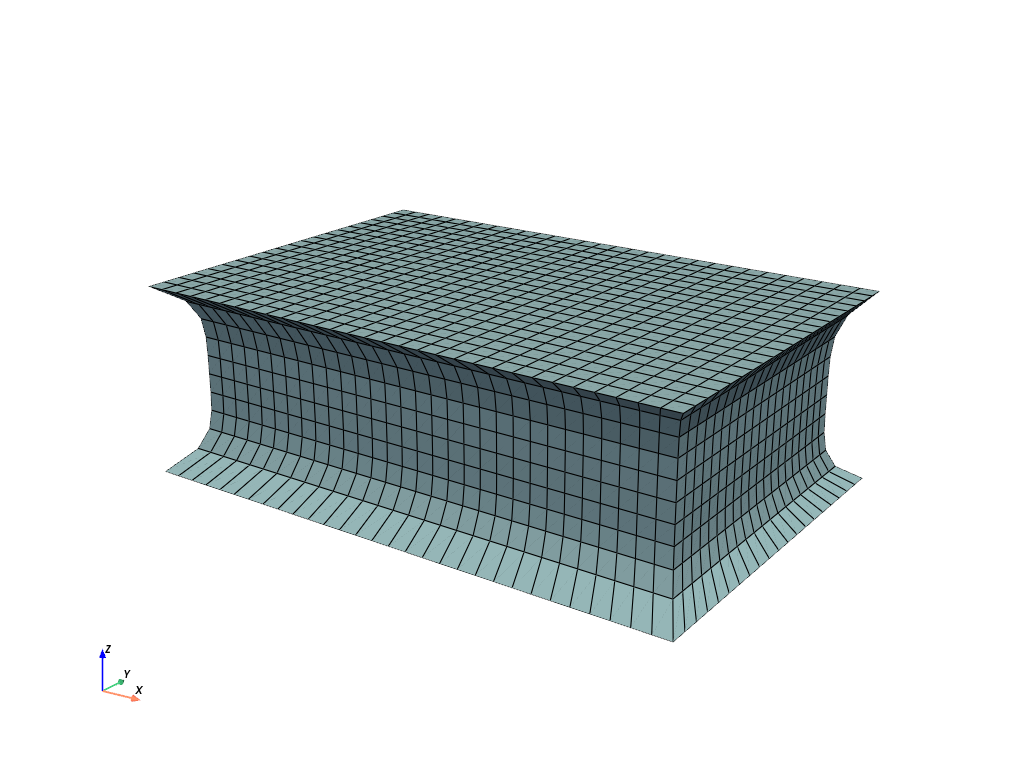
- add_runouts(values=[0.1, 0.1], centerpoint=[0, 0, 0], axis=0, exponent=5, mask=slice(None, None, None), normalize=False)[ソース]#
Add simple rubber-runouts for realistic rubber-metal structures.
- パラメータ:
values (list or ndarray, optional) -- Relative amount of runouts (per coordinate) perpendicular to the axis (default is 10% per coordinate, i.e. [0.1, 0.1]).
centerpoint (list or ndarray, optional) -- Center-point coordinates (default is [0, 0, 0]).
axis (int or None, optional) -- Axis (default is 0).
exponent (int, optional) -- Positive exponent to control the shape of the runout. The higher the exponent, the steeper the transition (default is 5).
mask (list or None, optional) -- List of points to be considered (default is None).
normalize (bool, optional) -- Normalize the runouts to create indents, i.e. maintain the original shape at the ends (default is False).
- 戻り値:
The mesh with the modified point coordinates.
- 戻り値の型:
サンプル
>>> import felupe as fem
>>>
>>> rect = fem.Rectangle(a=(-3, -1), b=(3, 1), n=(31, 11))
>>> mesh = rect.add_runouts(axis=1, values=[0.2], normalize=True)
>>>
>>> mesh.plot().show()
参考
felupe.mesh.runoutsAdd simple rubber-runouts for realistic rubber-metal structures.
- as_meshio(**kwargs)[ソース]#
Export the mesh as
meshio.Mesh.- パラメータ:
**kwargs (dict, optional) -- Additional keyword-arguments for
meshio.Mesh(points, cells, **kwargs).- 戻り値:
The mesh as
meshio.Mesh.- 戻り値の型:
meshio.Mesh
- as_unstructured_grid(cell_type=None, **kwargs)[ソース]#
Export the mesh as
pyvista.UnstructuredGrid.- パラメータ:
cell_type (pyvista.CellType or None, optional) -- Cell-type of PyVista (default is None).
**kwargs (dict, optional) -- Additional keyword-arguments for
pyvista.UnstructuredGrid.
- 戻り値:
The mesh as
pyvista.UnstructuredGrid.- 戻り値の型:
- cells_in(other_mesh, decimals=8)[ソース]#
Return a boolean cells-mask for cells that are also present in another mesh.
- パラメータ:
other_mesh (fem.Mesh) -- The mesh to compare with.
decimals (int, optional) -- The number of decimals to consider for point comparison. Default is 8.
- 戻り値:
A boolean array where True indicates that cells are also in the other mesh.
- 戻り値の型:
np.ndarray
サンプル
>>> import felupe as fem
>>>
>>> rect_top = fem.Rectangle(n=(4, 2)).translate(1.0, axis=1)
>>> rect_bottom = fem.Rectangle(n=(4, 2)).translate(1e-6, axis=0)
>>>
>>> meshes = [rect_top, rect_bottom]
>>> mesh = fem.MeshContainer(meshes, merge=True, decimals=6).stack()
>>>
>>> cells_mask = mesh.cells_in(rect_top, decimals=6)
>>> cells_mask
array([ True,  True,  True, False, False, False])
- collect_edges(cells, cell_type)#
Collect all unique edges, calculate and return midpoints on edges as well as the additional cells array.
参考
felupe.mesh.add_midpoints_edgesAdd midpoints on cell edges for given points and cells and update cell_type accordingly.
felupe.Mesh.add_midpoints_edgesAdd midpoints on cell edges for given points and cells and update cell_type accordingly.
- collect_faces(cells, cell_type)#
Collect all unique faces, calculate and return midpoints on faces as well as the additional cells array.
参考
felupe.mesh.add_midpoints_facesAdd midpoints on cell faces for given points and cells and update cell_type accordingly.
felupe.Mesh.add_midpoints_facesAdd midpoints on cell faces for given points and cells and update cell_type accordingly.
- collect_volumes(cells, cell_type)#
Collect all volumes, calculate and return midpoints on volumes as well as the additional cells array.
参考
felupe.mesh.add_midpoints_volumesAdd midpoints on cell volumes for given points and cells and update cell_type accordingly.
felupe.Mesh.add_midpoints_volumesAdd midpoints on cell volumes for given points and cells and update cell_type accordingly.
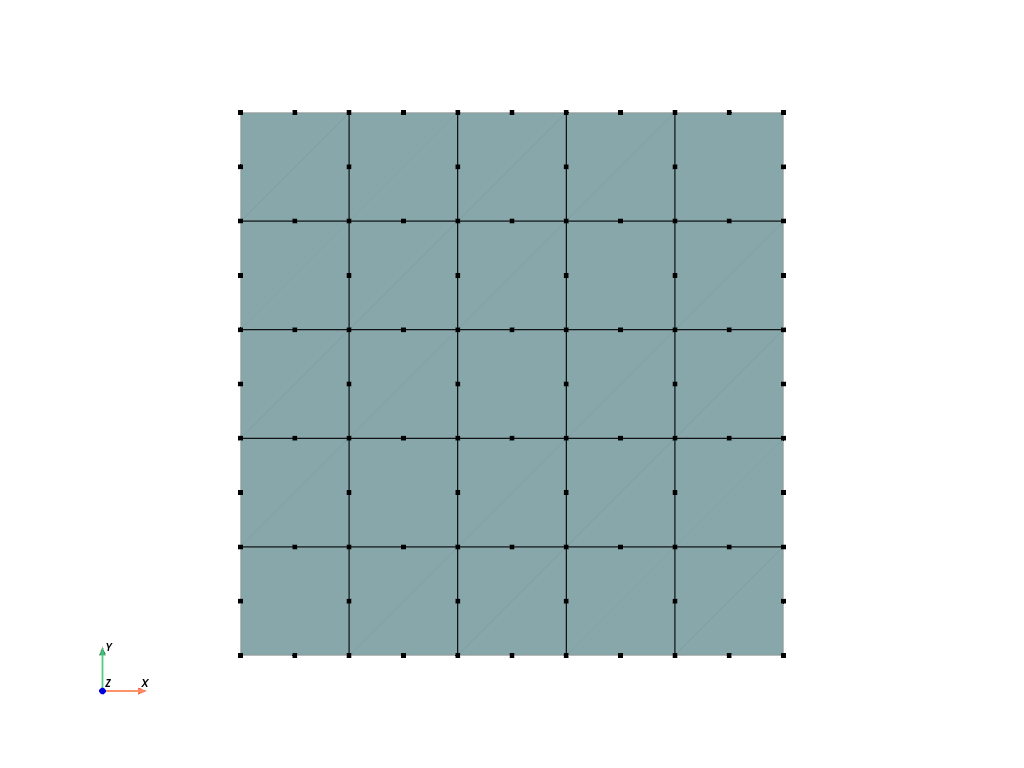
- convert(order=0, calc_points=False, calc_midfaces=False, calc_midvolumes=False)[ソース]#
Convert a mesh to a given order. Only conversions to
order=0andorder=2are supported. This function supports meshes with cell types"triangle","tetra","quad"and"hexahedron".- パラメータ:
order (int, optional) -- The order of the converted mesh (default is 0). If 0, the points-array will be of shape
(ncells, dim). If 0 andcalc_pointsis True, the mean of all points per cell is evaluated. If 0 andcalc_pointsis False, the points array is filled with zeros. If 2, at least midpoints on cell edges are added to the mesh. If 2 andcalc_midfacesis True, midpoints on cell faces are also added. If 2 andcalc_midvolumesis True, midpoints on cell volumes are also added. Raises an error if not 0 or 2.calc_points (bool, optional) -- Flag to return the mean of all points per cell if
order=0(default is False). If False, the points-array is filled with zeros.calc_midfaces (bool, optional) -- Flag to add midpoints on cell faces if
order=2(default is False).calc_midvolumes (bool, optional) -- Flag to add midpoints on cell volumes if
order=2(default is False).
- 戻り値:
The converted mesh.
- 戻り値の型:
サンプル
Convert a mesh of hexahedrons to quadratic hexahedrons by inserting midpoints on the cell edges.
>>> import felupe as fem
>>>
>>> mesh = fem.Rectangle(n=6)
>>> mesh2 = mesh.convert(order=2)
>>>
>>> mesh2.plot(plotter=mesh.plot(), style="points", color="black").show()
>>> mesh2
<felupe Mesh object>
  Number of points: 96
  Number of cells:
    quad8: 25
参考
felupe.mesh.add_midpoints_edgesAdd midpoints on edges for given points and cells and update cell_type accordingly.
felupe.mesh.add_midpoints_facesAdd midpoints on faces for given points and cells and update cell_type accordingly.
felupe.mesh.add_midpoints_volumesAdd midpoints on volumes for given points and cells and update cell_type accordingly.
felupe.Mesh.add_midpoints_edgesAdd midpoints on edges for given points and cells and update cell_type accordingly.
felupe.Mesh.add_midpoints_facesAdd midpoints on faces for given points and cells and update cell_type accordingly.
felupe.Mesh.add_midpoints_volumesAdd midpoints on volumes for given points and cells and update cell_type accordingly.
- copy(points=None, cells=None, cell_type=None)#
Return a deepcopy.
- disconnect(points_per_cell=None, calc_points=True)[ソース]#
Return a new instance of a Mesh with disconnected cells. Optionally, the points-per-cell may be specified (must be lower or equal the number of points- per-cell of the original Mesh). If the Mesh is to be used as a dual Mesh, then the point-coordinates do not have to be re-created because they are not used.
参考
felupe.Mesh.dualCreate a new dual mesh with given points per cell.
- dual(points_per_cell=None, disconnect=True, calc_points=False, offset=0, npoints=None)[ソース]#
Create a new dual mesh with given points per cell.
- パラメータ:
points_per_cell (int or None, optional) -- Number of points per cell, must be equal or lower than
cells.shape[1]( default is None). If None, all points per cell are considered for the dual mesh.disconnect (bool, optional) -- A flag to disconnect the mesh (each cell has its own points). Default is True.
calc_points (bool, optional) -- A flag to calculate the point coordinates for the dual mesh (default is False). If False, the points array is filled with zeros.
offset (int, optional) -- An offset to be added to the cells array (default is 0).
npoints (int or None, optional) -- Number of points for the dual mesh. If the given number of points is greater than
npoints * points_per_cell, then the missing points are added to the points array (filled with zeros). Default is None.
- 戻り値:
The dual mesh.
- 戻り値の型:
メモ
注釈
The points array of the dual mesh always has a shape of
(npoints * points_per_cell, dim).サンプル
>>> import felupe as fem
>>>
>>> mesh = fem.Rectangle(n=5).add_midpoints_edges()
>>> region = fem.RegionQuadraticQuad(mesh=mesh)
>>>
>>> mesh_dual = mesh.dual(points_per_cell=1, disconnect=False)
>>> region_dual = fem.RegionConstantQuad(
...     mesh_dual, quadrature=region.quadrature, grad=False
... )
>>>
>>> displacement = fem.FieldPlaneStrain(region, dim=2)
>>> pressure = fem.Field(region_dual)
>>> field = fem.FieldContainer([displacement, pressure])
参考
felupe.mesh.dualCreate a new dual mesh with given points per cell.
- expand(n=11, z=1, axis=-1, expand_dim=True)[ソース]#
Expand a 0d-Point to a 1d-Line, a 1d-Line to a 2d-Quad or a 2d-Quad to a 3d-Hexahedron Mesh.
- パラメータ:
n (int, optional) -- Number of n-point repetitions or (n-1)-cell repetitions, default is 11. Must be greater than 0.
z (float or ndarray, optional) -- Total expand dimension as float (edge length in expand direction is z / n), default is 1. Optionally, if an array is passed these entries are taken as expansion and
nis ignored.axis (int, optional) -- Axis of expansion (default is -1).
mask (ndarray or None, optional) -- A boolean mask to select points which are rotated (default is None).
expand_dim (bool, optional) -- Expand the dimension of the point coordinates (default is True).
- 戻り値:
The expanded mesh.
- 戻り値の型:
サンプル
Expand a rectangle to a cube.
>>> import felupe as fem
>>>
>>> rect = fem.Rectangle(n=4)
>>> cube = rect.expand(n=7, z=2)
>>>
>>> cube.plot().show()
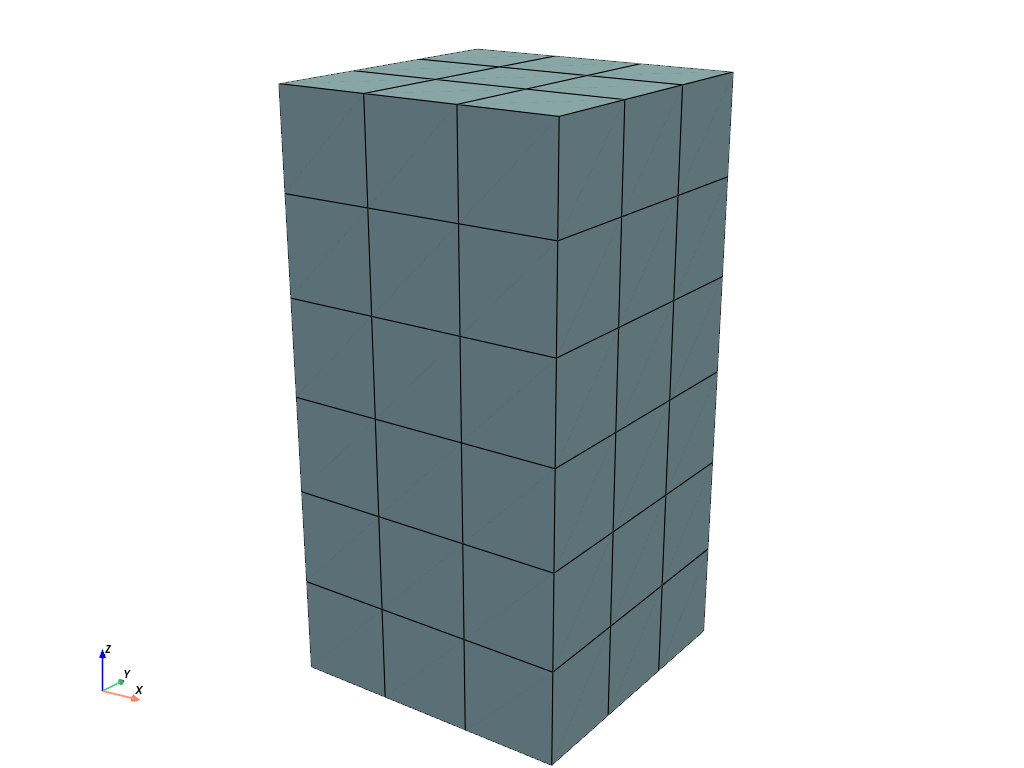
>>> cube
<felupe Mesh object>
  Number of points: 112
  Number of cells:
    hexahedron: 54
参考
felupe.mesh.expandExpand a 0d-Point to a 1d-Line, a 1d-Line to a 2d-Quad or a 2d-Quad to a 3d-Hexahedron Mesh.
- fill_between(other_mesh, n=11)[ソース]#
Fill a 2d-Quad Mesh between two 1d-Line Meshes, embedded in 2d-space, or a 3d-Hexahedron Mesh between two 2d-Quad Meshes, embedded in 3d-space, by expansion. Both meshes must have equal number of points and cells. The cells-array is taken from the first mesh.
- パラメータ:
other_mesh (felupe.Mesh) -- The other line- or quad-mesh.
n (int or ndarray) -- Number of n-point repetitions or (n-1)-cell repetitions, (default is 11). If an array is given, then its values are used for the relative positions in a reference configuration (-1, 1) between the two meshes.
- 戻り値:
The expanded mesh.
- 戻り値の型:
サンプル
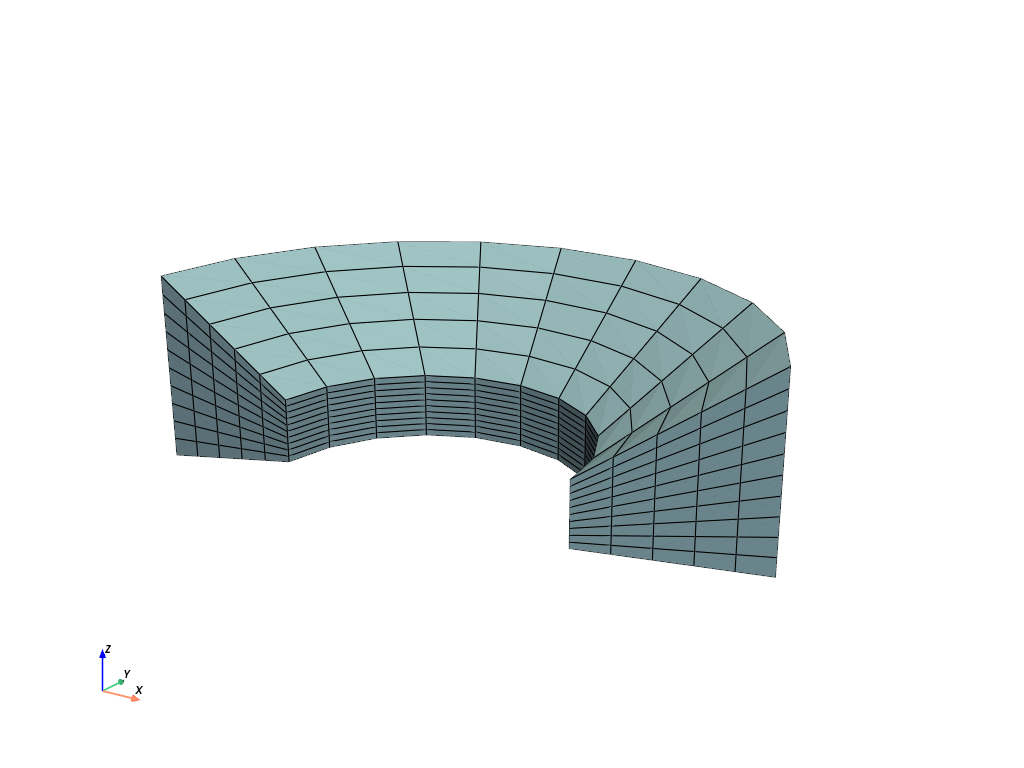
>>> import felupe as fem
>>>
>>> inner = fem.mesh.revolve(fem.Point(1)).expand(z=0.4).translate(0.2, axis=2)
>>> outer = fem.mesh.revolve(fem.Point(2), phi=160).rotate(
...     axis=2, angle_deg=20
... ).expand(z=1.2)
>>> mesh = inner.fill_between(outer, n=6)
>>>
>>> mesh.plot().show()
参考
felupe.mesh.fill_betweenFill a 2d-Quad Mesh between two 1d-Line Meshes, embedded in 2d-space, or a 3d-Hexahedron Mesh between two 2d-Quad Meshes, embedded in 3d-space, by expansion.
- flip(mask=None)[ソース]#
Ensure positive cell volumes for tria, tetra, quad and hexahedron cell types.
- パラメータ:
mask (list, ndarray or None, optional) -- Boolean mask for selected cells to flip (default is None). If None, all cells are selected to be flipped.
- 戻り値:
The mesh with a rearranged cells array to ensure positive cell volumes.
- 戻り値の型:
サンプル
A quad mesh with negative cell volumes occurs if one coordinate axis is multiplied by -1. The error pops up if a region is created with this mesh.
>>> import numpy as np
>>> import felupe as fem
>>>
>>> mesh = fem.Rectangle(n=3)
>>> mesh.update(points=mesh.points * np.array([[-1, 1]]))
>>> region = fem.RegionQuad(mesh)
The sum of the differential volumes \(V = \sum_c \sum_q dV_{qc}\) is evaluated to -1.0.
>>> region.dV.sum()
-1.0
Let's try to fix the mesh.
>>> mesh.cells
array([[0, 1, 4, 3],
       [1, 2, 5, 4],
       [3, 4, 7, 6],
       [4, 5, 8, 7]])
The cells array is rearranged to ensure positive cell volumes.
>>> mesh_fixed = mesh.flip()
>>> mesh_fixed.cells
array([[3, 4, 1, 0],
       [4, 5, 2, 1],
       [6, 7, 4, 3],
       [7, 8, 5, 4]])
A region now correctly evaluates the total volume of the mesh to 1.0.
>>> region_fixed = fem.RegionQuad(mesh_fixed)
>>> region_fixed.dV.sum()
1.0
参考
felupe.mesh.flipEnsure positive cell volumes for tria, tetra, quad and hexahedron cell types.
- get_cell_ids(point_ids)[ソース]#
Return cell ids which have the given point ids in their connectivity.
- パラメータ:
point_ids (list or ndarray) -- Array with point ids which are used to search for cells.
- 戻り値:
Array with cell ids which have the given point ids in their connectivity.
- 戻り値の型:
ndarray
サンプル
>>> cell_ids = mesh.get_cell_ids(point_ids)
>>> cell_ids
array([990])
- get_cell_ids_neighbours(cell_ids)[ソース]#
Return cell ids which share points with given cell ids.
- パラメータ:
cell_ids (list or ndarray) -- Array with cell ids which are used to search for neighbour cells.
- 戻り値:
Array with cell ids which are next to the given cells.
- 戻り値の型:
ndarray
サンプル
>>> cell_ids = mesh.get_cell_ids(point_ids)
>>> cell_ids
array([990])
Find the cell ids which share at least one point with the given cell id(s).
>>> cell_ids_neighbours = mesh.get_cell_ids_neighbours(cell_ids)
>>> cell_ids_neighbours
array([880, 881, 890, 891, 980, 981, 990, 991])
- get_point_ids(value, fun=<function isclose>, mode=<function all>, **kwargs)[ソース]#
Return point ids for points which are close to a given value.
- パラメータ:
value (float, list or ndarray) -- Scalar value or point coordinates.
fun (callable, optional) -- The function used to compare the points to the given value, i.e. with a function signature
fun(mesh.points, value, **kwargs). Default isnumpy.isclose().mode (callable, optional) -- A callable used to combine the search results, either
numpy.any()ornumpy.all().**kwargs (dict, optional) -- Additional keyword arguments for
fun(mesh.points, value, **kwargs).
- 戻り値:
Array with point ids.
- 戻り値の型:
ndarray
サンプル
Get point ids at given coordinates for a mesh with duplicate points.
>>> mesh.points[point_ids]
array([[0., 1., 1.],
       [0., 1., 1.]])
- get_point_ids_corners()[ソース]#
Return point ids which are located at (xmin, ymin), (xmax, ymin), etc.
- 戻り値:
Array with point ids which are located at the corners.
- 戻り値の型:
ndarray
サンプル
Return shared point ids for given cell ids.
- パラメータ:
cells_neighbours (list or ndarray) -- Array with cell ids.
- 戻り値:
Array with point ids which are connected to all given cell neighbours.
- 戻り値の型:
ndarray
サンプル
>>> cell_ids = mesh.get_cell_ids(point_ids)
>>> cell_ids
array([990])
Find the cell ids which share at least one point with the given cell id(s).
>>> cell_ids_neighbours = mesh.get_cell_ids_neighbours(cell_ids)
>>> cell_ids_neighbours
array([880, 881, 890, 891, 980, 981, 990, 991])
Find the shared point ids for the list of cell ids.
>>> point_ids_shared = mesh.get_point_ids_shared(cell_ids_neighbours)
>>> point_ids_shared
array([1189])
- imshow(*args, ax=None, **kwargs)[ソース]#
Take a screenshot of the mesh, show the image data in a figure and return the ax.
- merge_duplicate_cells(cells, cell_type)#
Merge duplicate cells of a Mesh.
- パラメータ:
- 戻り値:
points (ndarray) -- Point coordinates.
cells (list or ndarray) -- Cells with merged duplicate cells.
cell_type (str or None) -- A string in VTK-convention that specifies the cell type.
メモ
警告
This function re-sorts cells.
注釈
This function does not merge duplicate points.
サンプル
Two quad meshes to be merged overlap some cells. Merge these duplicated points and update the cells.
>>> import felupe as fem
>>>
>>> rect1 = fem.Rectangle(n=11)
>>> rect2 = fem.Rectangle(a=(0.9, 0), b=(1.9, 1), n=11)
>>>
>>> container = fem.MeshContainer([rect1, rect2])
>>> stack = fem.mesh.stack(container.meshes)
>>> mesh = fem.mesh.merge_duplicate_points(stack)
>>>
>>> mesh.plot(opacity=0.6).show()
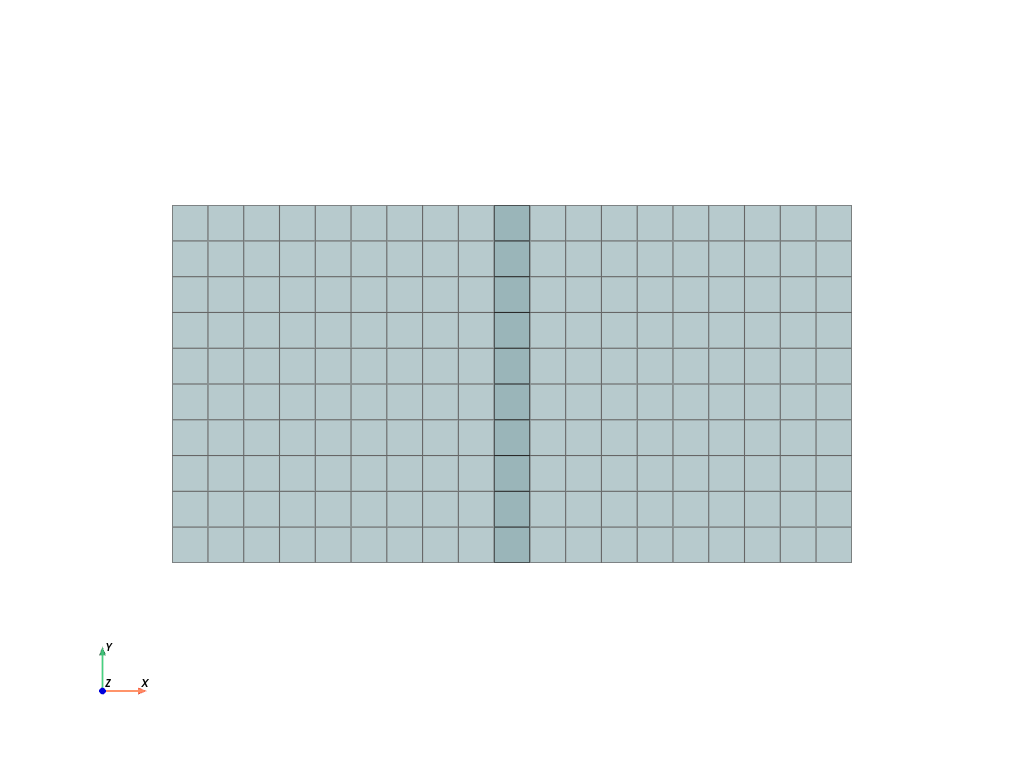
Each mesh contains 121 points and 100 cells.
>>> rect1
<felupe Mesh object>
  Number of points: 121
  Number of cells:
    quad: 100
>>> rect2
<felupe Mesh object>
    Number of points: 121
    Number of cells:
    quad: 100
These two meshes are now stored in a
MeshContainer.>>> container <felupe mesh container object> Number of points: 242 Number of cells: quad: 100 quad: 100
The meshes of the mesh container are
stacked.>>> stack <felupe Mesh object> Number of points: 242 Number of cells: quad: 200
After merging the duplicated points and cells, the number of points is reduced but the number of cells is unchanged.
>>> mesh
<felupe Mesh object>
Number of points: 220
Number of cells:
    quad: 200
注釈
The
MeshContainermay be directly created withmerge=True. This enforcesmerge_duplicate_points()for the shared points array of the container.The duplicate cells are merged in a second step.
>>> merged = fem.mesh.merge_duplicate_cells(mesh)
>>> merged
<felupe Mesh object>
Number of points: 220
Number of cells:
    quad: 190
参考
felupe.Mesh.merge_duplicate_pointsMerge duplicate points of a Mesh.
felupe.Mesh.merge_duplicate_cellsMerge duplicate cells of a Mesh.
felupe.MeshContainerA container which operates on a list of meshes with identical dimensions.
- merge_duplicate_points(decimals=None)[ソース]#
Merge duplicate points and update cells of a Mesh.
- パラメータ:
decimals (int or None, optional) -- Number of decimals for point coordinate comparison (default is None).
- 戻り値:
The mesh with merged duplicate points and updated cells.
- 戻り値の型:
メモ
警告
This function re-sorts points.
注釈
This function does not merge duplicate cells.
サンプル
Two quad meshes to be merged overlap some points. Merge these duplicated points and update the cells.
>>> import felupe as fem
>>>
>>> rect1 = fem.Rectangle(n=11)
>>> rect2 = fem.Rectangle(a=(0.9, 0), b=(1.9, 1), n=11)
>>> rect2
<felupe Mesh object>
  Number of points: 121
  Number of cells:
    quad: 100
Each mesh contains 121 points and 100 cells. These two meshes are now stored in a
MeshContainer.>>> container = fem.MeshContainer([rect1, rect2]) >>> container <felupe mesh container object> Number of points: 242 Number of cells: quad: 100 quad: 100
The meshes of the mesh container are
stacked.>>> stack = fem.mesh.stack(container.meshes) >>> stack <felupe Mesh object> Number of points: 242 Number of cells: quad: 200
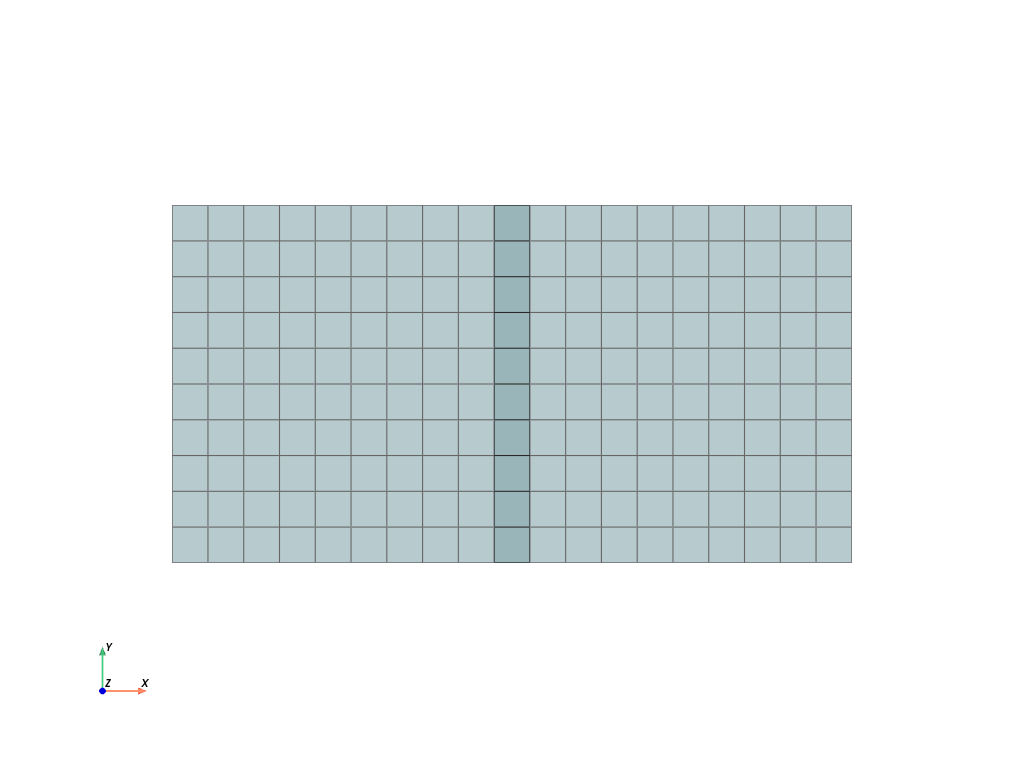
After merging the duplicated points and cells, the number of points is reduced but the number of cells is unchanged.
>>> mesh = stack.merge_duplicate_points()
>>> mesh
<felupe Mesh object>
  Number of points: 220
  Number of cells:
    quad: 200
>>> mesh.plot(opacity=0.6).show()
注釈
The
MeshContainermay be directly created withmerge=True. This enforcesmerge_duplicate_points()for the shared points array of the container.参考
felupe.mesh.merge_duplicate_pointsMerge duplicated points and update cells of a Mesh.
felupe.MeshContainerA container which operates on a list of meshes with identical dimensions.
- mirror(normal=[1, 0, 0], centerpoint=[0, 0, 0], axis=None)[ソース]#
Mirror points by plane normal and ensure positive cell volumes for tria, tetra, quad and hexahedron cell types.
- パラメータ:
- 戻り値:
The mirrored mesh.
- 戻り値の型:
サンプル
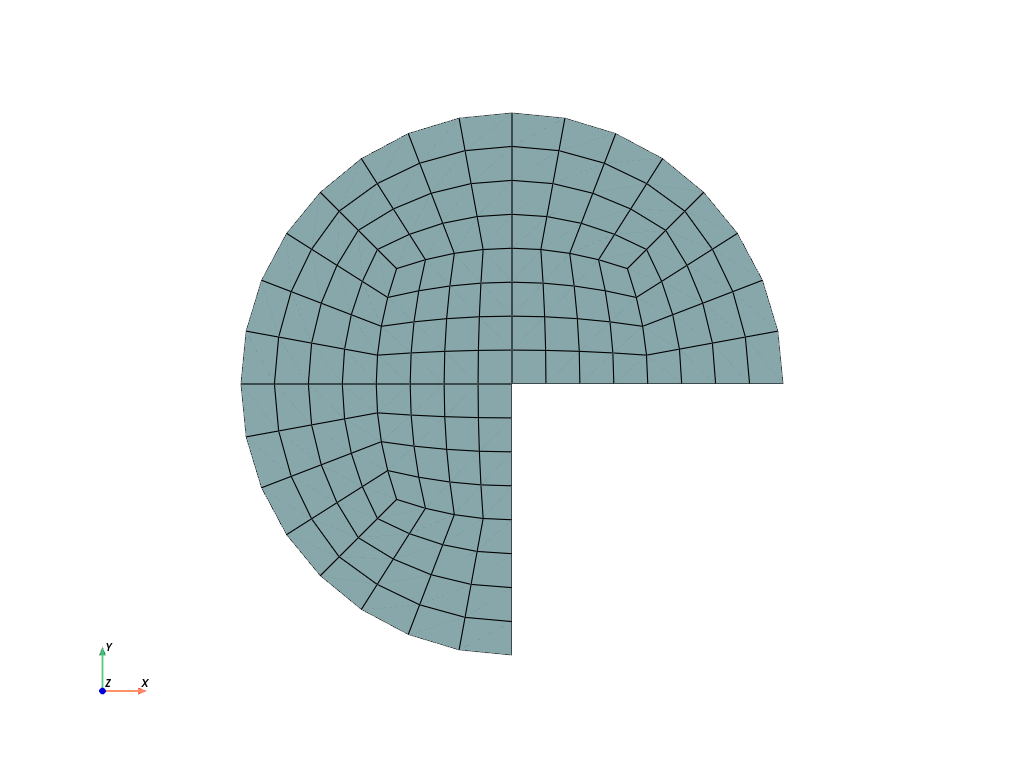
>>> import felupe as fem
>>>
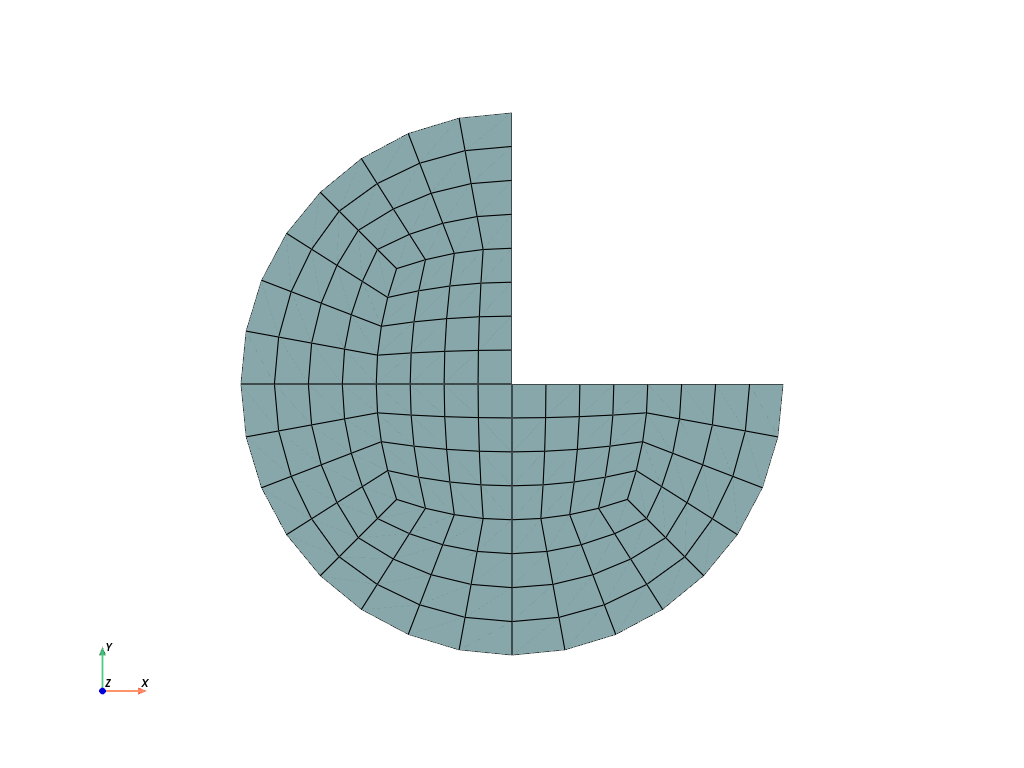
>>> mesh = fem.Circle(sections=[0, 90, 180], n=5)
>>> mesh.plot().show()
>>> import felupe as fem
>>>
>>> mesh = fem.Circle(sections=[0, 90, 180], n=5)
>>> mesh.mirror(normal=[0, 1, 0]).plot().show()
参考
felupe.Mesh.mirrorMirror points by plane normal and ensure positive cell volumes for tria, tetra, quad and hexahedron cell types.
- modify_corners(point_ids=None)[ソース]#
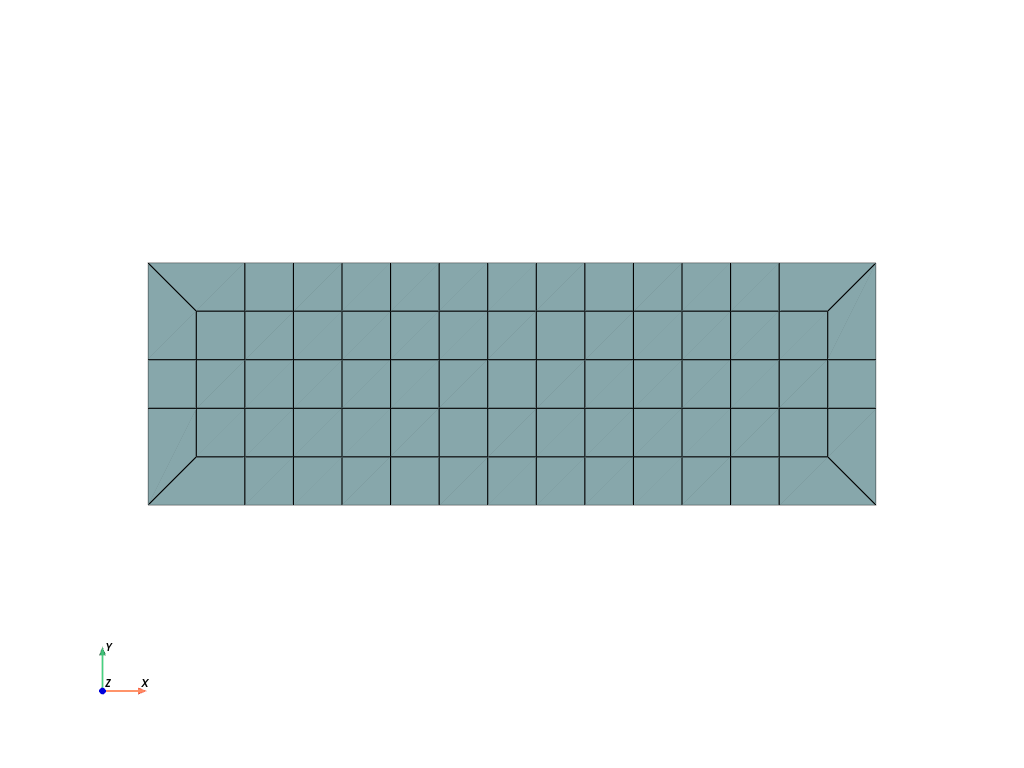
Modify the corners of a regular rectangle (quad) or cube (hexahedron) inplace. Only the cells array is modified, the points array remains unchanged.
- パラメータ:
point_ids (ndarray or None, optional) -- Array with point ids located at the corners which are modified (default is None). If None, all corners are modified.
メモ
Description of the algorithm:
Get corner point ids.
For each corner point:
Get attached cell and find cell neighbours.
Get the shared point of the cell and its neighbours.
Get pair-wise shared points which are located on an edge.
Replace the shared points with the corner point.
Delete the cell attached to the corner point.
サンプル
>>> import numpy as np
>>> import felupe as fem
>>>
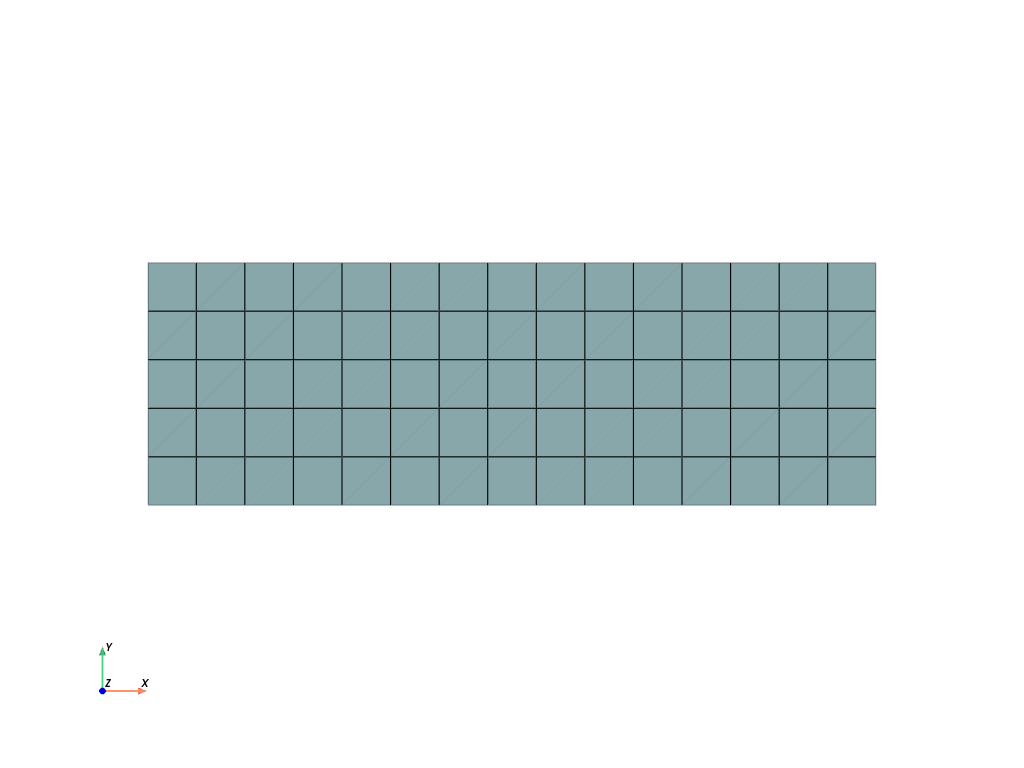
>>> mesh = fem.Rectangle(b=(3, 1), n=(16, 6))
>>> mesh.plot().show()
>>> mesh = mesh.modify_corners()  # inplace
>>> mesh.plot().show()
- revolve(n=11, phi=180, axis=0, expand_dim=True)[ソース]#
Revolve a 2d-Quad to a 3d-Hexahedron Mesh.
- パラメータ:
n (int, optional) -- Number of n-point revolutions (or (n-1) cell revolutions), default is 11.
phi (float or ndarray, optional) -- Revolution angle in degree (default is 180).
axis (int, optional) -- Revolution axis (default is 0).
expand_dim (bool, optional) -- Expand the dimension of the point coordinates (default is True).
- 戻り値:
The revolved mesh.
- 戻り値の型:
サンプル
Revolve a cylinder from a rectangle.
>>> import felupe as fem
>>>
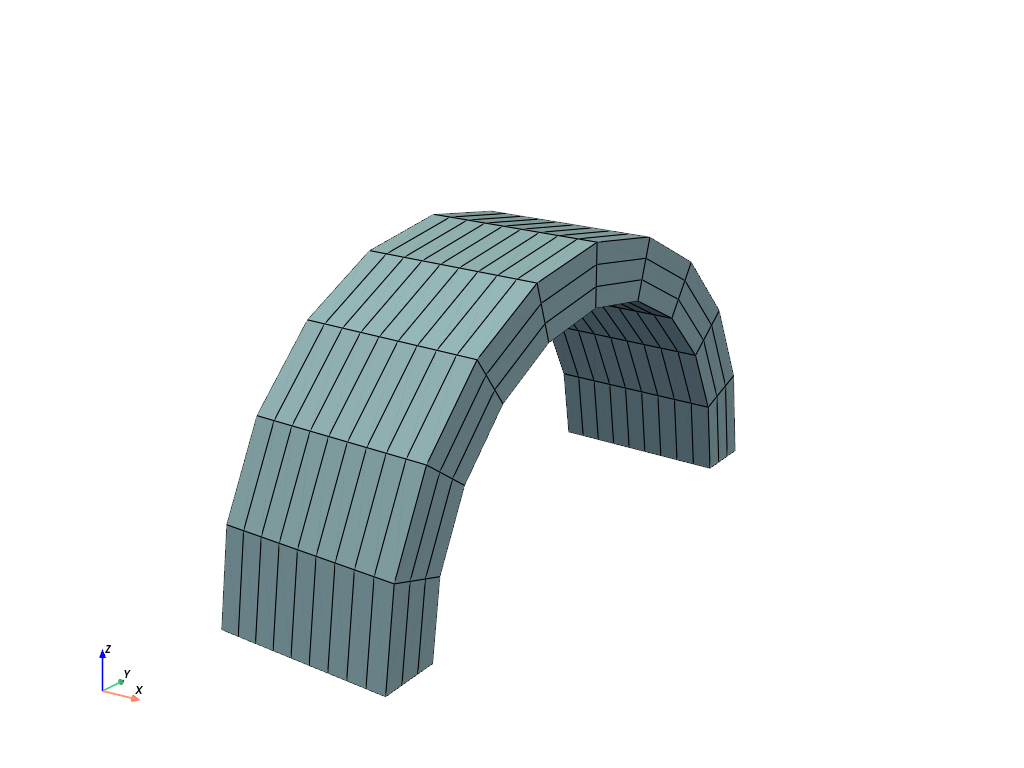
>>> rect = fem.Rectangle(a=(0, 4), b=(3, 5), n=(10, 4))
>>> mesh = rect.revolve(n=11, phi=180, axis=0)
>>> mesh.plot().show()
>>> mesh
<felupe Mesh object>
  Number of points: 440
  Number of cells:
    hexahedron: 270
参考
felupe.mesh.revolveRevolve a 2d-Quad to a 3d-Hexahedron Mesh.
- rotate(angle_deg, axis, center=None, mask=None)[ソース]#
Rotate a Mesh.
- パラメータ:
- 戻り値:
The rotated mesh.
- 戻り値の型:
サンプル
Rotate a rectangle in the xy-plane by 35 degree.
>>> import felupe as fem
>>>
>>> rect = fem.Rectangle(b=(3, 1), n=(10, 4))
>>> mesh = rect.rotate(angle_deg=35, axis=2, center=[1.5, 0.5])
>>> mesh.plot().show()
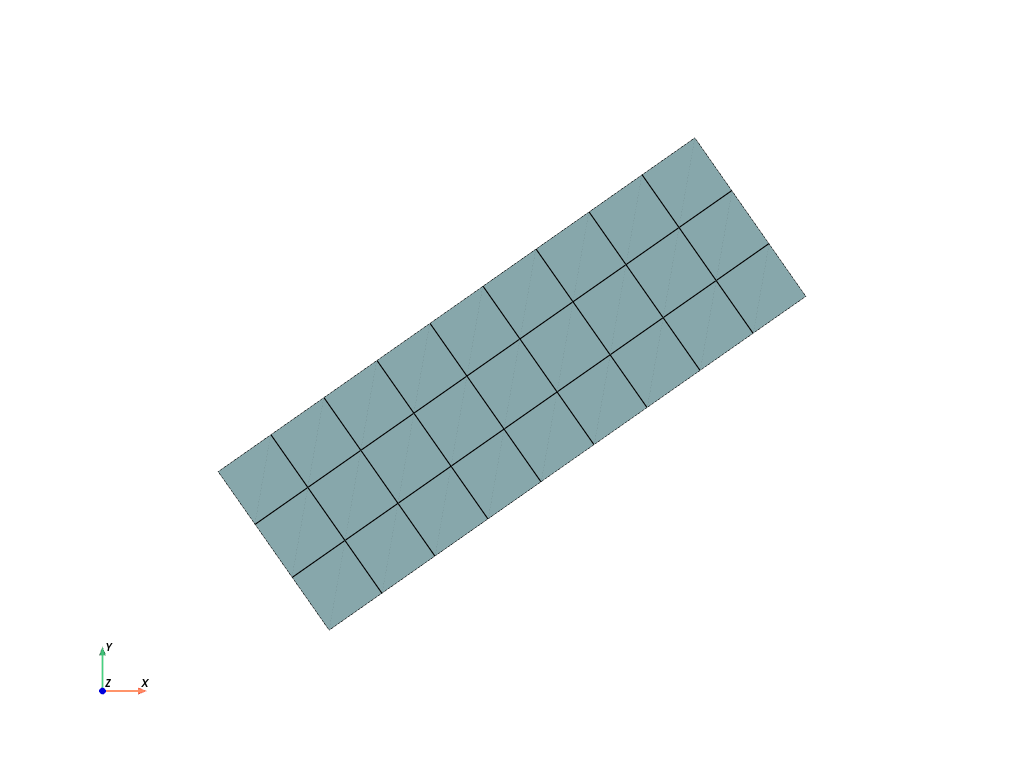
>>> mesh
<felupe Mesh object>
  Number of points: 40
  Number of cells:
    quad: 27
参考
felupe.mesh.rotateRotate a Mesh.
- screenshot(*args, filename='mesh.png', transparent_background=None, scale=None, **kwargs)[ソース]#
Take a screenshot of the mesh.
参考
pyvista.Plotter.screenshotTake a screenshot of a PyVista plotter.
- subdivide()[ソース]#
Subdivide cells by adding midpoints on edges, faces and volumes.
- 戻り値:
A new subdivided mesh.
- 戻り値の型:
サンプル
Take a rectangle mesh and subdivide it two times.
>>> import felupe as fem
>>>
>>> rect = fem.Rectangle(n=4).modify_corners()
>>> rect.plot().show()
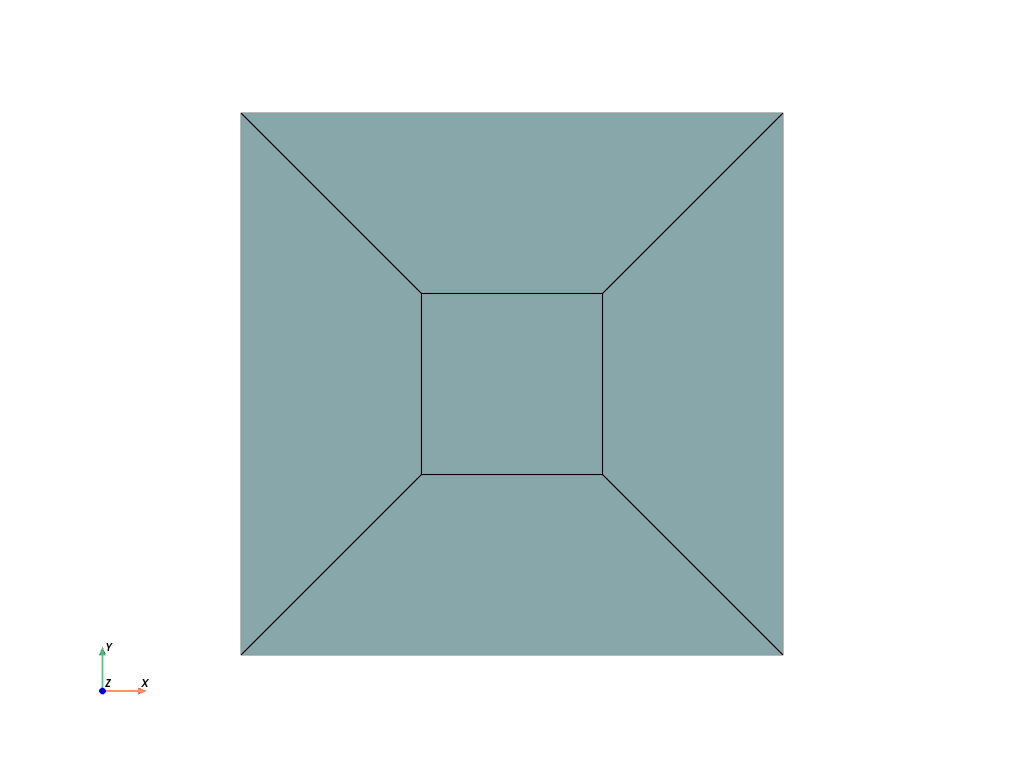
>>> mesh = rect.subdivide().subdivide()
>>> mesh.plot().show()
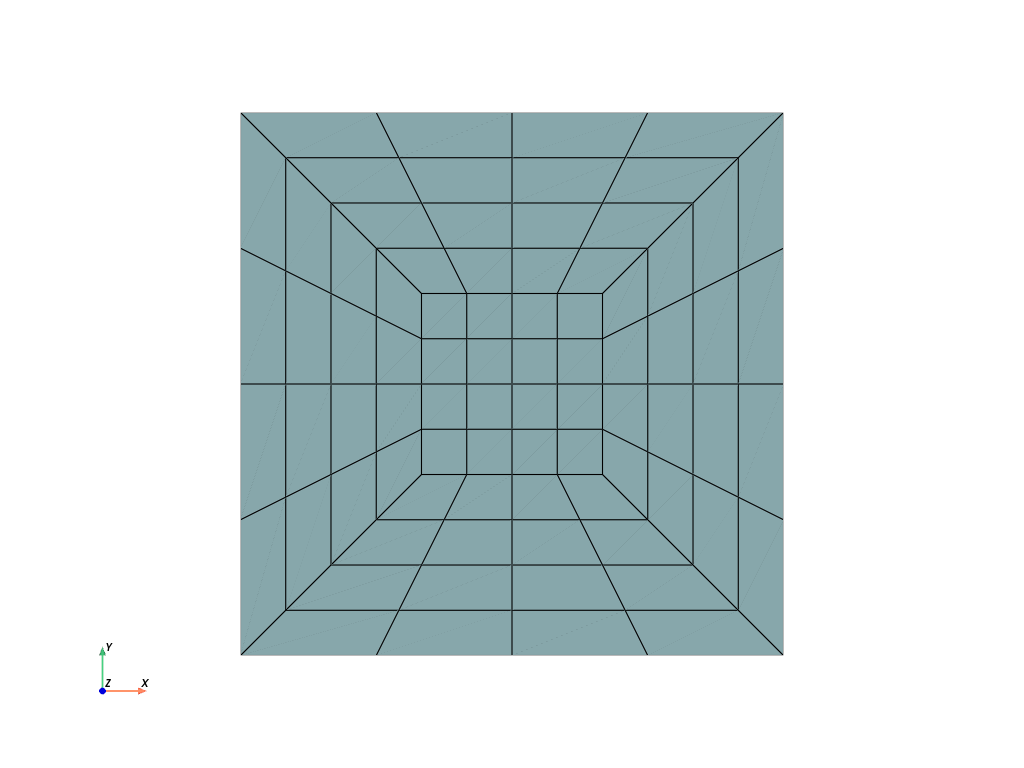
参考
felupe.Mesh.subdivideSubdivide cells by adding midpoints on edges, faces and volumes.
- translate(move, axis)[ソース]#
Translate (move) a Mesh along a given axis.
- パラメータ:
- 戻り値:
The translated mesh.
- 戻り値の型:
サンプル
>>> import felupe as fem
>>>
>>> mesh = fem.Circle(n=6)
>>> mesh.points.min(axis=0), mesh.points.max(axis=0)
(array([-1., -1.]), array([1., 1.]))
>>> translated = mesh.translate(0.3, axis=1)
>>> translated.points.min(axis=0), translated.points.max(axis=0)
(array([-1. , -0.7]), array([1. , 1.3]))
参考
felupe.mesh.translateTranslate (move) a Mesh along a given axis.
- triangulate(mode=3)[ソース]#
Triangulate a quad or a hex mesh.
- パラメータ:
mode (int, optional) -- Choose a mode how to convert hexahedrons to tets [1]_ (default is 3).
- 戻り値:
The triangulated mesh.
- 戻り値の型:
サンプル
Use
mode=0to convert a mesh of hexahedrons into tetrahedrons [1]_.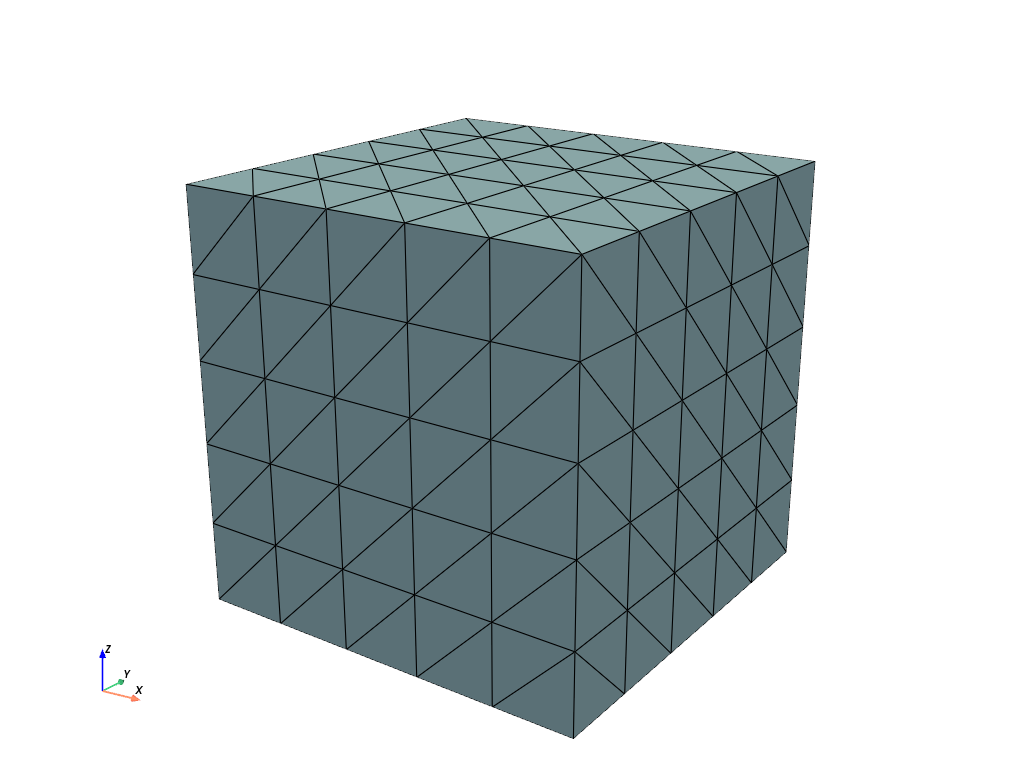
Use
mode=3to convert a mesh of hexahedrons into tetrahedrons [1]_.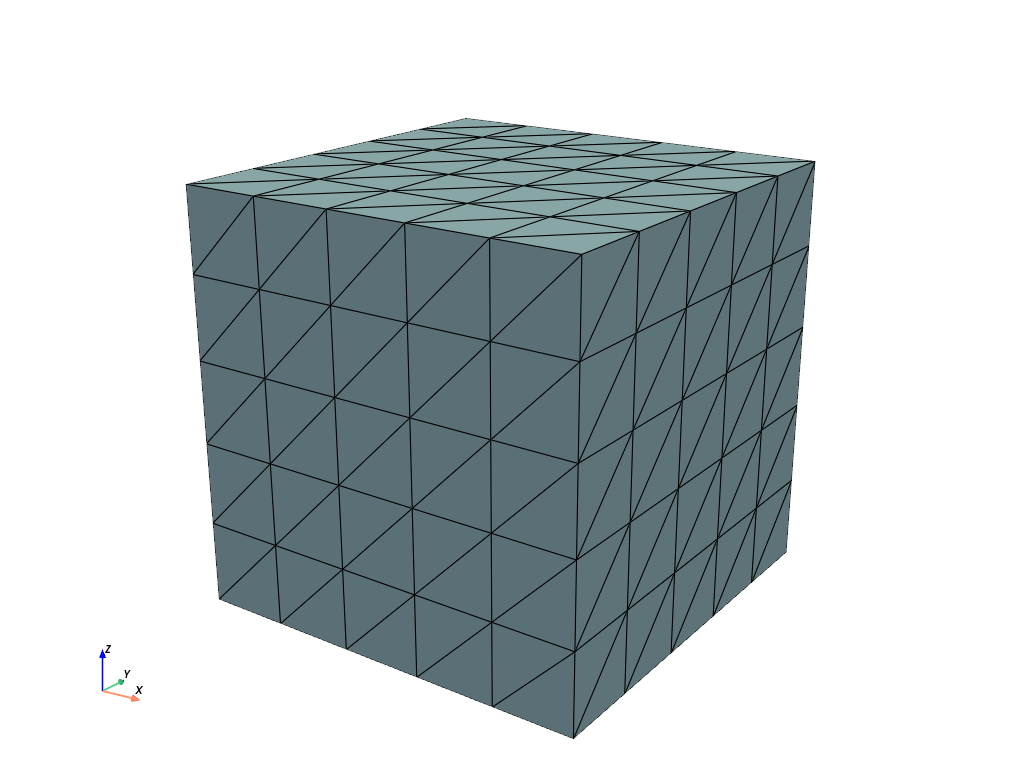
参照
参考
felupe.mesh.triangulateTriangulate a quad or a hex mesh.
- update(points=None, cells=None, cell_type=None, callback=None)#
Update the mesh with given points and cells arrays inplace. Optionally, a callback is evaluated.
- パラメータ:
points (ndarray or None) -- New point coordinates (default is None). If None, it is unchanged.
cells (ndarray) -- New point-connectivity of cells (default is None). If None, it is unchanged.
cell_type (str or None, optional) -- New string in VTK-convention that specifies the cell type (default is None). If None, it is unchanged.
callback (callable or None, optional) -- A callable which is called after the mesh is updated (default is None).
サンプル
警告
If the points of a mesh are modified and a region was already created with the mesh, it is important to re-evaluate (reload) the
Region.>>> import felupe as fem >>> >>> mesh = fem.Cube(n=6) >>> region = fem.RegionHexahedron(mesh) >>> field = fem.FieldContainer([fem.Field(region, dim=3)]) >>> >>> new_points = mesh.rotate(angle_deg=-90, axis=2).points >>> mesh.update(points=new_points, callback=region.reload)
参考
felupe.Region.reloadReload the numeric region.
- view(point_data=None, cell_data=None, cell_type=None)[ソース]#
View the mesh with optional given dicts of point- and cell-data items.
- パラメータ:
- 戻り値:
A object which provides visualization methods for
felupe.Mesh.- 戻り値の型:
felupe.ViewMesh
参考
felupe.ViewMeshVisualization methods for
Mesh.
- write(filename='mesh.vtk', **kwargs)[ソース]#
Write the mesh to a file.
- パラメータ:
メモ
注釈
For XDMF-export please ensure to have
h5py(as an optional dependency ofmeshio) installed.サンプル
>>> import felupe as fem
>>>
>>> mesh = fem.Rectangle(n=3)
>>> mesh.write(filename="mesh.vtk")
参考
felupe.mesh.readRead a mesh from a file using
meshio.read().felupe.Mesh.writeWrite the mesh to a file.
- property x#
Return the first column (x-component) of the points array.
- property y#
Return the second column (y-component) of the points array.
- property z#
Return the third column (z-component) of the points array.
- class felupe.MeshContainer(meshes, merge=False, decimals=None)[ソース]#
A container which operates on a list of meshes with identical dimensions.
- パラメータ:
meshes (list of Mesh) -- A list of meshes which are organized by the mesh container.
merge (bool, optional) -- Flag to merge duplicate mesh points. This changes the cells arrays of the meshes. Default is False.
decimals (int or None, optional) -- Precision decimals for merging duplicated mesh points. Only relevant if merge=True. Default is None.
メモ
All meshes are modified to refer to the same points array. By default, the points arrays from the given list of meshes is concatenated and the cells arrays are modified accordingly. Optionally, the points array may be merged on duplicated points.
サンプル
>>> import felupe as fem
>>>
>>> cube = fem.Cube(n=3)
>>> cylinder = fem.Circle().expand(n=2)
>>> mesh = fem.MeshContainer([cube, cylinder])
>>>
>>> mesh.plot().show()
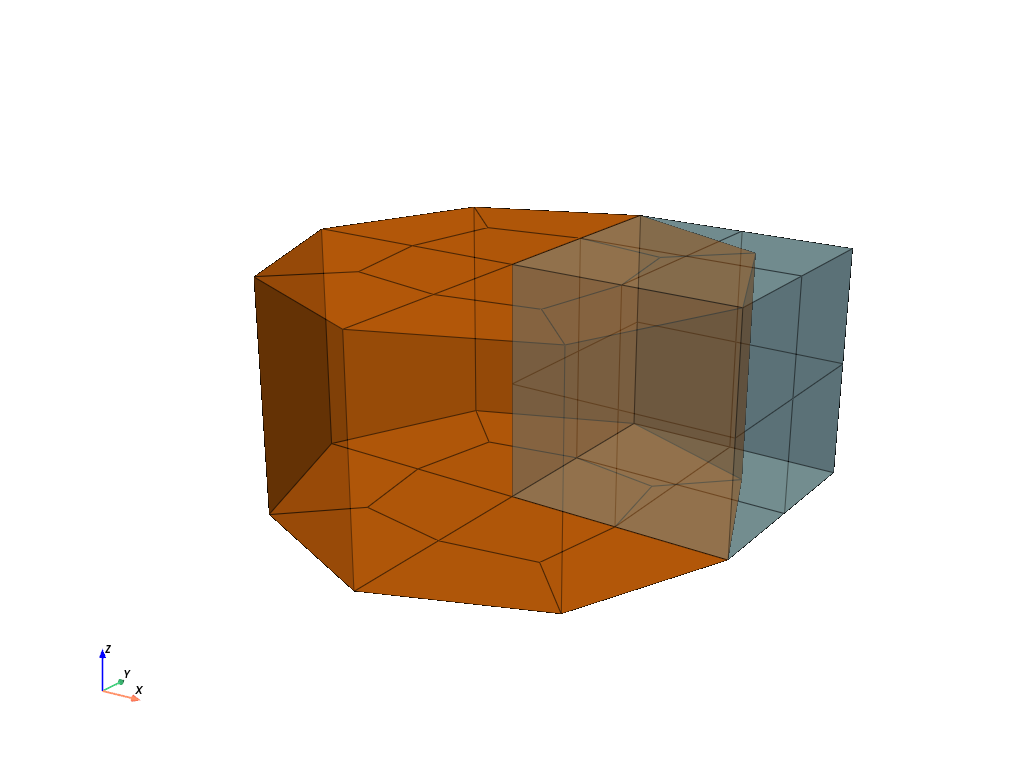
>>> mesh
<felupe mesh container object>
  Number of points: 61
  Number of cells:
    hexahedron: 8
    hexahedron: 12
The cells array of the second mesh starts with an offset
>>> mesh.meshes[1].cells.min()
27
identical to the number of points from the first mesh.
>>> cube.npoints
27
If the container is created with
merge=True, then the number of points is lower than before.>>> import felupe as fem >>> >>> cube = fem.Cube(n=3) >>> cylinder = fem.Circle().expand(n=2) >>> mesh = fem.MeshContainer([cube, cylinder], merge=True) >>> >>> mesh.plot().show()
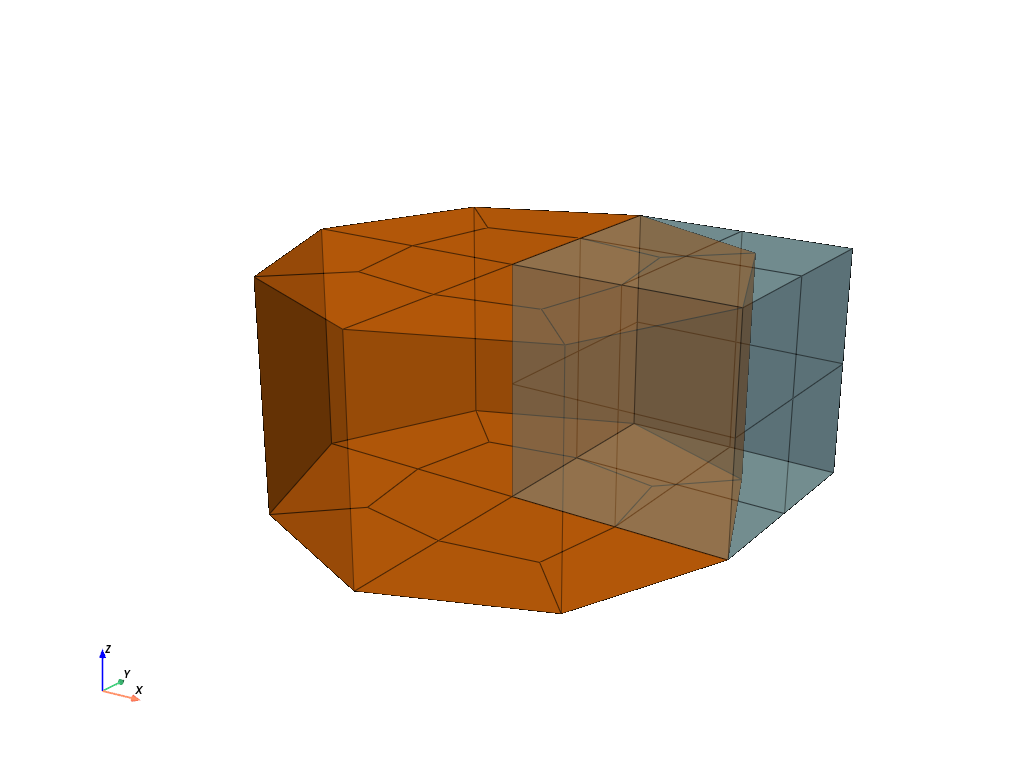
>>> mesh
<felupe mesh container object>
  Number of points: 51
  Number of cells:
    hexahedron: 8
    hexahedron: 12
- classmethod from_unstructured_grid(grid, dim=None, **kwargs)[ソース]#
Create a mesh container from an unstructured grid (PyVista).
- パラメータ:
grid (pyvista.UnstructuredGrid) -- PyVista dataset used for arbitrary combinations of all possible cell types.
dim (int or None, optional) -- Trim the dimension of the
points-array (default is None).**kwargs (dict, optional) -- Additional keyword-arguments are passed to the mesh container.
- 戻り値:
A container which operates on a list of meshes with identical dimensions.
- 戻り値の型:
サンプル
>>> import felupe as fem
>>> import pyvista as pv
>>>
>>> grid = pv.UnstructuredGrid(pv.examples.hexbeamfile)
>>> container = fem.MeshContainer.from_unstructured_grid(grid)
>>>
>>> container
<felupe mesh container object>
  Number of points: 99
  Number of cells:
    hexahedron: 40
参考
felupe.mesh.cell_typesReturn a list with tuples of cell type mappings.
felupe.Mesh.as_unstructured_gridExport the mesh as unstructured grid.
- imshow(*args, ax=None, dpi=None, **kwargs)[ソース]#
Take a screenshot of the meshes of the mesh container, show the image data in a figure and return the ax.
- plot(*args, colors=None, opacity=0.99, labels=None, add_legend=None, **kwargs)[ソース]#
Plot the meshes of the mesh container.
参考
felupe.Scene.plotPlot method of a scene.
- screenshot(*args, filename='mesh.png', transparent_background=None, scale=None, colors=None, opacity=0.99, **kwargs)[ソース]#
Take a screenshot of the meshes of the mesh container.
参考
pyvista.Plotter.screenshotTake a screenshot of a PyVista plotter.
- stack(idx=None)[ソース]#
Stack cell-blocks with same cell-types into a single mesh.
- パラメータ:
idx (list of int or None, optional) -- List of mesh-indices to be stacked (default is None).
- 戻り値:
The stacked mesh.
- 戻り値の型:
メモ
The
points-array is taken from the first mesh. Thecells-array of the stacked mesh is created by a vertical stack of thecells-arrays.サンプル
Two quad meshes with identical point arrays should be stacked into a single mesh.
>>> import felupe as fem
>>>
>>> mesh = fem.Rectangle(n=11)
>>> rect1, rect2 = mesh.copy(), mesh.copy()
>>> rect1.update(cells=mesh.cells[: 40])
>>> rect2.update(cells=mesh.cells[-50:])
>>> container = fem.MeshContainer([rect1, rect2])
>>> mesh = container.stack()
>>>
>>> mesh.plot().show()
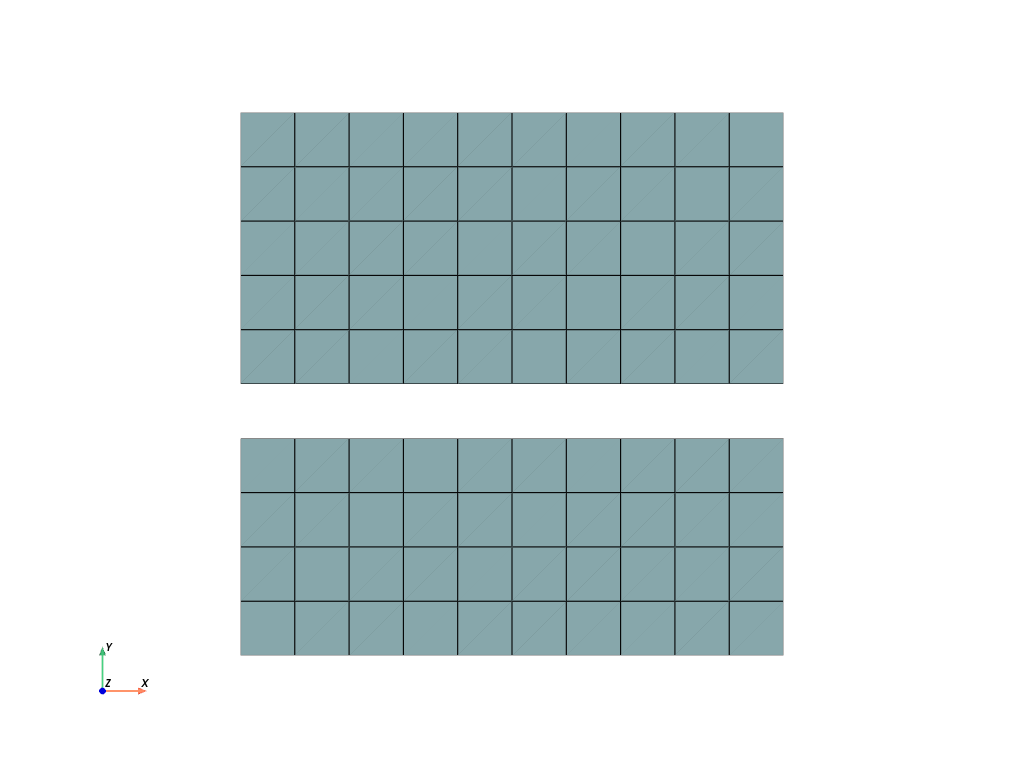
>>> mesh
<felupe Mesh object>
  Number of points: 242
  Number of cells:
    quad: 90
参考
felupe.mesh.stackStack cell-blocks from meshes with identical points-array and cell-types.
- class felupe.Point(a=0.0)[ソース]#
ベースクラス:
MeshA mesh with a single vertex point located at
a.- パラメータ:
a (float, optional) -- Vertex point coordinate of the mesh (default is 0.0).
サンプル
>>> mesh.points
array([[-2.1]])
>>> mesh.cells
array([[0]])
- class felupe.mesh.Line(a=0.0, b=1.0, n=2)[ソース]#
ベースクラス:
MeshA 1d-mesh with lines between
aandbwithnpoints.- パラメータ:
サンプル
>>> import felupe as fem
>>>
>>> mesh = fem.mesh.Line(a=-2.1, b=3.5, n=3)
>>> mesh.plot(line_width=8).show()
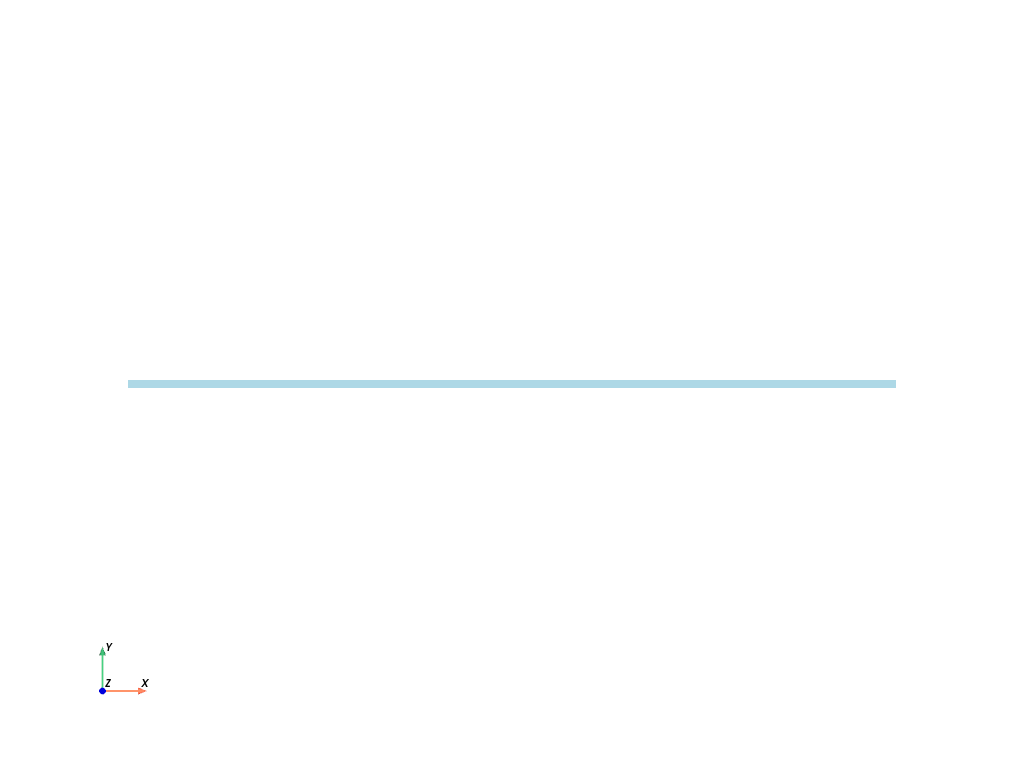
>>> mesh
<felupe Mesh object>
  Number of points: 3
  Number of cells:
    line: 2
>>> mesh.points
array([[-2.1],
       [ 0.7],
       [ 3.5]])
>>> mesh.cells
array([[0, 1],
       [1, 2]])
- class felupe.Rectangle(a=(0.0, 0.0), b=(1.0, 1.0), n=(2, 2))[ソース]#
ベースクラス:
MeshA rectangular 2d-mesh with quads between
aandbwithnpoints per axis.- パラメータ:
サンプル
>>> import felupe as fem
>>>
>>> mesh = fem.mesh.Rectangle(a=(-1.2, 0.5), b=(4.5, 7.3), n=3)
>>> mesh.plot().show()
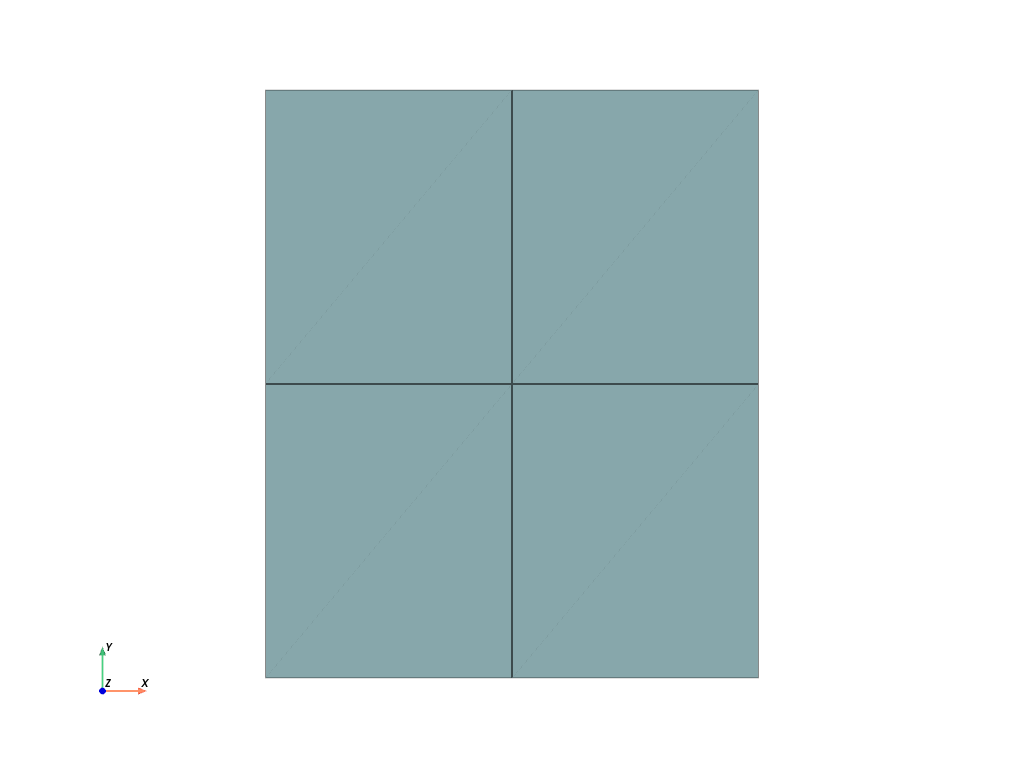
>>> mesh
<felupe Mesh object>
  Number of points: 9
  Number of cells:
    quad: 4
>>> mesh.points
array([[-1.2 ,  0.5 ],
       [ 1.65,  0.5 ],
       [ 4.5 ,  0.5 ],
       [-1.2 ,  3.9 ],
       [ 1.65,  3.9 ],
       [ 4.5 ,  3.9 ],
       [-1.2 ,  7.3 ],
       [ 1.65,  7.3 ],
       [ 4.5 ,  7.3 ]])
>>> mesh.cells
array([[0, 1, 4, 3],
       [1, 2, 5, 4],
       [3, 4, 7, 6],
       [4, 5, 8, 7]])
- class felupe.Cube(a=(0.0, 0.0, 0.0), b=(1.0, 1.0, 1.0), n=(2, 2, 2))[ソース]#
ベースクラス:
MeshA cube shaped 3d-mesh with hexahedrons between
aandbwithnpoints per axis.- パラメータ:
サンプル
>>> import felupe as fem
>>>
>>> mesh = fem.mesh.Cube(a=(-1.2, 0.5, 6.2), b=(4.5, 7.3, 9.3), n=(3, 2, 2))
>>> mesh.plot().show()
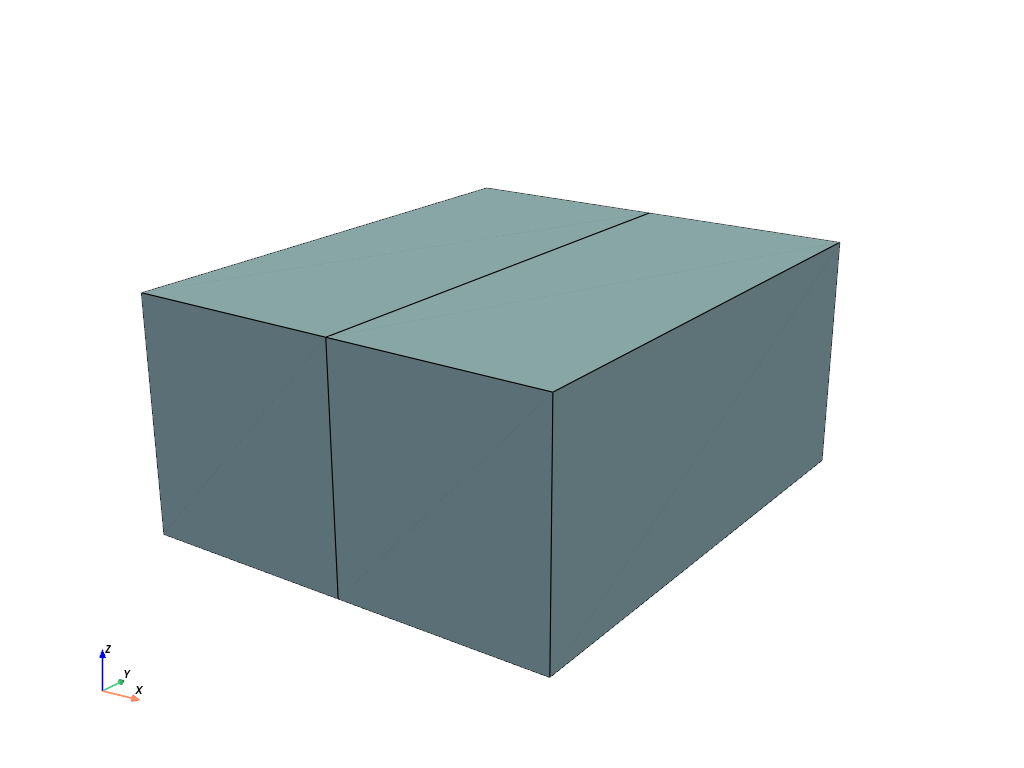
>>> mesh
<felupe Mesh object>
  Number of points: 12
  Number of cells:
    hexahedron: 2
>>> mesh.points
array([[-1.2 ,  0.5 ,  6.2 ],
       [ 1.65,  0.5 ,  6.2 ],
       [ 4.5 ,  0.5 ,  6.2 ],
       [-1.2 ,  7.3 ,  6.2 ],
       [ 1.65,  7.3 ,  6.2 ],
       [ 4.5 ,  7.3 ,  6.2 ],
       [-1.2 ,  0.5 ,  9.3 ],
       [ 1.65,  0.5 ,  9.3 ],
       [ 4.5 ,  0.5 ,  9.3 ],
       [-1.2 ,  7.3 ,  9.3 ],
       [ 1.65,  7.3 ,  9.3 ],
       [ 4.5 ,  7.3 ,  9.3 ]])
>>> mesh.cells
array([[ 0,  1,  4,  3,  6,  7, 10,  9],
       [ 1,  2,  5,  4,  7,  8, 11, 10]])
- class felupe.Grid(*xi, indexing='ij', **kwargs)[ソース]#
ベースクラス:
MeshA grid shaped 3d-mesh with hexahedrons. Basically a wrapper for
numpy.meshgrid()with defaultindexing="ij".- パラメータ:
x1 (array_like) -- 1-D arrays representing the coordinates of a grid.
x2 (array_like) -- 1-D arrays representing the coordinates of a grid.
... (array_like) -- 1-D arrays representing the coordinates of a grid.
xn (array_like) -- 1-D arrays representing the coordinates of a grid.
サンプル
>>> import numpy as np
>>> import felupe as fem
>>>
>>> x1 = np.linspace(0, 2, 3)**2
>>> x2 = np.sqrt(np.linspace(0, 1, 3))
>>>
>>> mesh = fem.mesh.Grid(x1, x2)
>>> mesh.plot().show()
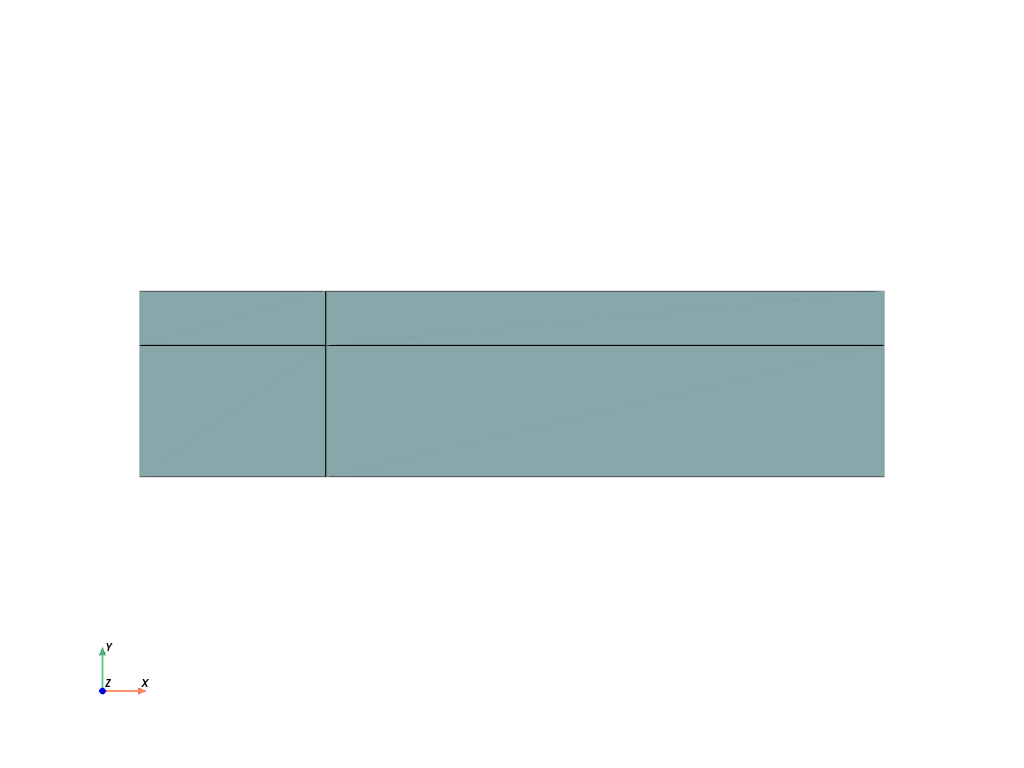
>>> mesh
<felupe Mesh object>
  Number of points: 9
  Number of cells:
    quad: 4
>>> mesh.points
array([[0.        , 0.        ],
       [1.        , 0.        ],
       [4.        , 0.        ],
       [0.        , 0.70710678],
       [1.        , 0.70710678],
       [4.        , 0.70710678],
       [0.        , 1.        ],
       [1.        , 1.        ],
       [4.        , 1.        ]])
>>> mesh.cells
array([[0, 1, 4, 3],
       [1, 2, 5, 4],
       [3, 4, 7, 6],
       [4, 5, 8, 7]])
参考
numpy.meshgridReturn a list of coordinate matrices from coordinate vectors.
- class felupe.Circle(radius=1.0, centerpoint=[0.0, 0.0], n=2, sections=[0, 90, 180, 270], value=0.15, exponent=2, decimals=10)[ソース]#
ベースクラス:
MeshA circular shaped 2d-mesh with quads and
npoints on the circumferential edge of a 45-degree section. 90-degreesectionsare placed at given angles in degree.- パラメータ:
radius (float, optional) -- Lower-left end point of the mesh (default is (0.0, 0.0)).
centerpoint (2-list of float, optional) -- Coordinates of the origin where the circle is centered (default is [1.0, 1.0]).
n (int, optional) -- Number of points per axis for a quarter of the embedded rectangle (default is 2).
sections (list of int or float, optional) -- Rotation angles in deg where quarter circles (sections) are placed (default is [0, 90, 180, 270]).
value (float) -- First shape parameter of the embedded rectangle (default is 0.15).
exponent (int) -- Second shape parameter of the embedded rectangle (default is 2).
decimals (int) -- Decimals used for rounding point coordinates to avoid non-connected sections (default is 10).
サンプル
>>> import felupe as fem
>>>
>>> mesh = fem.mesh.Circle()
>>> mesh.plot().show()
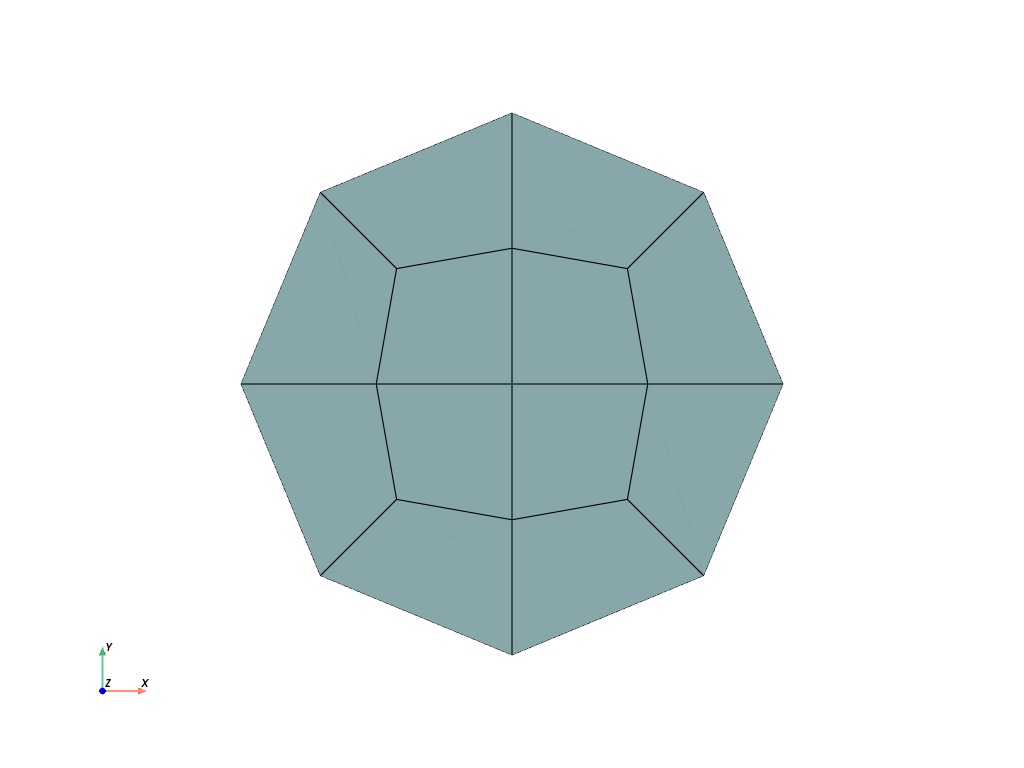
>>> mesh
<felupe Mesh object>
  Number of points: 17
  Number of cells:
    quad: 12
>>> mesh.points
array([[-1.        ,  0.        ],
       [-0.70710678, -0.70710678],
       [-0.70710678,  0.70710678],
       [-0.5       ,  0.        ],
       [-0.425     , -0.425     ],
       [-0.425     ,  0.425     ],
       [ 0.        , -1.        ],
       [ 0.        , -0.5       ],
       [ 0.        ,  0.        ],
       [ 0.        ,  0.5       ],
       [ 0.        ,  1.        ],
       [ 0.425     , -0.425     ],
       [ 0.425     ,  0.425     ],
       [ 0.5       ,  0.        ],
       [ 0.70710678, -0.70710678],
       [ 0.70710678,  0.70710678],
       [ 1.        ,  0.        ]])
>>> mesh.cells
array([[12, 13, 16, 15],
       [15, 10,  9, 12],
       [ 8, 13, 12,  9],
       [ 5,  9, 10,  2],
       [ 2,  0,  3,  5],
       [ 8,  9,  5,  3],
       [ 4,  3,  0,  1],
       [ 1,  6,  7,  4],
       [ 8,  3,  4,  7],
       [11,  7,  6, 14],
       [14, 16, 13, 11],
       [ 8,  7, 11, 13]])
- class felupe.mesh.Triangle(a=(0.0, 0.0), b=(1.0, 0.0), c=(0.0, 1.0), n=2, decimals=10)[ソース]#
ベースクラス:
MeshA triangular shaped 2d-mesh with quads and
npoints at the edges of the three sub-quadrilaterals.- パラメータ:
a (2-tuple of float, optional) -- First end point of the mesh (default is (0.0, 0.0)).
b (2-tuple of float, optional) -- Second end point of the mesh (default is (1.0, 0.0)).
c (2-tuple of float, optional) -- Third end point of the mesh (default is (0.0, 1.0)).
n (int, optional) -- Number of points per axis is 2n - 1 if n >= 2 (default is 2).
decimals (int) -- Decimals used for rounding point coordinates to avoid non-connected sections (default is 10).
メモ
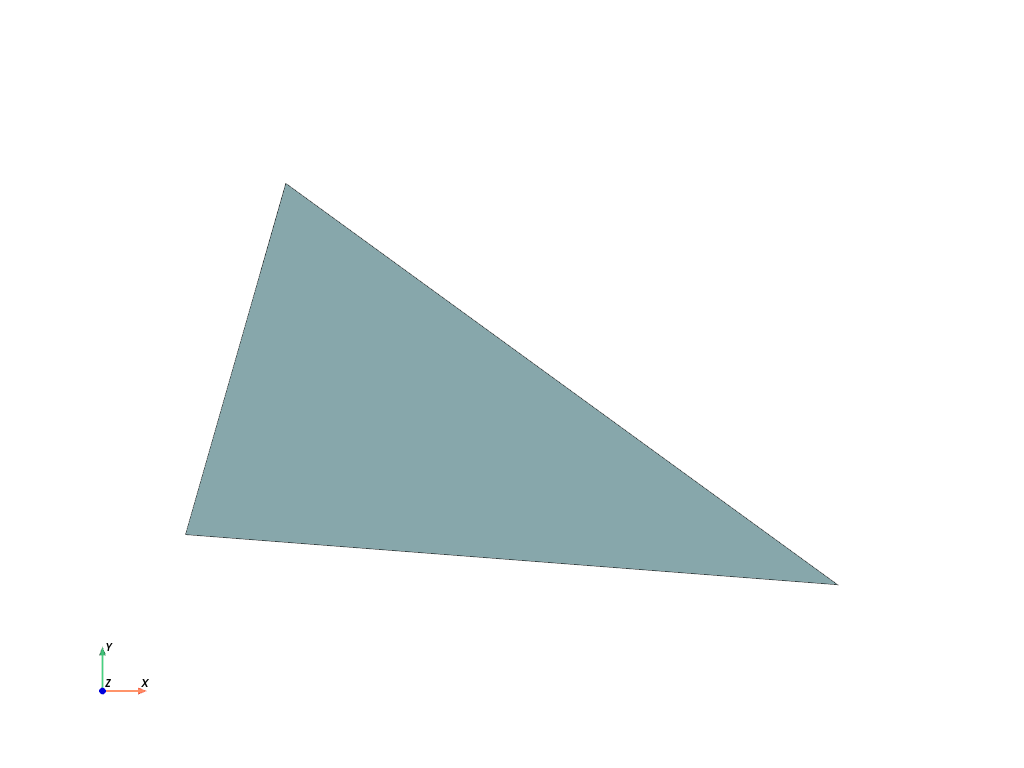
If
n < 2, a triangle mesh with a single triangle cell is created.サンプル
>>> import felupe as fem
>>>
>>> mesh = fem.mesh.Triangle(a=(-0.1, 0.2), b=(1.2, 0.1), c=(0.1, 0.9), n=1)
>>> mesh.plot().show()
>>> import felupe as fem
>>>
>>> mesh = fem.mesh.Triangle(a=(-0.1, 0.2), b=(1.2, 0.1), c=(0.1, 0.9), n=2)
>>> mesh.plot().show()
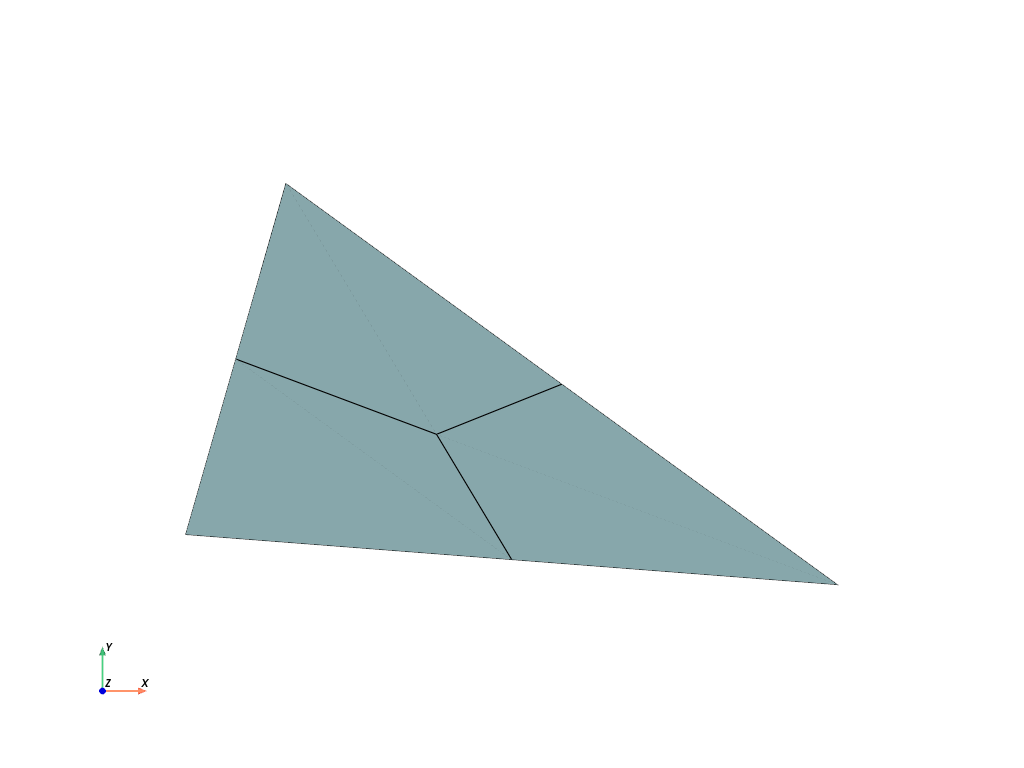
>>> mesh
<felupe Mesh object>
  Number of points: 19
  Number of cells:
    quad: 12
>>> mesh.points
array([[0.1       , 0.9       ],
       [0.15      , 0.725     ],
       [0.2       , 0.55      ],
       [0.25      , 0.375     ],
       [0.3       , 0.2       ],
       [0.36666667, 0.475     ],
       [0.37083333, 0.5875    ],
       [0.375     , 0.7       ],
       [0.44583333, 0.325     ],
       [0.525     , 0.175     ],
       [0.53333333, 0.4       ],
       [0.59166667, 0.45      ],
       [0.64166667, 0.275     ],
       [0.65      , 0.5       ],
       [0.75      , 0.15      ],
       [0.78333333, 0.2875    ],
       [0.925     , 0.3       ],
       [0.975     , 0.125     ],
       [1.2       , 0.1       ]])
>>> mesh.cells
array([[14, 12,  8,  9],
       [12, 10,  5,  8],
       [ 9,  8,  3,  4],
       [ 8,  5,  2,  3],
       [18, 16, 15, 17],
       [16, 13, 11, 15],
       [17, 15, 12, 14],
       [15, 11, 10, 12],
       [10, 11,  6,  5],
       [11, 13,  7,  6],
       [ 5,  6,  1,  2],
       [ 6,  7,  0,  1]])
- class felupe.mesh.RectangleArbitraryOrderQuad(a=(0.0, 0.0), b=(1.0, 1.0), order=2)[ソース]#
ベースクラス:
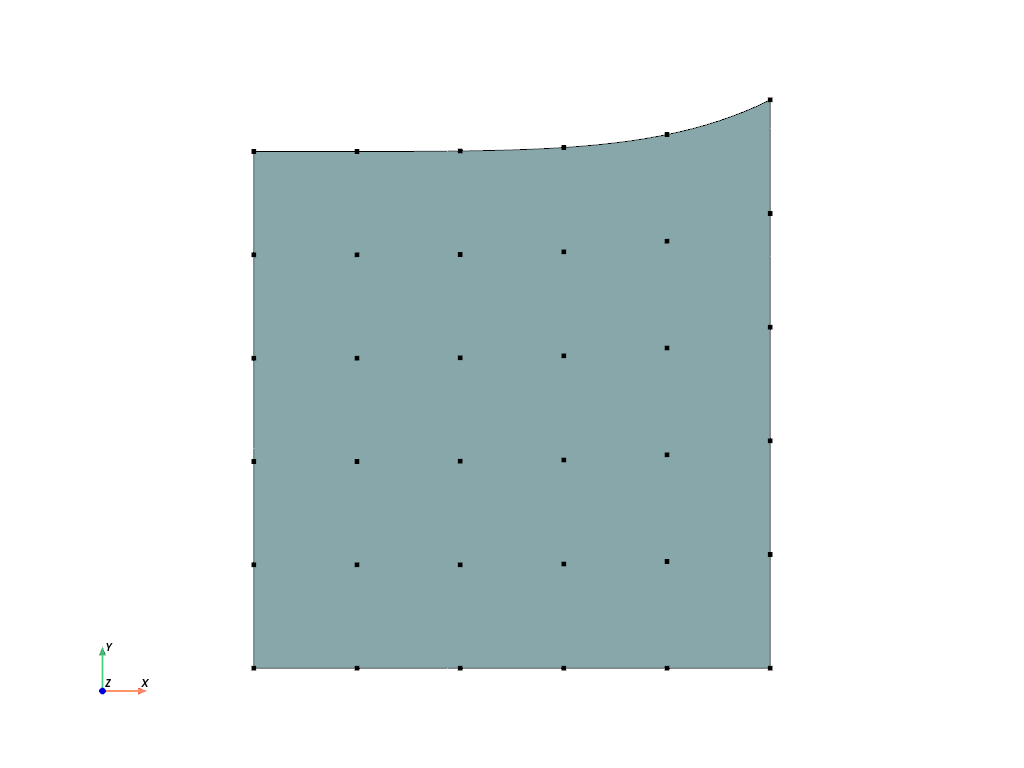
RectangleA rectangular 2d-mesh with an arbitrary-order Lagrange quad between
aandb.サンプル
>>> import felupe as fem
>>>
>>> mesh = fem.mesh.RectangleArbitraryOrderQuad(order=5).add_runouts()
>>> mesh.plot(
>>>     nonlinear_subdivision=4,
>>>     plotter=mesh.plot(style="points", color="black"),
>>> ).show()
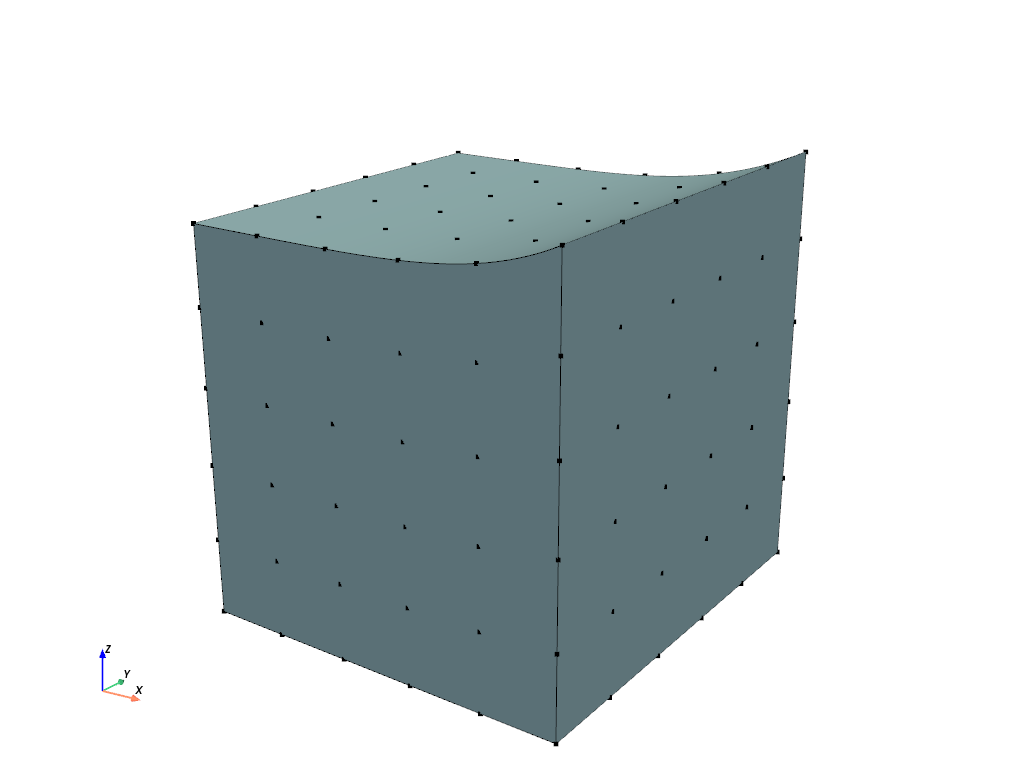
- class felupe.mesh.CubeArbitraryOrderHexahedron(a=(0.0, 0.0, 0.0), b=(1.0, 1.0, 1.0), order=2)[ソース]#
ベースクラス:
CubeA rectangular 3d-mesh with an arbitrary-order Lagrange hexahedron between
aandb.サンプル
>>> import felupe as fem
>>>
>>> mesh = fem.mesh.CubeArbitraryOrderHexahedron(order=5).add_runouts()
>>> mesh.plot(
>>>     nonlinear_subdivision=4,
>>>     plotter=mesh.plot(style="points", color="black"),
>>> ).show()
- felupe.mesh.add_midpoints_edges(points, cells, cell_type, cell_type_new=None)[ソース]#
Add midpoints on edges for given points and cells and update cell_type accordingly.
- パラメータ:
points (list or ndarray) -- Original point coordinates.
cells (list or ndarray) -- Original point-connectivity of cells.
cell_type (str) -- A string in VTK-convention that specifies the cell type.
cell_type_new (str or None, optional) -- A string in VTK-convention that specifies the new cell type (default is None). If None, the cell type is chosen automatically.
- 戻り値:
points (ndarray) -- Modified point coordinates.
cells (ndarray) -- Modified point-connectivity of cells.
cell_type (str or None) -- A string in VTK-convention that specifies the cell type.
サンプル
Convert a mesh of hexahedrons to quadratic hexahedrons by inserting midpoints on the cell edges.
>>> import felupe as fem
>>>
>>> mesh = fem.Rectangle(n=6)
>>> mesh_with_midpoints_edges = fem.mesh.add_midpoints_edges(mesh)
>>>
>>> mesh_with_midpoints_edges.plot(
...     plotter=mesh.plot(), style="points", color="black"
... ).show()
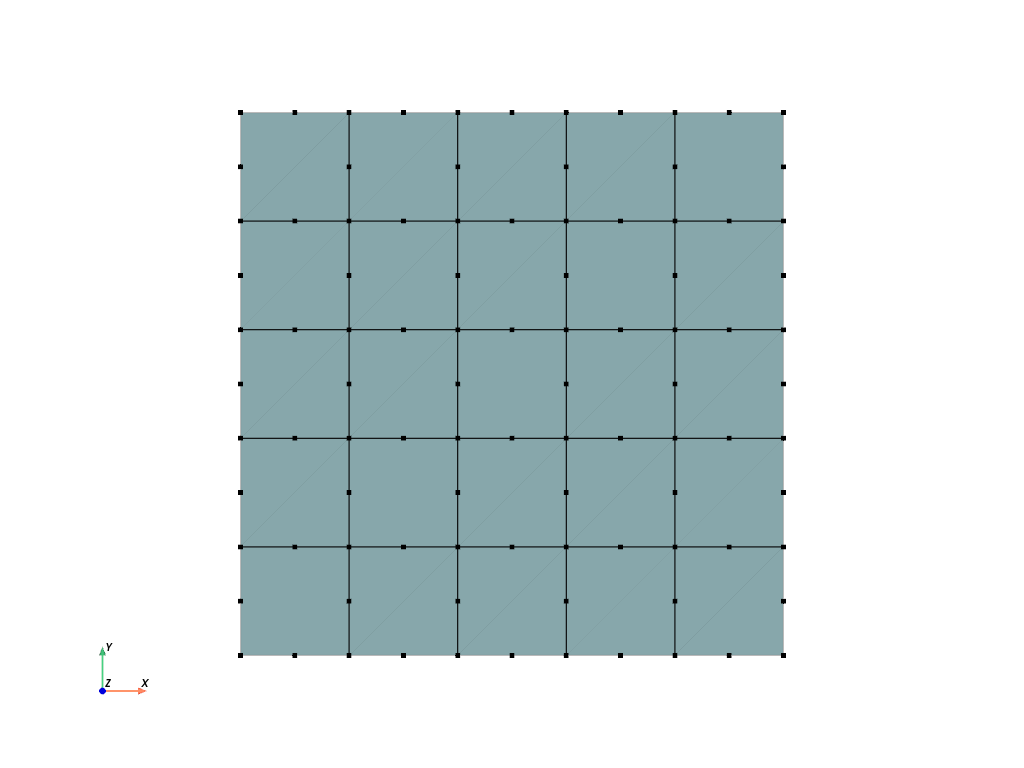
>>> mesh_with_midpoints_edges
<felupe Mesh object>
  Number of points: 96
  Number of cells:
    quad8: 25
参考
felupe.Mesh.add_midpoints_edgesAdd midpoints on edges for given points and cells and update cell_type accordingly.
- felupe.mesh.add_midpoints_faces(points, cells, cell_type, cell_type_new=None)[ソース]#
Add midpoints on faces for given points and cells and update cell_type accordingly.
- パラメータ:
points (list or ndarray) -- Original point coordinates.
cells (list or ndarray) -- Original point-connectivity of cells.
cell_type (str) -- A string in VTK-convention that specifies the cell type.
cell_type_new (str or None, optional) -- A string in VTK-convention that specifies the new cell type (default is None). If None, the cell type is chosen automatically.
- 戻り値:
points (ndarray) -- Modified point coordinates.
cells (ndarray) -- Modified point-connectivity of cells.
cell_type (str or None) -- A string in VTK-convention that specifies the cell type.
サンプル
>>> import felupe as fem
>>>
>>> mesh = fem.Rectangle(n=6)
>>> mesh_with_midpoints_faces = fem.mesh.add_midpoints_faces(
...     mesh, cell_type_new="quad"
... )
>>>
>>> plotter = mesh_with_midpoints_faces.plot(
...     plotter=mesh.plot(), style="points", color="black"
... ).show()
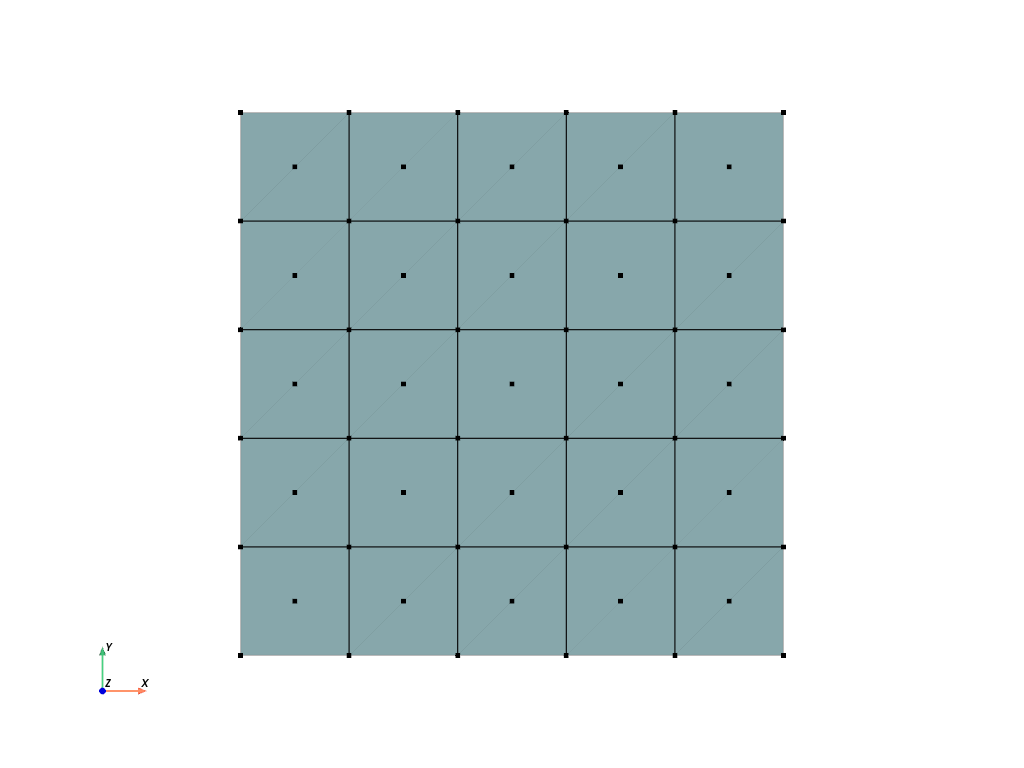
>>> mesh_with_midpoints_faces
<felupe Mesh object>
  Number of points: 61
  Number of cells:
    quad: 25
参考
felupe.Mesh.add_midpoints_facesAdd midpoints on faces for given points and cells and update cell_type accordingly.
- felupe.mesh.add_midpoints_volumes(points, cells, cell_type, cell_type_new=None)[ソース]#
Add midpoints on volumes for given points and cells and update cell_type accordingly.
- パラメータ:
points (list or ndarray) -- Original point coordinates.
cells (list or ndarray) -- Original point-connectivity of cells.
cell_type (str) -- A string in VTK-convention that specifies the cell type.
cell_type_new (str or None, optional) -- A string in VTK-convention that specifies the new cell type (default is None). If None, the cell type is chosen automatically.
- 戻り値:
points (ndarray) -- Modified point coordinates.
cells (ndarray) -- Modified point-connectivity of cells.
cell_type (str or None) -- A string in VTK-convention that specifies the cell type.
サンプル
>>> import felupe as fem
>>> import pyvista as pv
>>>
>>> mesh = fem.Cube(n=6)
>>> mesh_with_midpoints_volumes = fem.mesh.add_midpoints_volumes(
...     mesh, cell_type_new="hexahedron9"
... )
>>> plotter = pv.Plotter()
>>> actor = plotter.add_points(mesh_with_midpoints_volumes.points, color="black")
>>> mesh.plot(opacity=0.5, plotter=plotter).show()
>>> mesh_with_midpoints_volumes
<felupe Mesh object>
  Number of points: 341
  Number of cells:
    hexahedron9: 125
参考
felupe.Mesh.add_midpoints_volumesAdd midpoints on volumes for given points and cells and update cell_type accordingly.
- felupe.mesh.cell_types()[ソース]#
Return a list with tuples of identical cell types for different packages.
サンプル
>>> import felupe as fem
>>>
>>> cell_types_array = fem.mesh.cell_types()
Create a dict which takes a FElupe cell type string and returns the PyVista cell type.
>>> cell_types_felupe_to_pyvista = dict(cell_types_array)
>>> cell_types_felupe_to_pyvista["line"]
<CellType.LINE: 3>
Create a dict which takes a PyVista cell type string and returns the FElupe cell type.
>>> import pyvista as pv
>>>
>>> cell_types_pyvista_to_felupe = dict(cell_types_array[:, [1, 0]])
>>> cell_types_pyvista_to_felupe[pv.CellType.LINE]
"line"
- felupe.mesh.collect_edges(points, cells, cell_type)[ソース]#
Collect all unique edges, calculate and return midpoints on edges as well as the additional cells array.
参考
felupe.mesh.add_midpoints_edgesAdd midpoints on cell edges for given points and cells and update cell_type accordingly.
felupe.Mesh.add_midpoints_edgesAdd midpoints on cell edges for given points and cells and update cell_type accordingly.
- felupe.mesh.collect_faces(points, cells, cell_type)[ソース]#
Collect all unique faces, calculate and return midpoints on faces as well as the additional cells array.
参考
felupe.mesh.add_midpoints_facesAdd midpoints on cell faces for given points and cells and update cell_type accordingly.
felupe.Mesh.add_midpoints_facesAdd midpoints on cell faces for given points and cells and update cell_type accordingly.
- felupe.mesh.collect_volumes(points, cells, cell_type)[ソース]#
Collect all volumes, calculate and return midpoints on volumes as well as the additional cells array.
参考
felupe.mesh.add_midpoints_volumesAdd midpoints on cell volumes for given points and cells and update cell_type accordingly.
felupe.Mesh.add_midpoints_volumesAdd midpoints on cell volumes for given points and cells and update cell_type accordingly.
- felupe.mesh.concatenate(meshes)[ソース]#
Join a sequence of meshes with identical cell types.
メモ
The
points-arrays are vertically stacked. Offsets are added to thecells- arrays of the meshes to refer to the original points.サンプル
Two quad meshes should be joined (merged) into a single mesh.
>>> import felupe as fem
>>>
>>> rect1 = fem.Rectangle(n=11)
>>> rect2 = fem.Rectangle(a=(0.9, 0), b=(1.9, 1), n=11)
>>>
>>> mesh = fem.mesh.concatenate([rect1, rect2])
>>> mesh.plot(opacity=0.6).show()
Each mesh contains 121 points and 100 cells.
>>> rect1
<felupe Mesh object>
  Number of points: 121
  Number of cells:
    quad: 100
>>> rect2
<felupe Mesh object>
  Number of points: 121
  Number of cells:
    quad: 100
These two meshes are stored in a
Mesh. Note that there are duplicate points and cells in the joined mesh.>>> mesh <felupe Mesh object> Number of points: 242 Number of cells: quad: 200
- felupe.mesh.convert(points, cells, cell_type, order=0, calc_points=False, calc_midfaces=False, calc_midvolumes=False)[ソース]#
Convert a mesh to a given order. Only conversions to
order=0andorder=2are supported. This function supports meshes with cell types"triangle","tetra","quad"and"hexahedron".- パラメータ:
points (list or ndarray) -- Original point coordinates.
cells (list or ndarray) -- Original point-connectivity of cells.
cell_type (str) -- A string in VTK-convention that specifies the cell type. Must be one of
"triangle","tetra","quad"or"hexahedron".order (int, optional) -- The order of the converted mesh (default is 0). If 0, the points-array will be of shape
(ncells, dim). If 0 andcalc_pointsis True, the mean of all points per cell is evaluated. If 0 andcalc_pointsis False, the points array is filled with zeros. If 2, at least midpoints on cell edges are added to the mesh. If 2 andcalc_midfacesis True, midpoints on cell faces are also added. If 2 andcalc_midvolumesis True, midpoints on cell volumes are also added. Raises an error if not 0 or 2.calc_points (bool, optional) -- Flag to return the mean of all points per cell if
order=0(default is False). If False, the points-array is filled with zeros.calc_midfaces (bool, optional) -- Flag to add midpoints on cell faces if
order=2(default is False).calc_midvolumes (bool, optional) -- Flag to add midpoints on cell volumes if
order=2(default is False).
- 戻り値:
points (ndarray) -- Modified point coordinates.
cells (list or ndarray) -- Converted cells.
cell_type (str or None) -- A string in VTK-convention that specifies the cell type.
サンプル
Convert a mesh of hexahedrons to quadratic hexahedrons by inserting midpoints on the cell edges.
>>> import felupe as fem
>>>
>>> mesh = fem.Rectangle(n=6)
>>> mesh2 = fem.mesh.convert(mesh, order=2)
>>>
>>> mesh2.plot(plotter=mesh.plot(), style="points", color="black").show()
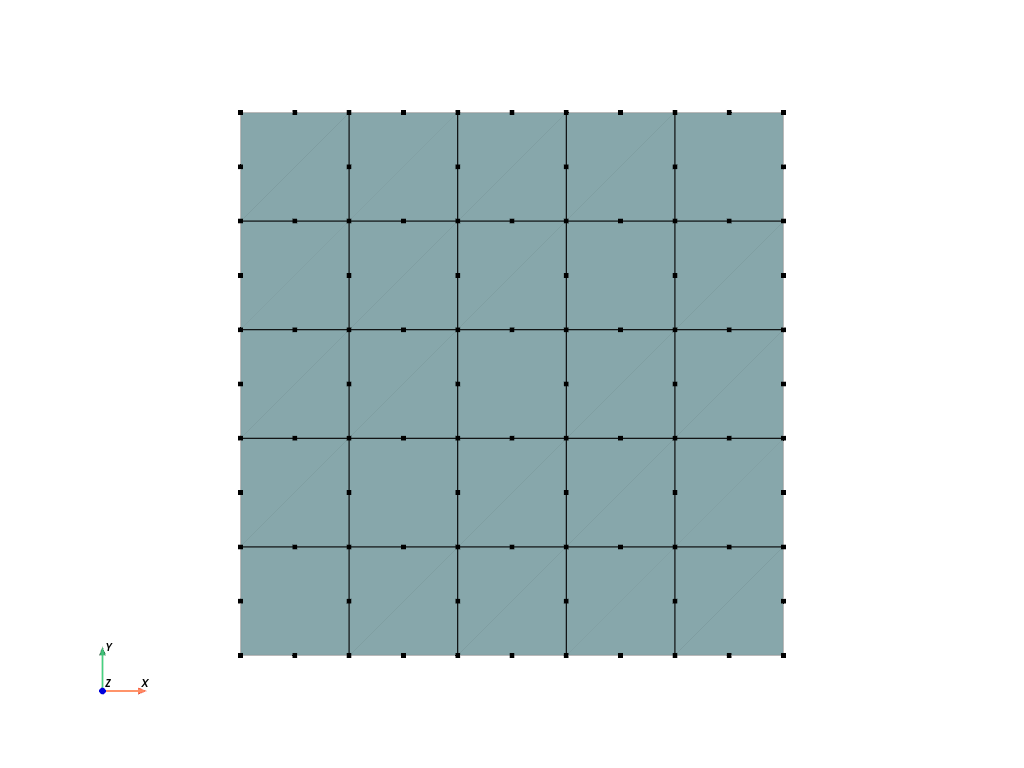
>>> mesh2
<felupe Mesh object>
  Number of points: 96
  Number of cells:
    quad8: 25
参考
felupe.mesh.add_midpoints_edgesAdd midpoints on edges for given points and cells and update cell_type accordingly.
felupe.mesh.add_midpoints_facesAdd midpoints on faces for given points and cells and update cell_type accordingly.
felupe.mesh.add_midpoints_volumesAdd midpoints on volumes for given points and cells and update cell_type accordingly.
felupe.Mesh.add_midpoints_edgesAdd midpoints on edges for given points and cells and update cell_type accordingly.
felupe.Mesh.add_midpoints_facesAdd midpoints on faces for given points and cells and update cell_type accordingly.
felupe.Mesh.add_midpoints_volumesAdd midpoints on volumes for given points and cells and update cell_type accordingly.
- felupe.mesh.dual(points, cells, cell_type, points_per_cell=None, disconnect=True, calc_points=False, offset=0, npoints=None)[ソース]#
Create a new dual mesh with given points per cell.
- パラメータ:
points (list or ndarray) -- Original point coordinates.
cells (list or ndarray) -- Original point-connectivity of cells.
cell_type (str) -- A string in VTK-convention that specifies the cell type.
points_per_cell (int or None, optional) -- Number of points per cell, must be equal or lower than
cells.shape[1]( default is None). If None, all points per cell are considered for the dual mesh.disconnect (bool, optional) -- A flag to disconnect the mesh (each cell has its own points). Default is True.
calc_points (bool, optional) -- A flag to calculate the point coordinates for the dual mesh (default is False). If False, the points array is filled with zeros.
offset (int, optional) -- An offset to be added to the cells array (default is 0).
npoints (int or None, optional) -- Number of points for the dual mesh. If the given number of points is greater than
npoints * points_per_cell, then the missing points are added to the points array (filled with zeros). Default is None.
- 戻り値:
points (ndarray) -- Modified point coordinates.
cells (list or ndarray) -- Modified point-connectivity of cells.
cell_type (str or None) -- A string in VTK-convention that specifies the cell type.
メモ
注釈
The points array of the dual mesh always has a shape of
(npoints * points_per_cell, dim).サンプル
>>> import felupe as fem
>>>
>>> mesh = fem.Rectangle(n=5).add_midpoints_edges()
>>> region = fem.RegionQuadraticQuad(mesh=mesh)
>>>
>>> mesh_dual = fem.mesh.dual(mesh, points_per_cell=1, disconnect=False)
>>> region_dual = fem.RegionConstantQuad(
...     mesh_dual, quadrature=region.quadrature, grad=False
... )
>>>
>>> displacement = fem.FieldPlaneStrain(region, dim=2)
>>> pressure = fem.Field(region_dual)
>>> field = fem.FieldContainer([displacement, pressure])
参考
felupe.Mesh.dualCreate a new dual mesh with given points per cell.
- felupe.mesh.expand(points, cells, cell_type, n=11, z=1, axis=-1, expand_dim=True)[ソース]#
Expand a 0d-Point to a 1d-Line, a 1d-Line to a 2d-Quad or a 2d-Quad to a 3d-Hexahedron Mesh.
- パラメータ:
points (list or ndarray) -- Original point coordinates.
cells (list or ndarray) -- Original point-connectivity of cells.
cell_type (str) -- A string in VTK-convention that specifies the cell type.
n (int, optional) -- Number of n-point repetitions or (n-1)-cell repetitions, default is 11. Must be greater or equal 0.
z (float or ndarray, optional) -- Total expansion as float (edge length in expand direction is
z / (n - 1)), default is 1. Optionally, if an array is passed these entries are taken as expansion andnis ignored.axis (int, optional) -- Axis of expansion (default is -1).
expand_dim (bool, optional) -- Expand the dimension of the point coordinates (default is True).
- 戻り値:
points (ndarray) -- Modified point coordinates.
cells (ndarray) -- Modified point-connectivity of cells.
cell_type (str or None) -- A string in VTK-convention that specifies the cell type.
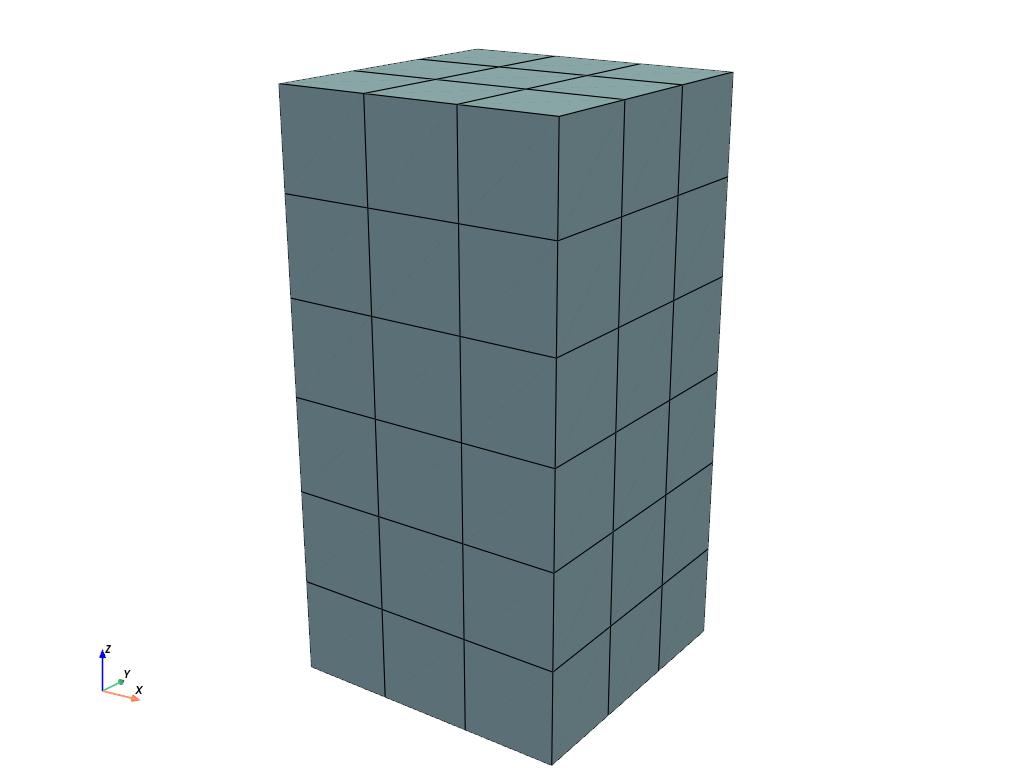
サンプル
Expand a rectangle to a cube.
>>> import felupe as fem
>>>
>>> rect = fem.Rectangle(n=4)
>>> cube = fem.mesh.expand(rect, n=7, z=2)
>>>
>>> cube.plot().show()
>>> cube
<felupe Mesh object>
  Number of points: 112
  Number of cells:
    hexahedron: 54
参考
felupe.Mesh.expandExpand a 0d-Point to a 1d-Line, a 1d-Line to a 2d-Quad or a 2d-Quad to a 3d-Hexahedron Mesh.
- felupe.mesh.fill_between(mesh, other_mesh, n=11)[ソース]#
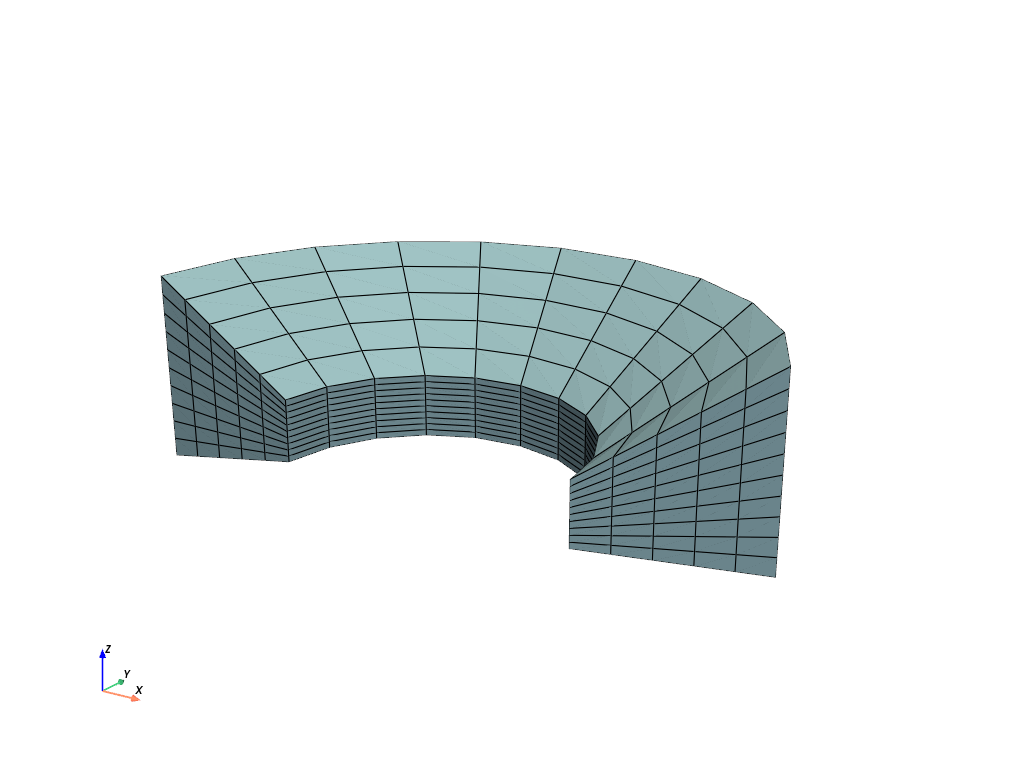
Fill a 2d-Quad Mesh between two 1d-Line Meshes, embedded in 2d-space, or a 3d-Hexahedron Mesh between two 2d-Quad Meshes, embedded in 3d-space, by expansion. Both meshes must have equal number of points and cells. The cells-array is taken from the first mesh.
- パラメータ:
mesh (felupe.Mesh) -- The base line- or quad-mesh.
other_mesh (felupe.Mesh) -- The other line- or quad-mesh.
n (int or ndarray) -- Number of n-point repetitions or (n-1)-cell repetitions, (default is 11). If an array is given, then its values are used for the relative positions in a reference configuration (-1, 1) between the two meshes.
- 戻り値:
mesh -- The expanded mesh.
- 戻り値の型:
サンプル
>>> import felupe as fem
>>>
>>> inner = fem.mesh.revolve(fem.Point(1)).expand(z=0.4).translate(0.2, axis=2)
>>> outer = fem.mesh.revolve(fem.Point(2), phi=160).rotate(
...     axis=2, angle_deg=20
... ).expand(z=1.2)
>>> mesh = fem.mesh.fill_between(inner, outer, n=6)
>>>
>>> mesh.plot().show()
参考
felupe.Mesh.fill_betweenFill a 2d-Quad Mesh between two 1d-Line Meshes, embedded in 2d-space, or a 3d-Hexahedron Mesh between two 2d-Quad Meshes, embedded in 3d-space, by expansion.
- felupe.mesh.flip(points, cells, cell_type, mask=None)[ソース]#
Ensure positive cell volumes for tria, tetra, quad and hexahedron cell types.
- パラメータ:
points (list or ndarray) -- Original point coordinates.
cells (list or ndarray) -- Original point-connectivity of cells.
cell_type (str) -- A string in VTK-convention that specifies the cell type.
mask (list, ndarray or None, optional) -- Boolean mask for selected cells to flip (default is None). If None, all cells are selected to be flipped.
- 戻り値:
points (ndarray) -- Point coordinates.
cells (ndarray) -- Modified point-connectivity of cells.
cell_type (str or None) -- A string in VTK-convention that specifies the cell type.
サンプル
A quad mesh with negative cell volumes occurs if one coordinate axis is multiplied by -1. The error pops up if a region is created with this mesh.
>>> import numpy as np
>>> import felupe as fem
>>>
>>> mesh = fem.Rectangle(n=3)
>>> mesh.update(points=mesh.points * np.array([[-1, 1]]))
>>> region = fem.RegionQuad(mesh)
The sum of the differential volumes \(V = \sum_c \sum_q dV_{qc}\) is evaluated to -1.0.
>>> region.dV.sum()
-1.0
Let's try to fix the mesh.
>>> mesh.cells
array([[0, 1, 4, 3],
       [1, 2, 5, 4],
       [3, 4, 7, 6],
       [4, 5, 8, 7]])
The cells array is rearranged to ensure positive cell volumes.
>>> mesh_fixed = fem.mesh.flip(mesh)
>>> mesh_fixed.cells
array([[3, 4, 1, 0],
       [4, 5, 2, 1],
       [6, 7, 4, 3],
       [7, 8, 5, 4]])
A region now correctly evaluates the total volume of the mesh to 1.0.
>>> region_fixed = fem.RegionQuad(mesh_fixed)
>>> region_fixed.dV.sum()
1.0
参考
felupe.Mesh.flipEnsure positive cell volumes for tria, tetra, quad and hexahedron cell types.
- felupe.mesh.interpolate_line(mesh, xi, axis=None, Interpolator=None, **kwargs)[ソース]#
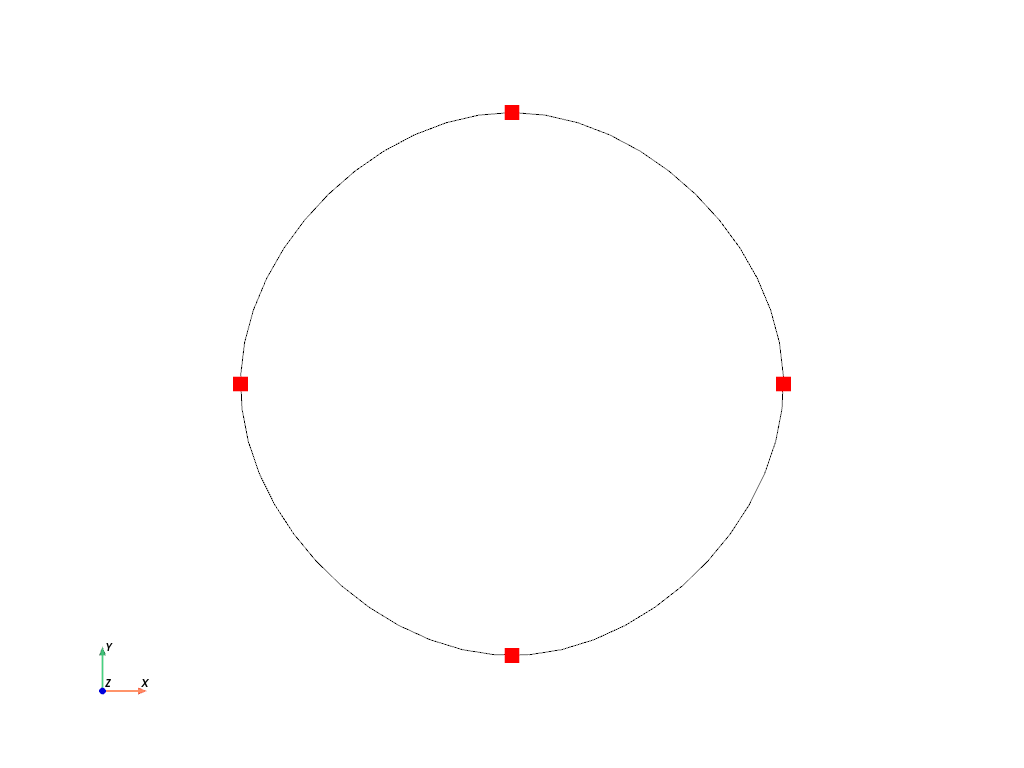
Return an interpolated line mesh from an existing line mesh with provided interpolation points on a given axis.
- パラメータ:
xi (ndarray) -- Points at which to interpolate data. If axis is None, a normalized curve- progress must be provided (\(0 \le \xi \le 1\)).
axis (int or None, optional) -- The axis of the points at which the data will be interpolated. If None, a normalized curve-progress is used. Default is None.
Interpolator (callable or None, optional) -- An interpolator class (default is
scipy.interpolate.PchipInterpolator).**kwargs (dict, optional) -- Optional keyword arguments are passed to the Interpolator.
- 戻り値:
A new line mesh with interpolated points. The attribute
points_derivativeholds the derivatives of the independent variable w.r.t. the dependent variable(s).- 戻り値の型:
サンプル
>>> import felupe as fem
>>> import numpy as np
>>> from scipy.interpolate import CubicSpline
>>>
>>> mesh = fem.mesh.Line(b=1.0, n=5).expand(n=1)
>>> t = mesh.x.copy()
>>> mesh.points[:, 0] = np.sin(2 * np.pi * t)
>>> mesh.points[:, 1] = np.cos(2 * np.pi * t)
>>>
>>> mesh_new = fem.mesh.interpolate_line(
...     mesh, xi=np.linspace(0, 1), Interpolator=CubicSpline, bc_type="periodic"
... )
>>>
>>> mesh_new.plot(
...     plotter=mesh.plot(style="points", color="red", point_size=15),
...     color="black",
... ).show()
- felupe.mesh.merge_duplicate_cells(points, cells, cell_type)[ソース]#
Merge duplicate cells of a Mesh.
- パラメータ:
- 戻り値:
points (ndarray) -- Point coordinates.
cells (list or ndarray) -- Cells with merged duplicate cells.
cell_type (str or None) -- A string in VTK-convention that specifies the cell type.
メモ
警告
This function re-sorts cells.
注釈
This function does not merge duplicate points.
サンプル
Two quad meshes to be merged overlap some cells. Merge these duplicated points and update the cells.
>>> import felupe as fem
>>>
>>> rect1 = fem.Rectangle(n=11)
>>> rect2 = fem.Rectangle(a=(0.9, 0), b=(1.9, 1), n=11)
>>>
>>> container = fem.MeshContainer([rect1, rect2])
>>> stack = fem.mesh.stack(container.meshes)
>>> mesh = fem.mesh.merge_duplicate_points(stack)
>>>
>>> mesh.plot(opacity=0.6).show()
Each mesh contains 121 points and 100 cells.
>>> rect1
<felupe Mesh object>
  Number of points: 121
  Number of cells:
    quad: 100
>>> rect2
<felupe Mesh object>
    Number of points: 121
    Number of cells:
    quad: 100
These two meshes are now stored in a
MeshContainer.>>> container <felupe mesh container object> Number of points: 242 Number of cells: quad: 100 quad: 100
The meshes of the mesh container are
stacked.>>> stack <felupe Mesh object> Number of points: 242 Number of cells: quad: 200
After merging the duplicated points and cells, the number of points is reduced but the number of cells is unchanged.
>>> mesh
<felupe Mesh object>
Number of points: 220
Number of cells:
    quad: 200
注釈
The
MeshContainermay be directly created withmerge=True. This enforcesmerge_duplicate_points()for the shared points array of the container.The duplicate cells are merged in a second step.
>>> merged = fem.mesh.merge_duplicate_cells(mesh)
>>> merged
<felupe Mesh object>
Number of points: 220
Number of cells:
    quad: 190
参考
felupe.Mesh.merge_duplicate_pointsMerge duplicate points of a Mesh.
felupe.Mesh.merge_duplicate_cellsMerge duplicate cells of a Mesh.
felupe.MeshContainerA container which operates on a list of meshes with identical dimensions.
- felupe.mesh.merge_duplicate_points(points, cells, cell_type, decimals=None)[ソース]#
Merge duplicate points and update cells of a Mesh.
- パラメータ:
points (list or ndarray) -- Original point coordinates.
cells (list or ndarray) -- Original point-connectivity of cells.
cell_type (str) -- A string in VTK-convention that specifies the cell type.
decimals (int or None, optional) -- Number of decimals for point coordinate comparison (default is None).
- 戻り値:
points (ndarray) -- Modified point coordinates.
cells (list or ndarray) -- Modified point-connectivity of cells.
cell_type (str or None) -- A string in VTK-convention that specifies the cell type.
メモ
警告
This function re-sorts points.
注釈
This function does not merge duplicate cells.
サンプル
Two quad meshes to be merged overlap some points. Merge these duplicated points and update the cells.
>>> import felupe as fem
>>>
>>> rect1 = fem.Rectangle(n=11)
>>> rect2 = fem.Rectangle(a=(0.9, 0), b=(1.9, 1), n=11)
>>>
>>> container = fem.MeshContainer([rect1, rect2])
>>> stack = fem.mesh.stack(container.meshes)
>>> mesh = fem.mesh.merge_duplicate_points(stack)
>>>
>>> mesh.plot(opacity=0.6).show()
Each mesh contains 121 points and 100 cells.
>>> rect1
<felupe Mesh object>
  Number of points: 121
  Number of cells:
    quad: 100
>>> rect2
<felupe Mesh object>
  Number of points: 121
  Number of cells:
    quad: 100
These two meshes are now stored in a
MeshContainer.>>> container <felupe mesh container object> Number of points: 242 Number of cells: quad: 100 quad: 100
The meshes of the mesh container are
stacked.>>> stack <felupe Mesh object> Number of points: 242 Number of cells: quad: 200
After merging the duplicated points and cells, the number of points is reduced but the number of cells is unchanged.
>>> mesh
<felupe Mesh object>
  Number of points: 220
  Number of cells:
    quad: 200
注釈
The
MeshContainermay be directly created withmerge=True. This enforcesmerge_duplicate_points()for the shared points array of the container.参考
felupe.Mesh.merge_duplicate_pointsMerge duplicated points and update cells of a Mesh.
felupe.MeshContainerA container which operates on a list of meshes with identical dimensions.
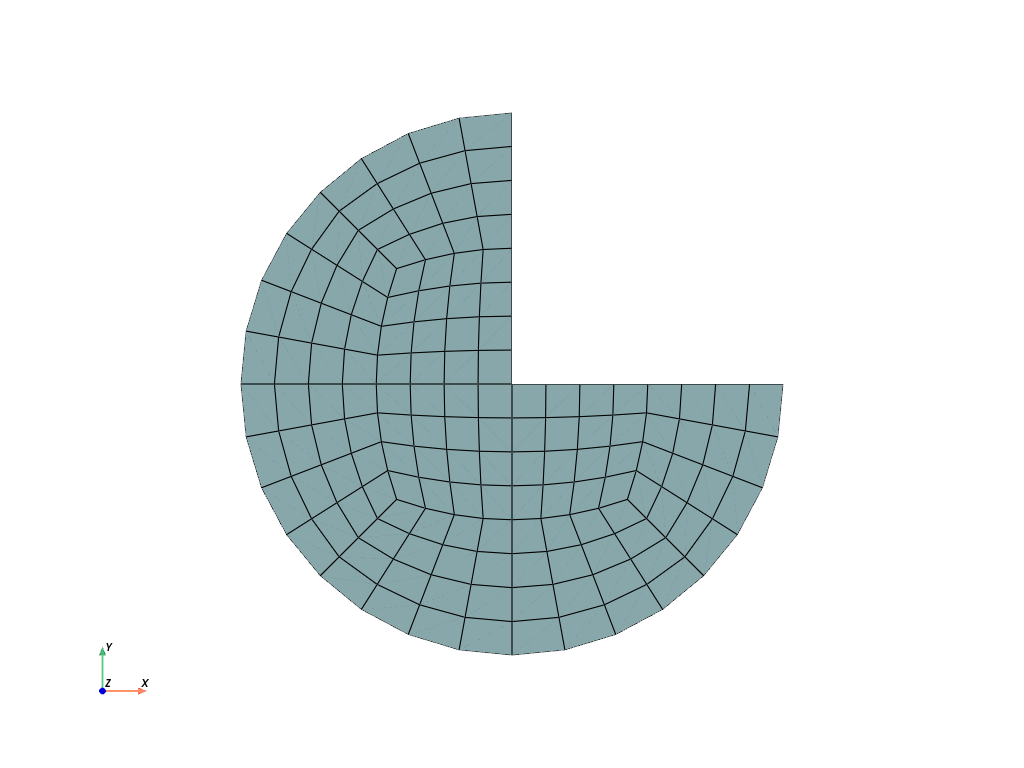
- felupe.mesh.mirror(points, cells, cell_type, normal=[1, 0, 0], centerpoint=[0, 0, 0], axis=None)[ソース]#
Mirror points by plane normal and ensure positive cell volumes for tria, tetra, quad and hexahedron cell types.
- パラメータ:
points (list or ndarray) -- Original point coordinates.
cells (list or ndarray) -- Original point-connectivity of cells.
cell_type (str) -- A string in VTK-convention that specifies the cell type.
normal (list or ndarray, optional) -- Mirror-plane normal vector (default is [1, 0, 0]).
centerpoint (list or ndarray, optional) -- Center-point coordinates on the mirror plane (default is [0, 0, 0]).
axis (int or None, optional) -- Mirror axis (default is None).
- 戻り値:
points (ndarray) -- Modified point coordinates.
cells (ndarray) -- Modified point-connectivity of cells.
cell_type (str or None) -- A string in VTK-convention that specifies the cell type.
サンプル
>>> import felupe as fem
>>>
>>> mesh = fem.Circle(sections=[0, 90, 180], n=5)
>>> mesh.plot().show()
>>> import felupe as fem
>>>
>>> mesh = fem.Circle(sections=[0, 90, 180], n=5)
>>> fem.mesh.mirror(mesh, normal=[0, 1, 0]).plot().show()
参考
felupe.Mesh.mirrorMirror points by plane normal and ensure positive cell volumes for tria, tetra, quad and hexahedron cell types.
- felupe.mesh.read(filename, file_format=None, cellblock=None, dim=None, merge=False, decimals=None)[ソース]#
Read a mesh from a file using
meshio.read()and create aMeshContainer.- パラメータ:
filename (str) -- The filename of the mesh file.
file_format (str or None, optional) -- The file format of the mesh file (default is None).
cellblock (list of int or None, optional) -- Read only a subset of the cellblocks from the mesh file (default is None). If None, all cell blocks are added to the
MeshContainer.dim (int or None, optional) -- If provided, the dimension to trim the points array to (default is None). If None, the points array is unchanged.
merge (bool, optional) -- Flag to merge duplicate mesh points. This changes the cells arrays of the meshes. Default is False.
decimals (float or None, optional) -- Precision decimals for merging duplicated mesh points. Only relevant if merge=True. Default is None.
- 戻り値:
A mesh container created with
meshio.read().- 戻り値の型:
サンプル
>>> import felupe as fem
>>>
>>> mesh = fem.Rectangle(n=3)
>>> mesh.write(filename="mesh.xdmf")
>>> container = fem.mesh.read("mesh.xdmf")
>>> container
<felupe mesh container object>
  Number of points: 9
  Number of cells:
    quad: 4
>>> container.meshes[0]
<felupe Mesh object>
  Number of points: 9
  Number of cells:
    quad: 4
参考
meshio.readReads an unstructured mesh with added data.
felupe.Mesh.writeWrite the mesh to a file.
- felupe.mesh.revolve(points, cells, cell_type, n=11, phi=180, axis=0, expand_dim=True)[ソース]#
Revolve a 0d-Point to a 1d-Line, a 1d-Line to 2d-Quad or a 2d-Quad to a 3d-Hexahedron Mesh.
- パラメータ:
points (list or ndarray) -- Original point coordinates.
cells (list or ndarray) -- Original point-connectivity of cells.
cell_type (str) -- A string in VTK-convention that specifies the cell type.
n (int, optional) -- Number of n-point revolutions (or (n-1) cell revolutions), default is 11.
phi (float or ndarray, optional) -- Revolution angle in degree (default is 180).
axis (int, optional) -- Revolution axis (default is 0).
expand_dim (bool, optional) -- Expand the dimension of the point coordinates (default is True).
- 戻り値:
points (ndarray) -- Modified point coordinates.
cells (list or ndarray) -- Modified point-connectivity of cells.
cell_type (str or None) -- A string in VTK-convention that specifies the cell type.
サンプル
Revolve a cylinder from a rectangle.
>>> import felupe as fem
>>>
>>> rect = fem.Rectangle(a=(0, 4), b=(3, 5), n=(10, 4))
>>> mesh = fem.mesh.revolve(rect, n=11, phi=180, axis=0)
>>> mesh.plot().show()
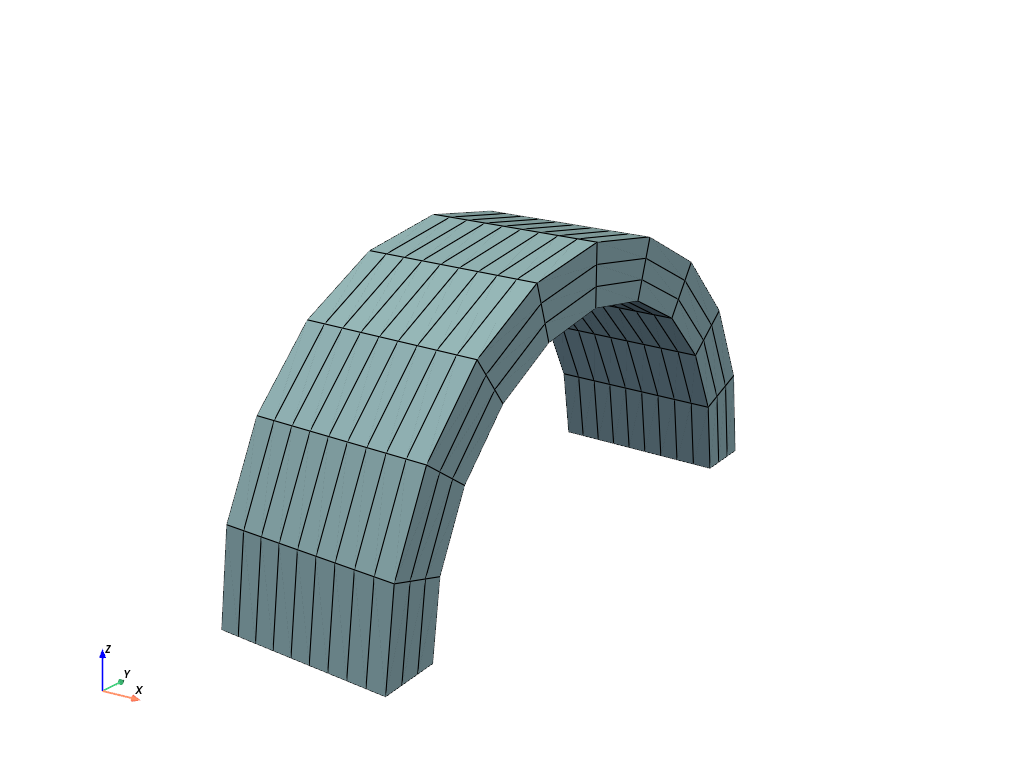
>>> mesh
<felupe Mesh object>
  Number of points: 440
  Number of cells:
    hexahedron: 270
参考
felupe.Mesh.revolveRevolve a 2d-Quad to a 3d-Hexahedron Mesh.
- felupe.mesh.rotate(points, cells, cell_type, angle_deg, axis, center=None, mask=None)[ソース]#
Rotate a Mesh.
- パラメータ:
points (list or ndarray) -- Original point coordinates.
cells (list or ndarray) -- Original point-connectivity of cells.
cell_type (str) -- A string in VTK-convention that specifies the cell type.
angle_deg (int) -- Rotation angle in degree.
axis (int) -- Rotation axis.
center (list or ndarray or None, optional) -- Center point coordinates (default is None).
mask (ndarray or None, optional) -- A boolean mask to select points which are rotated (default is None).
- 戻り値:
points (ndarray) -- Modified point coordinates.
cells (list or ndarray) -- Original point-connectivity of cells.
cell_type (str or None) -- A string in VTK-convention that specifies the cell type.
サンプル
Rotate a rectangle in the xy-plane by 35 degree.
>>> import felupe as fem
>>>
>>> rect = fem.Rectangle(b=(3, 1), n=(10, 4))
>>> mesh = fem.mesh.rotate(rect, angle_deg=35, axis=2, center=[1.5, 0.5])
>>> mesh.plot().show()
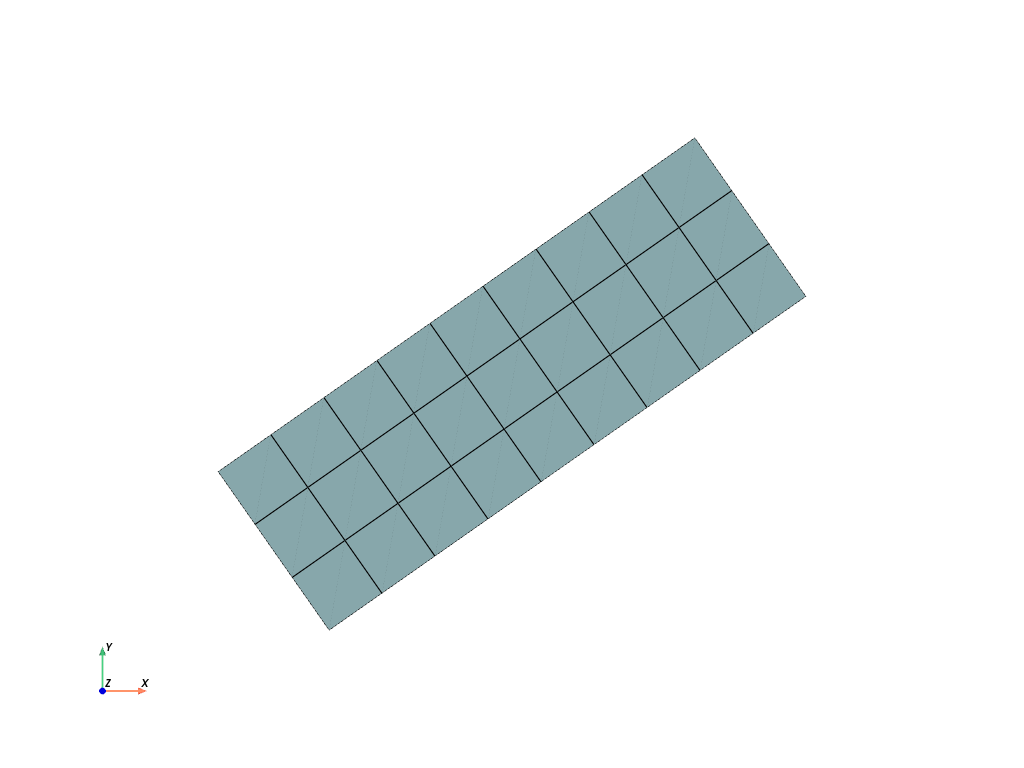
>>> mesh
<felupe Mesh object>
  Number of points: 40
  Number of cells:
    quad: 27
参考
felupe.Mesh.rotateRotate a Mesh.
- felupe.mesh.runouts(points, cells, cell_type, values=[0.1, 0.1], centerpoint=[0, 0, 0], axis=0, exponent=5, mask=slice(None, None, None), normalize=False)[ソース]#
Add simple rubber-runouts for realistic rubber-metal structures.
- パラメータ:
points (list or ndarray) -- Original point coordinates.
cells (list or ndarray) -- Original point-connectivity of cells.
cell_type (str) -- A string in VTK-convention that specifies the cell type.
values (list or ndarray, optional) -- Relative amount of runouts (per coordinate) perpendicular to the axis (default is 10% per coordinate, i.e. [0.1, 0.1]).
centerpoint (list or ndarray, optional) -- Center-point coordinates (default is [0, 0, 0]).
axis (int or None, optional) -- Axis (default is 0).
exponent (int, optional) -- Positive exponent to control the shape of the runout. The higher the exponent, the steeper the transition (default is 5).
mask (list or None, optional) -- List of points to be considered (default is None).
normalize (bool, optional) -- Normalize the runouts to create indents, i.e. maintain the original shape at the ends (default is False).
- 戻り値:
points (ndarray) -- Modified point coordinates.
cells (ndarray) -- Modified point-connectivity of cells.
cell_type (str or None) -- A string in VTK-convention that specifies the cell type.
サンプル
>>> import felupe as fem
>>>
>>> rect = fem.Rectangle(a=(-3, -1), b=(3, 1), n=(31, 11))
>>> mesh = fem.mesh.runouts(rect, axis=1, values=[0.2], normalize=True)
>>>
>>> mesh.plot().show()
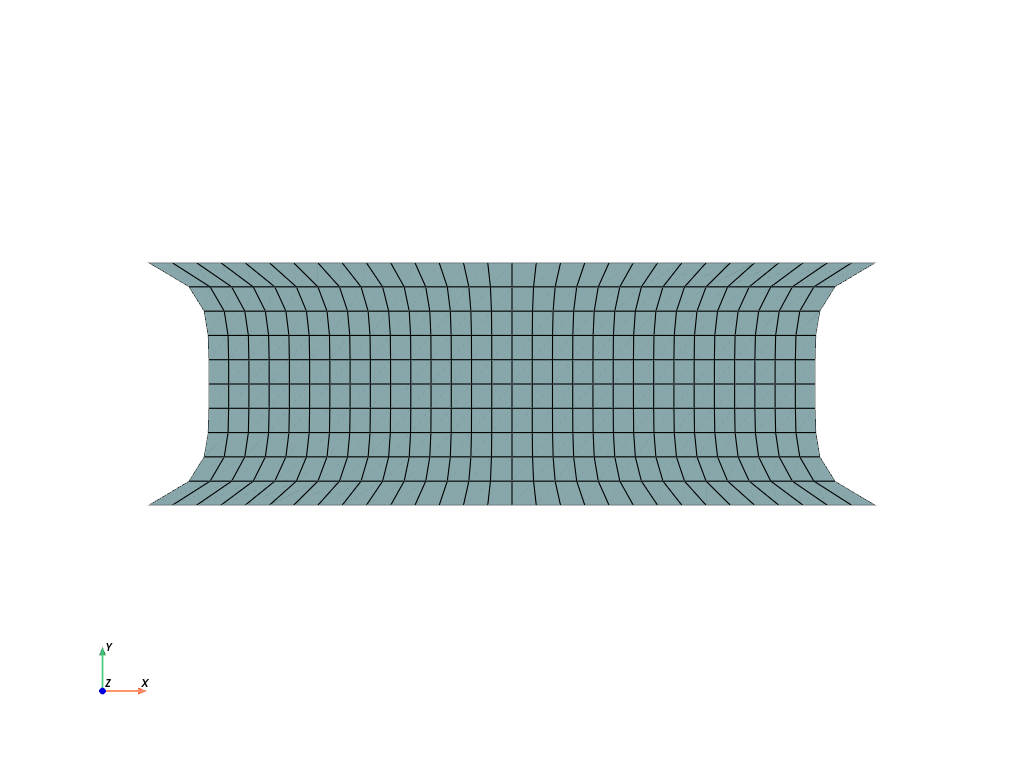
>>> import felupe as fem
>>>
>>> cube = fem.Cube(a=(-3, -2, -1), b=(3, 2, 1), n=(31, 21, 11))
>>> mesh = fem.mesh.runouts(cube, axis=2, values=[0.1, 0.3], normalize=True)
>>>
>>> mesh.plot().show()
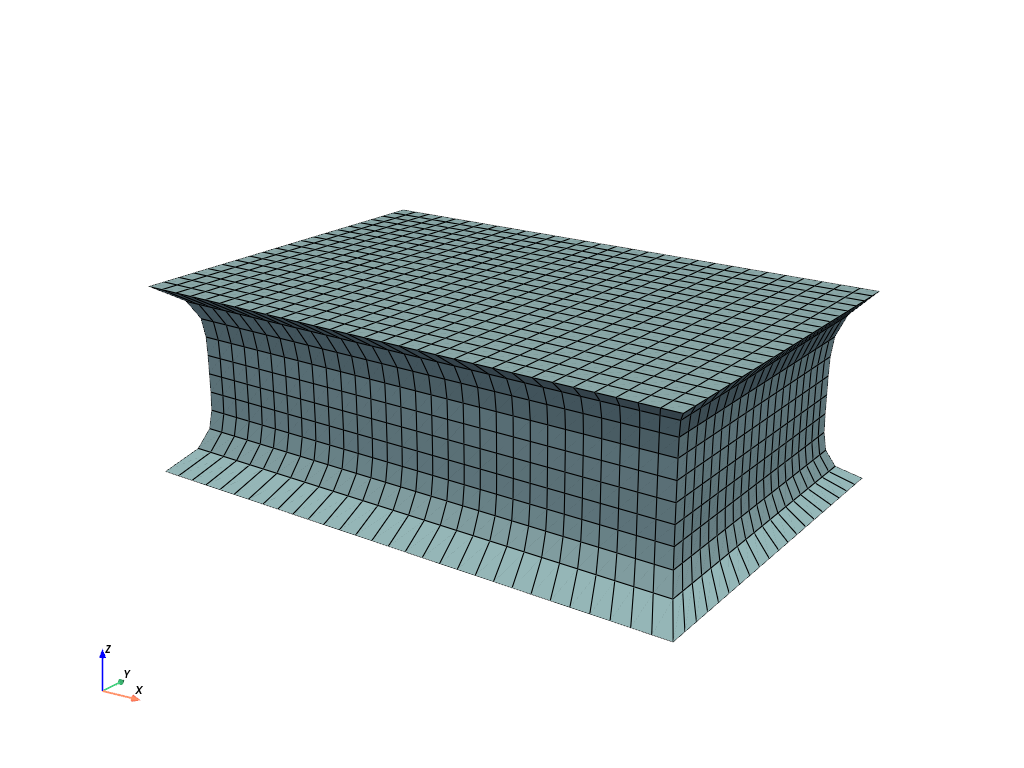
参考
felupe.Mesh.add_runoutsAdd simple rubber-runouts for realistic rubber-metal structures.
- felupe.mesh.stack(meshes)[ソース]#
Stack cell-blocks from meshes with identical points-array and cell-types.
- パラメータ:
meshes (list of Mesh) -- A list with meshes. The
points-array is taken from the first mesh in the list.- 戻り値:
The stacked mesh.
- 戻り値の型:
メモ
The
points-array is taken from the first mesh. Thepoints-arrays of all meshes must be identical. Thecells-array of the stacked mesh is created by a vertical stack of thecells-arrays.サンプル
Two quad meshes with identical point arrays should be stacked into a single mesh.
>>> import felupe as fem
>>>
>>> mesh = fem.Rectangle(n=11)
>>> rect1, rect2 = mesh.copy(), mesh.copy()
>>> rect1.update(cells=mesh.cells[: 40])
>>> rect2.update(cells=mesh.cells[-50:])
>>>
>>> mesh = fem.mesh.stack([rect1, rect2])
>>> mesh.plot().show()
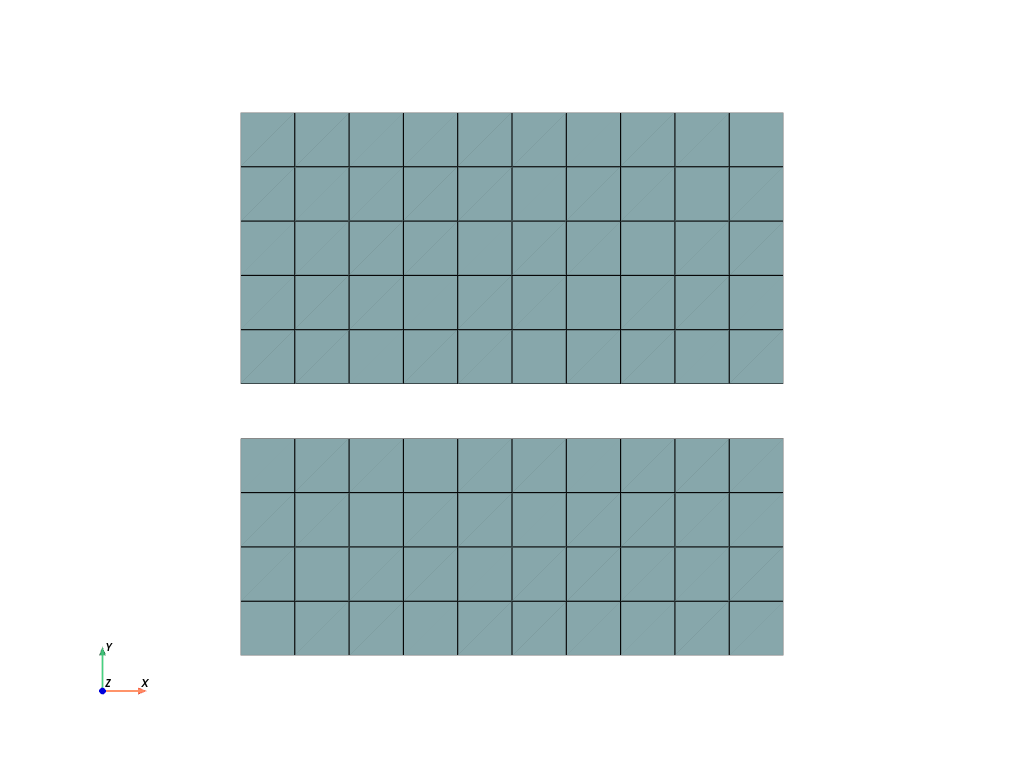
>>> mesh
<felupe Mesh object>
  Number of points: 121
  Number of cells:
    quad: 90
参考
felupe.MeshContainer.stackStack cell-blocks with same cell-types into a single mesh.
- felupe.mesh.subdivide(points, cells, cell_type)[ソース]#
Subdivide cells by adding midpoints on edges, faces and volumes.
- パラメータ:
- 戻り値:
points (ndarray) -- Modified point coordinates.
cells (ndarray) -- Modified point-connectivity of cells.
cell_type (str or None) -- A string in VTK-convention that specifies the cell type.
サンプル
Take a rectangle mesh and subdivide it two times.
>>> import felupe as fem
>>>
>>> rect = fem.Rectangle(n=4).modify_corners()
>>> rect.plot().show()
>>> mesh = fem.mesh.subdivide(fem.mesh.subdivide(rect))
>>> mesh.plot().show()
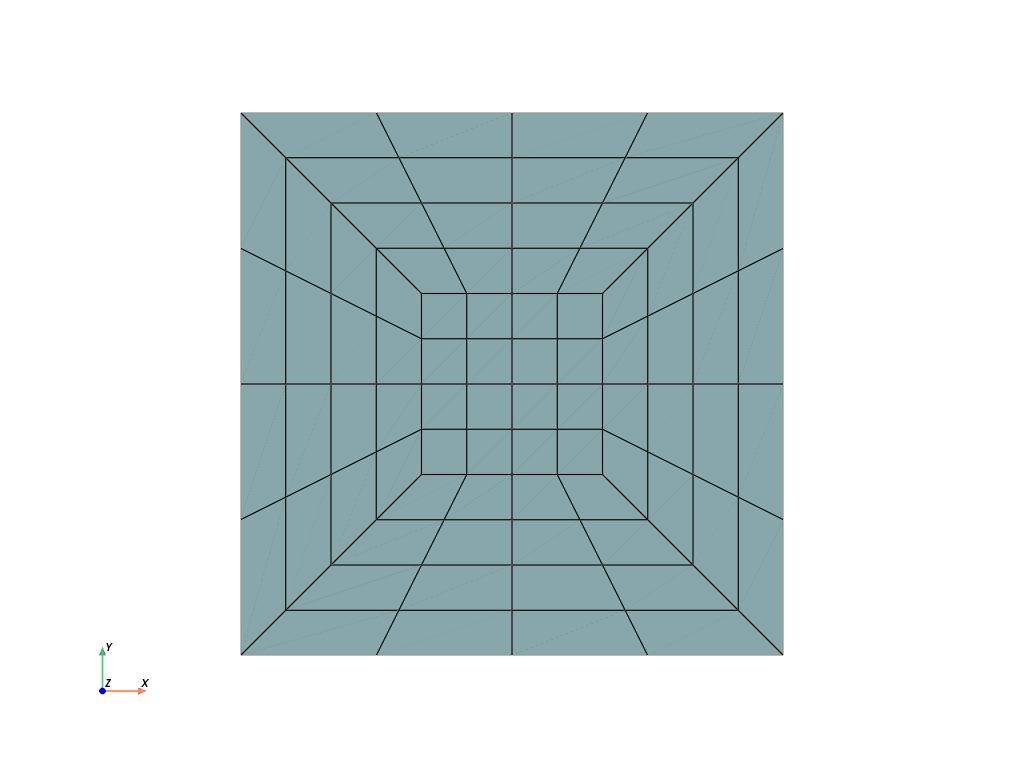
参考
felupe.Mesh.subdivideSubdivide cells by adding midpoints on edges, faces and volumes.
- felupe.mesh.sweep(points, cells, cell_type, decimals=None)#
Merge duplicate points and update cells of a Mesh.
- パラメータ:
points (list or ndarray) -- Original point coordinates.
cells (list or ndarray) -- Original point-connectivity of cells.
cell_type (str) -- A string in VTK-convention that specifies the cell type.
decimals (int or None, optional) -- Number of decimals for point coordinate comparison (default is None).
- 戻り値:
points (ndarray) -- Modified point coordinates.
cells (list or ndarray) -- Modified point-connectivity of cells.
cell_type (str or None) -- A string in VTK-convention that specifies the cell type.
メモ
警告
This function re-sorts points.
注釈
This function does not merge duplicate cells.
サンプル
Two quad meshes to be merged overlap some points. Merge these duplicated points and update the cells.
>>> import felupe as fem
>>>
>>> rect1 = fem.Rectangle(n=11)
>>> rect2 = fem.Rectangle(a=(0.9, 0), b=(1.9, 1), n=11)
>>>
>>> container = fem.MeshContainer([rect1, rect2])
>>> stack = fem.mesh.stack(container.meshes)
>>> mesh = fem.mesh.merge_duplicate_points(stack)
>>>
>>> mesh.plot(opacity=0.6).show()
Each mesh contains 121 points and 100 cells.
>>> rect1
<felupe Mesh object>
  Number of points: 121
  Number of cells:
    quad: 100
>>> rect2
<felupe Mesh object>
  Number of points: 121
  Number of cells:
    quad: 100
These two meshes are now stored in a
MeshContainer.>>> container <felupe mesh container object> Number of points: 242 Number of cells: quad: 100 quad: 100
The meshes of the mesh container are
stacked.>>> stack <felupe Mesh object> Number of points: 242 Number of cells: quad: 200
After merging the duplicated points and cells, the number of points is reduced but the number of cells is unchanged.
>>> mesh
<felupe Mesh object>
  Number of points: 220
  Number of cells:
    quad: 200
注釈
The
MeshContainermay be directly created withmerge=True. This enforcesmerge_duplicate_points()for the shared points array of the container.参考
felupe.Mesh.merge_duplicate_pointsMerge duplicated points and update cells of a Mesh.
felupe.MeshContainerA container which operates on a list of meshes with identical dimensions.
- felupe.mesh.translate(points, cells, cell_type, move, axis)[ソース]#
Translate (move) a Mesh along a given axis.
- パラメータ:
- 戻り値:
points (ndarray) -- Modified point coordinates.
cells (list or ndarray) -- Original point-connectivity of cells.
cell_type (str or None) -- A string in VTK-convention that specifies the cell type.
サンプル
>>> import felupe as fem
>>>
>>> mesh = fem.Circle(n=6)
>>> mesh.points.min(axis=0), mesh.points.max(axis=0)
(array([-1., -1.]), array([1., 1.]))
>>> translated = fem.mesh.translate(mesh, 0.3, axis=1)
>>> translated.points.min(axis=0), translated.points.max(axis=0)
(array([-1. , -0.7]), array([1. , 1.3]))
参考
felupe.Mesh.translateTranslate (move) a Mesh along a given axis.
- felupe.mesh.triangulate(points, cells, cell_type, mode=3)[ソース]#
Triangulate a quad or a hex mesh.
- パラメータ:
- 戻り値:
points (ndarray) -- Modified point coordinates.
cells (ndarray) -- Modified point-connectivity of cells.
cell_type (str or None) -- A string in VTK-convention that specifies the cell type.
サンプル
Use
mode=0to convert a mesh of hexahedrons into tetrahedrons [1]_.>>> import felupe as fem >>> >>> mesh = fem.Cube(n=6) >>> triangulated = fem.mesh.triangulate(mesh, mode=0) >>> triangulated.plot().show()
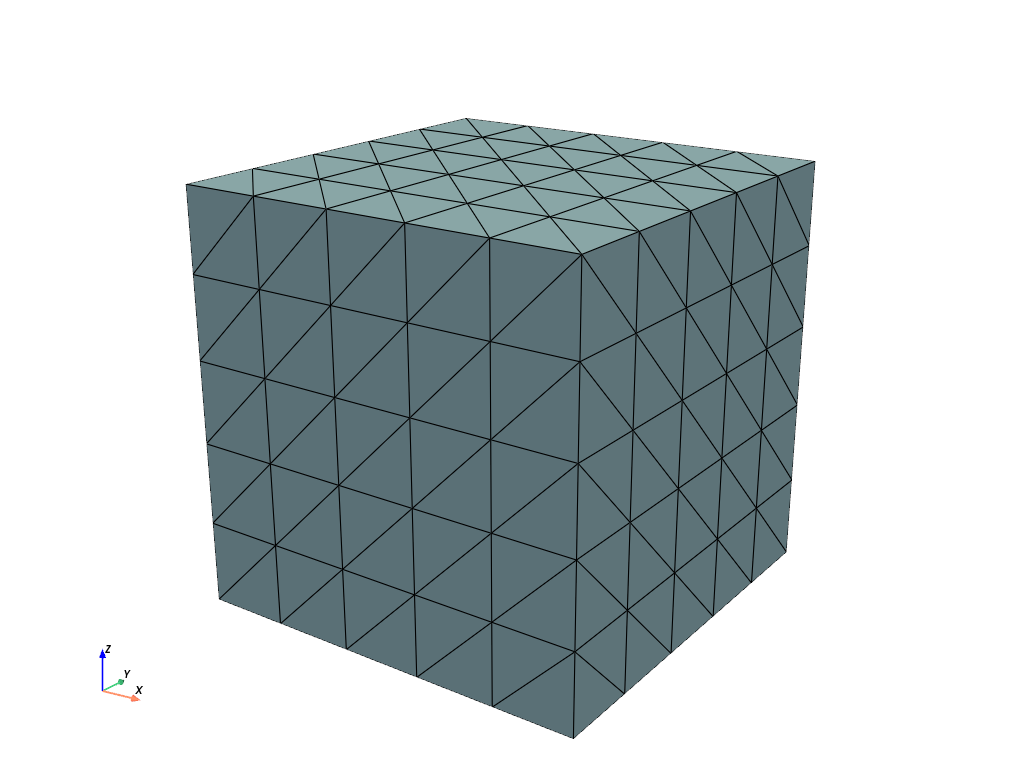
Use
mode=3to convert a mesh of hexahedrons into tetrahedrons [1]_.>>> import felupe as fem >>> >>> mesh = fem.Cube(n=6) >>> triangulated = fem.mesh.triangulate(mesh, mode=3) >>> triangulated.plot().show()
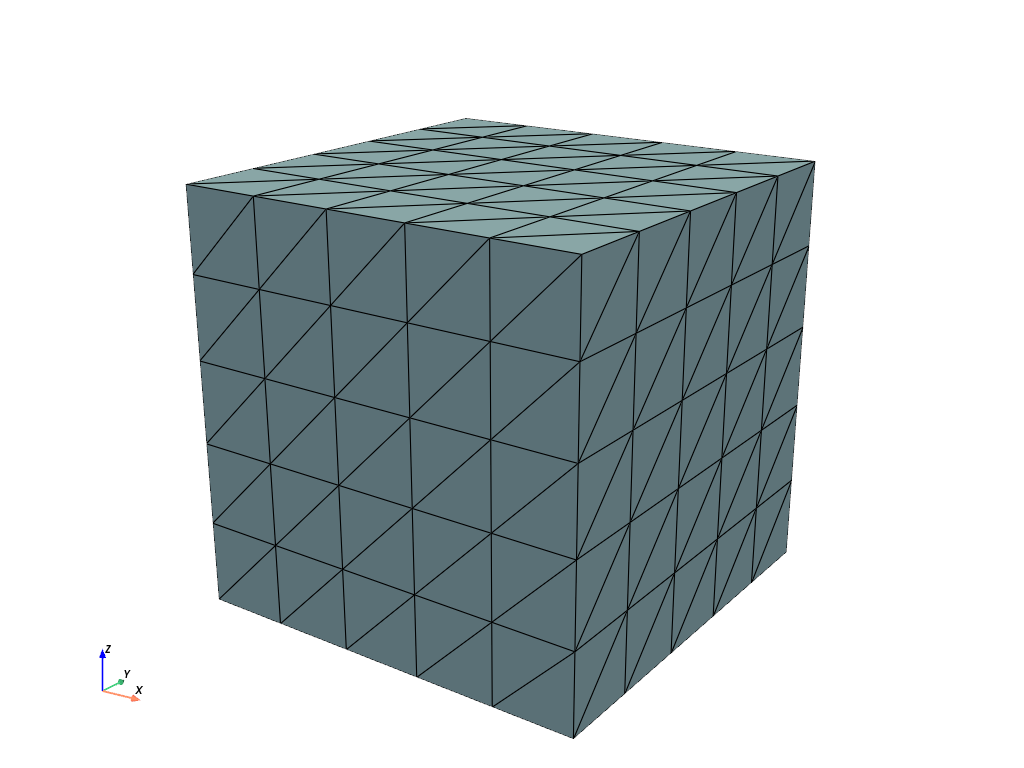
参照
参考
felupe.Mesh.triangulateTriangulate a quad or a hex mesh.